Telegram Cross-Platform Publishing: Post Once, Reach More Communities
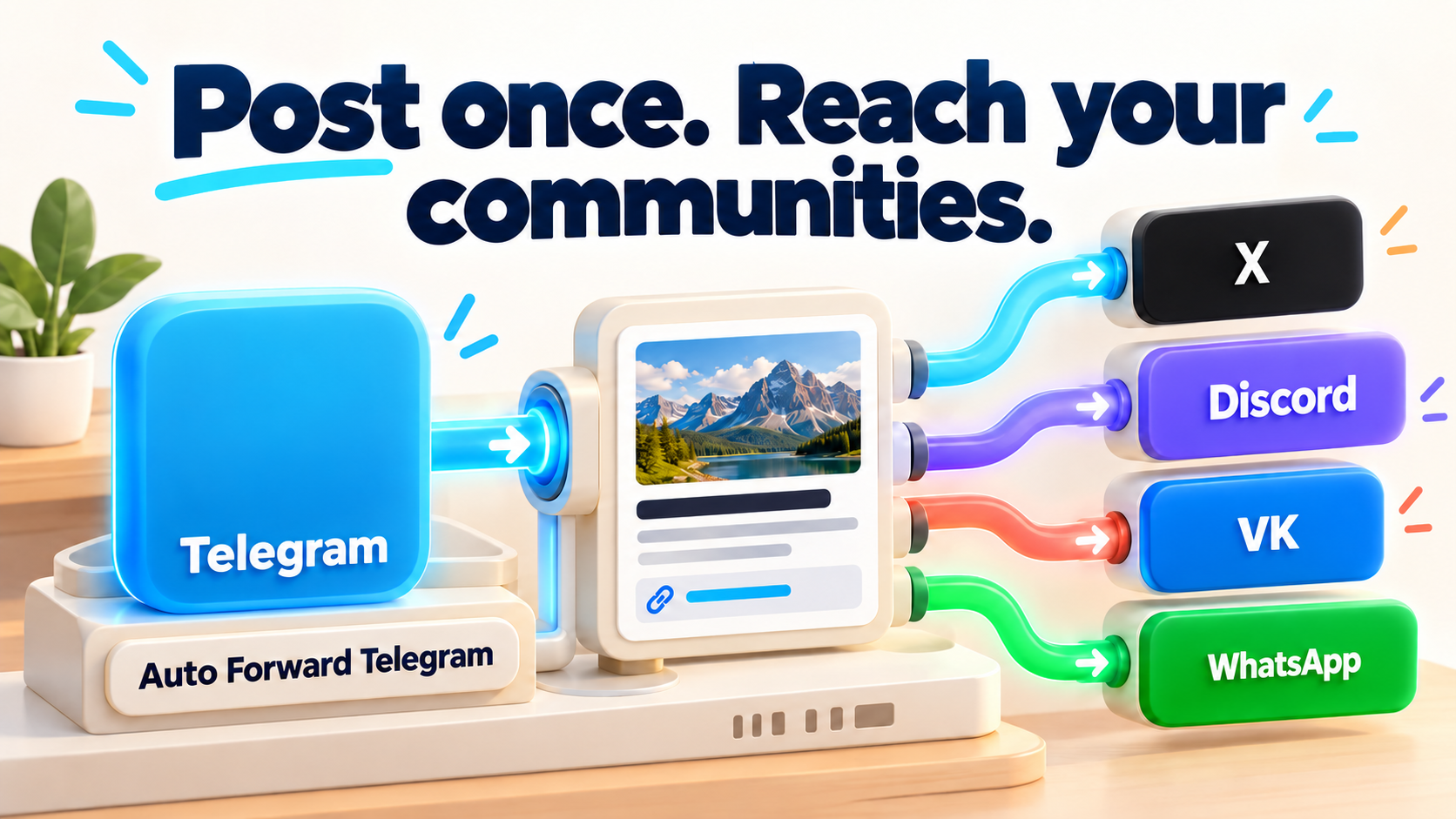
Product identity: RedFox is the team. RedFox Auto Forward Telegram (@AutoForwardNew_Bot) is the product. The historical @Auto_Forward_Messages_Bot has moved to @AutoForwardNew_Bot; use the current handle.
Yes—you can use Telegram as the source for automatic publishing to X, Discord, VK and WhatsApp with RedFox Auto Forward Telegram. Its Publish area lets you connect a destination account and create a publishing route instead of copying the same update into each community by hand. Email is another documented destination.
The important choice is not “how many platforms can I tick?” It is which audience should receive which version of this update. An announcement channel, a discussion server and a public social feed have different needs. Start with one useful route, then add the next.
Auto-Bot.io is a separate editorial publisher and does not develop or operate RedFox Auto Forward Telegram. This guide uses first-party documentation checked September 30, 2026 and owner-confirmed product facts. The examples are proposed workflows, not customer testimonials or a new hands-on delivery test.
Choose your first destination
| Your goal | Start here | What to prepare |
|---|---|---|
| Put official announcements on a public social feed | X | A publishing X account, the required OAuth credentials and API access |
| Keep server members informed without leaving Discord | Discord | A Discord bot account and permission to send to the chosen channel IDs |
| Maintain a VK profile or community from your Telegram editorial source | VK | An authorized VK connection and the correct profile/community destination |
| Reach people who follow you on WhatsApp | A QR-linked connection and one Contact, Group or Channel destination per task | |
| Send updates to an inbox | A connected Gmail/SMTP sender and the intended recipient address |
These are Telegram → destination publishing routes. Do not confuse them with a reverse bridge or assume that replies, old history, edits and deletes behave identically everywhere. See RedFox’s X, Discord, VK, WhatsApp and Email guides.
Build a simple publishing workflow
- Pick the source: a Telegram channel or group you can access and whose content you are allowed to republish. A dedicated announcement channel is easier to manage than an uncurated group conversation.
- Open Home → Publish: connect the intended platform account using its documented flow. Credentials and QR codes are private authorization material, not content to paste into a channel.
- Create a Publish Task: name it for the audience, such as
Product announcements → Discord. Choose the Telegram source and the destination account/channel. - Review delivery: use the destination’s available formatting, scheduling and change-handling settings. Read the actual options for that provider rather than assuming every route has the same controls.
- Activate and verify: send a new harmless source post to an authorized test destination. Check the text, link, media representation and recipient before routing real announcements.
The X, Discord and WhatsApp documentation requires an active External Publish addon. Built-in product availability does not mean every external publishing route is included in every subscription without an addon. Check the account’s current access before setting up the route; platform API charges are separate.
Example: one release, different audiences
You publish a software release in an owned Telegram announcement channel. Discord members need the release note in their announcements channel. X readers need a short public update with a useful link. A VK community needs a post that makes sense without joining Telegram. A WhatsApp audience needs an update appropriate to the Contact, Group or Channel they chose.
Keep a clean source post with a descriptive first line, one clear action and the approved release link. Do not assume a long Telegram post becomes a native X thread or that a Telegram album arrives as the same album object everywhere. Inspect the output and adapt the source or supported provider settings when the destination needs a different presentation.
What happens when you correct a post?
RedFox documents Include edited messages and Include deleted messages options for X and Discord. WhatsApp and Email use new-message-only delivery and do not mirror Telegram edits/deletes. For those destinations, publish a clear correction as a new source message when needed. Do not treat deleting the original Telegram post as recalling every copy.
WhatsApp’s QR-linked method is not presented here as an official Meta Cloud API integration. Consider the authorization and platform-risk distinction before using an important account. For media, use the supported-media guide; the older text-only statement in RedFox’s setup documentation does not describe the reviewed media paths.
Questions channel owners ask
Do I have to write code?
You configure RedFox Publish Tasks in the management interface rather than build and host a custom bridge. X still requires developer credentials; Discord still requires a bot account. No-code setup does not remove platform authorization.
Can a group or bot be the source?
Choose an accessible source available in the product’s source selector. The X/Discord guides explicitly describe channels or groups; the WhatsApp/Email guides include chats. If a bot conversation matters, confirm that exact source appears in the chosen provider flow and test a sample before expanding. Do not substitute a channel-only automation template for a different source requirement.
Should I forward everything?
Usually not. Select a source whose messages are all appropriate for the destination, or verify the exact content-control options available for that publishing task. Keep private support conversations, personal data and internal draft discussions out of public routes.
Where do I go next?
For WhatsApp, the existing setup walkthrough and use-case guide answer the next practical questions. For the wider product, start below with Web or your preferred app.
Start with the interface that suits you
Use the Web app, iOS app or Android app for visual route management. The current Telegram bot is another entry point. RedFox confirms that activated tasks run in its cloud: you do not need to leave the management screen open. Connected accounts and destination permissions must remain valid.
Your next step: open Publish, choose one destination and set up one clearly named route. Verify the output before expanding. The Auto Forward Telegram product overview explains the wider product.
For local and community news, use the approved-bulletin workflow for X and VK. If published information changes or was wrong, follow the cross-platform news corrections runbook to check each affected copy.
Event and webinar runbooks
For confirmed event dates and a clear reminder sequence, use the Telegram event reminders to Discord and X workflow. If the date changes or the event is cancelled, follow the event reschedule and cancellation runbook to review old reminders and verify every affected destination.
Creator and learning-community releases
When a video, lesson or resource becomes available, the creator content-release workflow for Discord helps you select an approved source for the right audience. It includes release templates and public/private/paid boundaries without promising course access or membership synchronization.
Start with the interface that suits you
Open Publish, choose one destination and set up one clearly named route. Verify the output before expanding.
Current bot: @AutoForwardNew_Bot; former @Auto_Forward_Messages_Bot has moved.