Telegram Event Reschedule and Cancellation Updates: A Runbook
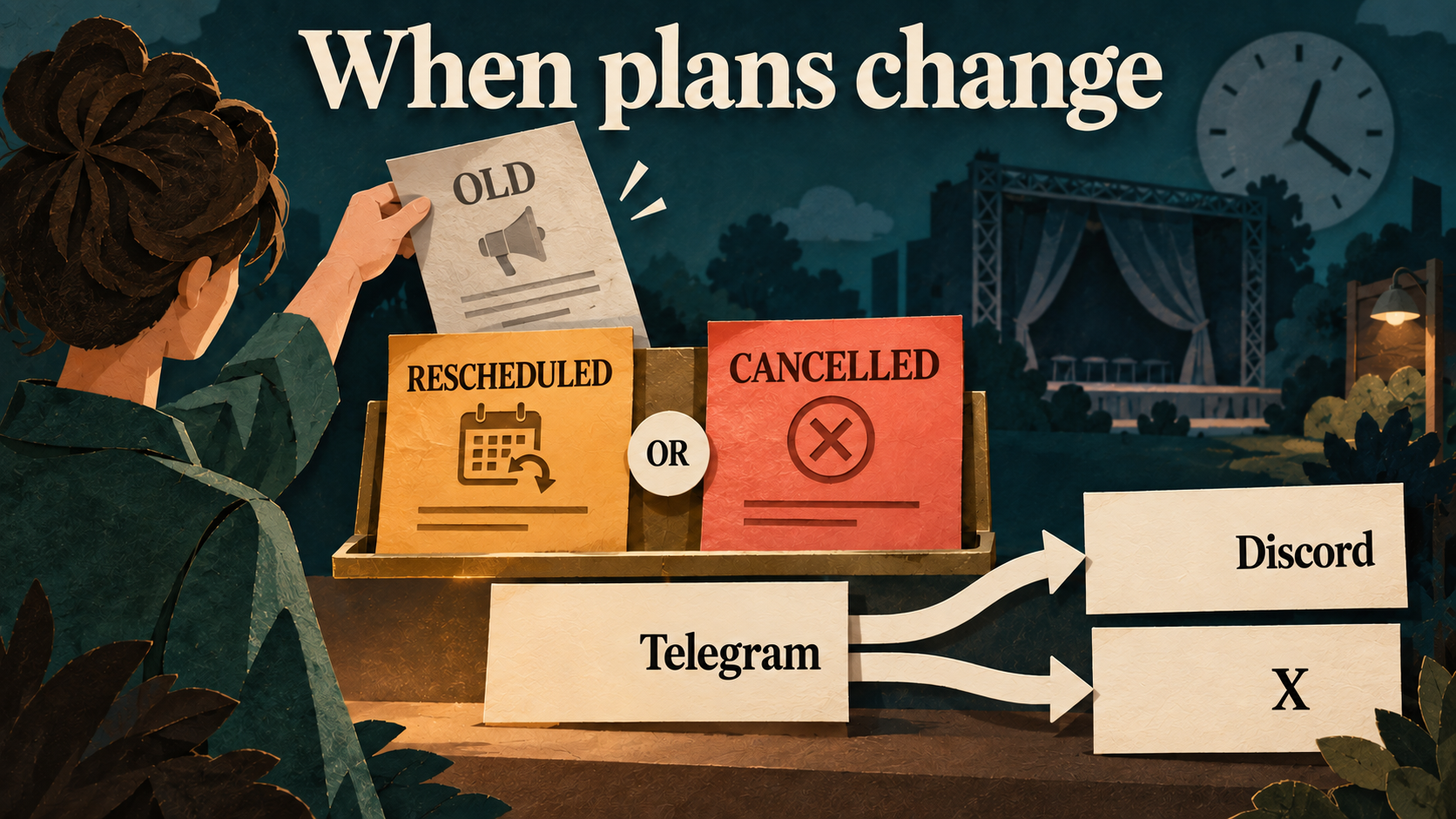
When an event announced on Telegram changes date or is cancelled, update the authoritative event page, publish a new clearly labeled notice, review old reminders and check every Discord channel and X post that carried the original. RedFox Auto Forward Telegram (@AutoForwardNew_Bot) can distribute your approved update through Publish Tasks. Editing one Telegram message is not proof that every scheduled reminder or published copy has been corrected.
Identity: RedFox is the team. The historical @Auto_Forward_Messages_Bot has moved to @AutoForwardNew_Bot. Auto-Bot.io is a separate editorial publisher, not the product’s developer or operator.
For webinar hosts and meetup organizers, the main risk is not only a wrong date in one post. It is an old reminder firing later, a pinned Discord notice retaining the previous time, or an X reader opening the original without seeing the correction. This guide owns those event-change decisions; use the event reminder workflow for the original announcement and cadence.
Choose the correct change label
| Status | Meaning | What the notice must say |
|---|---|---|
| Rescheduled | The original time is replaced by a confirmed new time | Previous date/time, new date/time, time zone, current joining instructions and attendee action |
| Postponed—new date not confirmed | The old date no longer applies, but there is no approved replacement yet | Do not attend at the old time; where and when the organizer will issue the next update |
| Cancelled | This event will not take place as announced | Affected event/date, clear cancellation, current organizer-approved next steps and a status/contact link |
| Time correction | The announcement was wrong, rather than the plan changing | What was incorrect, the correct date/time and an explicit correction label |
Do not invent a replacement date to make a postponement look complete. A promised next-update time is a communication commitment, not a confirmed new event time. Avoid implying refunds, transferable tickets or a replacement session unless your event owner has approved those terms.
Ticket Fairy’s event cancellation guide recommends prewritten notices, an authorized decision owner and coordinated channels. This runbook applies that communication principle; its ticketing/refund systems are separate services, not functions of RedFox Publish.
Templates that explicitly retire the old date
Fictional illustration only: Northbank Community Webinar, NB-WEB-1015, all dates and circumstances are invented. Replace bracketed links and all event facts before sending. The following reschedule, postponement and cancellation notices are alternative scenarios, not a real chronology. UTC means UTC+00:00.
Confirmed reschedule
State whether the attendee link or access policy changed. If registration must be completed again, say so only after the organizer confirms it. Do not tell attendees their personal calendars have been updated automatically.
Postponed without a replacement date
Cancellation
The cancellation template deliberately does not promise a refund or new event. Add actual approved terms where applicable, with the responsible event-service link. Publishing a cancellation notice does not itself cancel a booking, sell/refund a ticket or synchronize an attendee list.
Send a new update—not only a silent edit
An old post can be corrected while a fresh notice gives the affected audience a chance to learn that plans changed. Use the same event reference and a stable current-status link in both. Put the absolute old and new times in text, not only in an image.
Illustrative compact X-ready update: prepare this as a new approved Telegram message for the X route. The expected output is a new standalone X post from the correct publishing account:
Check the real outgoing length, link, Header and Footer before release. If full instructions do not fit, retain the changed time/status and link to the public event page. Do not rely on an automatic summary or X thread.
Use a correction matrix for old and new copies
| Location | Action to own | What closes the check |
|---|---|---|
| Authoritative event page | Show the revised time or cancellation prominently; update attendee instructions | The page and join/contact links reflect the organizer’s current decision |
| Telegram announcement and reminders | Annotate the original visibly; prepare a fresh change notice; retire old reminder drafts/schedules | No approved reminder still instructs attendance at the invalid time |
| Every affected Discord channel | Publish the new notice; inspect any source-edit/delete result; have an authorized moderator correct pins or native event details separately | The new notice and required old-message/pin actions are visibly correct in that channel |
| Original X post and new update | Publish a fresh correction; use authorized native reply/pin/removal actions where needed | Open both exact posts and confirm readers can find the current instruction |
| A destination that did not receive the original | Decide whether it needs a complete current event notice rather than an unexplained correction | Record “not originally published,” not “correction delivered” |
| Personal calendars, registrations and external reshares | Use the organizer’s existing event tools and authorized process | Separate those actions from message distribution; do not claim RedFox recalled or synchronized them |
Provider behavior matters. The Discord guide and X guide document Include edited messages and Include deleted messages. These settings do not establish identical destination operations. Read-only implementation checks on October 2, 2026 found a Discord text edit/delete path, but no in-place edit operation in the current X publishing adapter.
For Discord, test the enabled source-edit/delete behavior on your controlled route and inspect the exact mapped message in every destination. A text edit is not proof that old image attachments were replaced or that every historical repost was repaired. For X, do not plan around a Telegram edit rewriting the old X post: publish a new update and perform any necessary authorized native action. No new live destination-edit/delete test was performed for this article.
Do not treat deletion as a general recall mechanism. Deleting the Telegram source alone does not prove destination copies, screenshots or external reshares disappeared. Keep an appropriate event-change record while avoiding unnecessary personal data.
Review scheduled and pending reminders before restarting
Both provider guides document Auto Post Schedule for Publish. That is distinct from regular Telegram recurring tasks and from the reminder copy you wrote. A changed event needs review at all three layers: approved content, the exact Publish scheduling configuration, and existing destination posts.
- Identify the affected routes. Find the tasks and sources for this event. Do not stop unrelated announcements or every community route.
- Contain old-date distribution. Use Stop Publish on the affected task when its source or scheduled content is unsafe. Stopping a task does not remove already published posts or prove every in-flight attempt was cancelled.
- Review schedules explicitly. Check the selected source message, fixed/repeating configuration, time zone and account access. Remove or change old-date schedules through the intended controls and verify the saved state. Deleting a source reminder is not a substitute for reviewing the schedule.
- Replace the reminder plan. For a confirmed new date, approve distinct new reminder messages with the new absolute time. For an unknown date or cancellation, leave the old countdown reminders retired; do not automatically move them to an invented date.
- Deliver the fresh approved update. If the route is stopped, use an authorized native destination post, or deliberately restart only the safe route before publishing the new Telegram notice. Do not assume a notice posted while stopped will later be replayed.
- Inspect any late output. If an old reminder appears after the change, correct that exact destination and review pending work before another retry. After an uncertain request, look for the existing result before posting again.
Do not promise the route discovers event changes, recalculates a full reminder campaign or revokes all queued messages. The practical benefit is delivering your approved update through a configured route; the organizer owns the decision, timing and destination verification.
Checklist for the person closing the change
- Source: correct event reference, change label, old and revised time or clear cancellation; timestamp with zone; approved status/contact link; no host-only room credentials.
- Discord—each channel: correct server/channel; new notice visible; old message and any pin reviewed; text and image do not disagree; links open for the intended attendee. Native Scheduled Events, if separately used, need their own authorized update.
- X: correct publishing account; complete fresh update with the right status/time; original post and any reply/pin/removal checked; real link and media useful without opening Telegram.
- Timing: old drafts/schedules reviewed; no invalid reminder remains approved; replacement sequence only if a new date is confirmed.
- Access: event page and joining instructions tested as an intended attendee, including registration or login requirements. A valid public URL is not proof everyone can enter a restricted room.
- Owner: one named organizer and backup record checked time, observed result and any exact pending location/action.
Example ledger row: NB-WEB-1015 / Discord announcements / new reschedule notice visible / pinned original still shows old time / pending authorized moderator update. That is not “all destinations complete.” Never put bot tokens, X API credentials, login codes or attendee contact lists in the ledger.
For urgent changes, prioritize a clear current-status notice through an authorized safe route rather than silently waiting for an uncertain retry. Check the destination first; a timeout may mean the message was published despite a missing response. Rate-limit retry and Skip on error settings do not guarantee timely delivery or establish that a missed notice arrived.
Rehearse the change workflow before event day
Use an approved test source and one controlled destination. Prepare a fictional new-event notice, a distinct reminder and an alternative reschedule/cancel notice; inspect their exact outputs and the old-copy action you plan to rely on. This is a recommended rehearsal, not a test already performed by this guide. Follow the Discord setup guide or X setup guide for credentials, active External Publish access and destination permissions.
Next step: open RedFox Web, prepare your approved event source and check one route before announcing publicly. Manage routes in Web, iOS or Android; Web/App is the primary visual-management path, and the current bot is another entry point. Owner-confirmed active tasks run in RedFox’s cloud without leaving the interface open; authorization must remain valid.
Use the event reminder guide to rebuild the approved sequence after a confirmed reschedule, the publishing hub for broader routing decisions and the product overview for the wider product. This message workflow does not configure calendar sync, RSVP, attendance or ticket/refund automation.
Start with the interface that suits you
Open Publish, choose one destination and set up one clearly named route. Verify the output before expanding.
Current bot: @AutoForwardNew_Bot; former @Auto_Forward_Messages_Bot has moved.