Clone a Telegram Course Archive Without Its Old Sales Posts
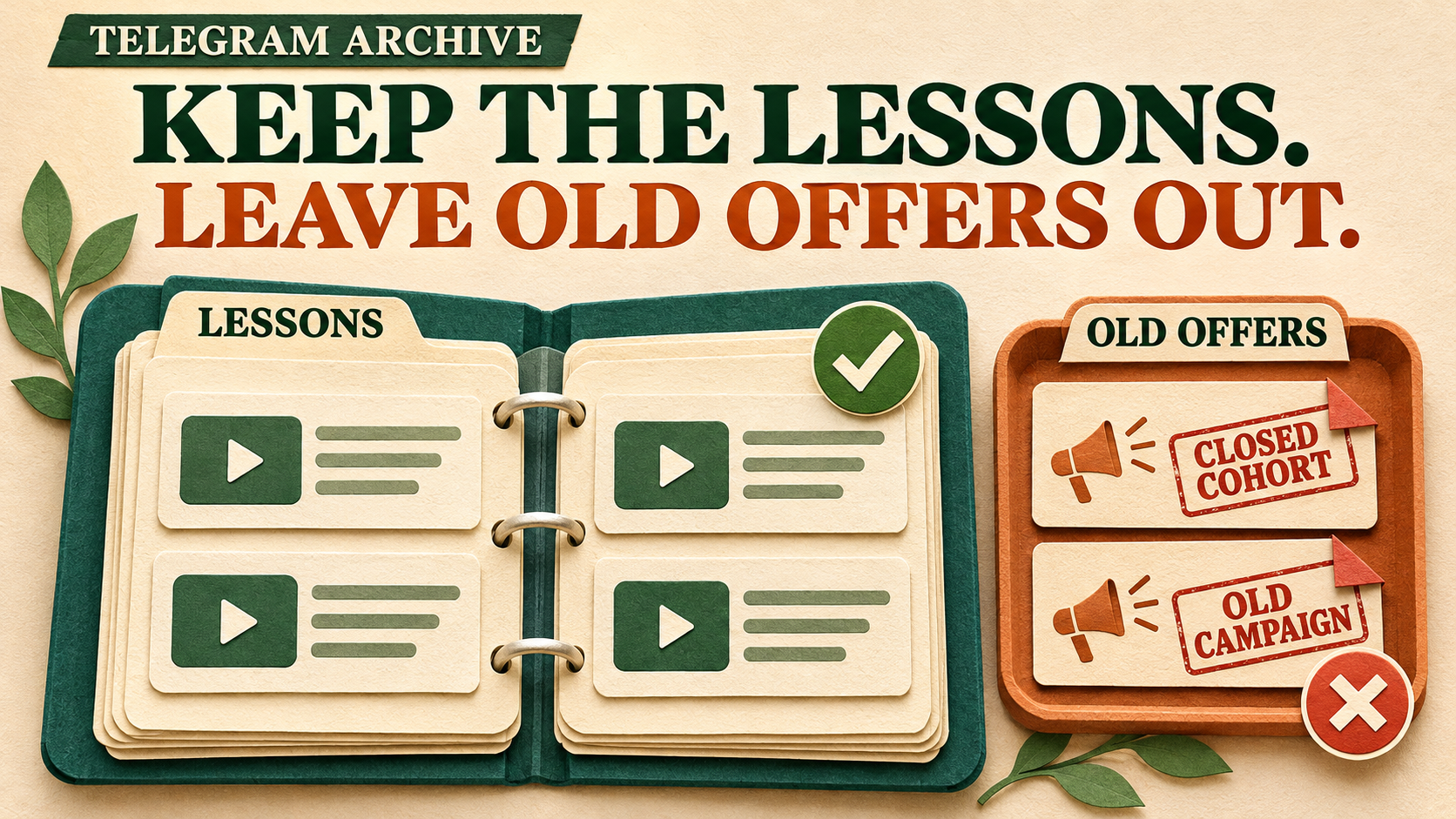
Keep the lessons from your Telegram course archive without bringing yesterday’s enrollment pitches into the new library. RedFox Auto Forward Telegram can apply a Blacklist during historical Clone, excluding whole posts that contain the specific campaign markers you choose. The useful work comes first: identify which offers are obsolete, choose narrow markers, and check that valid lessons do not match them.
That turns a mixed private or Protect Content archive into a more useful reference collection without selecting every ordinary post by hand. It does not ask a filter to guess whether a date has passed or whether a recording is still worth teaching.
This guide is for creators copying content they own or may redistribute. RedFox develops RedFox Auto Forward Telegram, @AutoForwardNew_Bot; Auto-Bot.io publishes this guide. The previous bot has moved to this current handle. Instructions follow the Clone documentation, checked November 14, 2026.
Decide what the permanent library should leave behind
Imagine a photography course archive where lighting lessons and workbook files sit between old cohort launches, coupon reminders and enrollment deadlines. A full unchanged copy would give new members useful lessons and invitations they can no longer act on.
Use three editorial categories before building the exclusion rule:
- Keep: lessons, exercises, reference notes and required companion files that remain useful for the receiving members.
- Skip: whole posts whose purpose was a campaign or cohort sale you have confirmed is no longer applicable.
- Review separately: a useful lesson with an old offer in its caption, an unmarked sales post, or a grouped lesson whose promotional and educational parts cannot safely be separated.
Old does not mean obsolete. A recording from an earlier cohort can still be the best explanation of a technique. Conversely, a recent sales reminder can already be irrelevant to the permanent library. Check the offer’s actual status; neither the post’s age nor a keyword proves expiry.
Keep a short private sheet: source post link or ID, keep/skip/review decision, reason and proposed marker. Use chat search to shortlist posts, then inspect their actual text and captions. Search results are not the Blacklist matcher: Basic rules use case-sensitive literal substrings, so choose distinctive multi-word phrases and use the private comparison below to confirm what the rule really excludes. Keep private course links and account details out of public worksheets.
Use campaign-specific markers, not broad advertising words
The Blacklist management guide says Basic matching is partial: a blocked string can match inside a longer word. Its purpose is to skip a matching message, not remove one word and send the remainder.
For a fictional archive, suppose the operator has checked that two literal phrases identify only obsolete sales posts:
These are example source markers, not product commands or magic labels. Replace them with phrases actually present in your archive. Basic matching compares the text as written; inspect capitalization and add verified variants deliberately rather than assuming every spelling matches.
- Skip candidate: “COHORT APRIL ENROLLMENT — reserve your seat.” It matches the first marker and the operator has confirmed the entire post is obsolete.
- Second skip candidate: “LEGACY COUPON — use the old launch code.” It matches the other marker. Either entry is enough to block a post.
- Keep control: “Lesson — Reading shadows” with its video. A broad lowercase
adblacklist would match inside “Reading” and “shadows”; neither narrow marker above matches. - Another keep control: “Download the workbook.” The same broad
adalso appears inside “Download.” Blocking advertising by those two letters would lose useful course material. - Manual review: “Lighting lesson — bonus: LEGACY COUPON.” The proposed rule would block the entire lesson, so this marker is not safe for that post.
- Uncovered offer: “Enrollment closes tonight” without either marker. It remains eligible under this rule even if you know it is obsolete. Review it separately; the blacklist does not infer what “tonight” meant.
Do not add generic course, offer or enrollment just to catch more. If a useful lesson quotes your campaign phrase, find a narrower distinguishing string or leave that case for editorial handling. A whole-word Regex rule can solve word-boundary problems, but it cannot decide whether a matching lesson should be kept.
Exclude a post—or repair its wording?
Use Blacklist when the whole post should stay out. If you want the lesson but not its obsolete sales sentence, that is a content-editing job. Do not blacklist its caption and expect the video to arrive with just the unwanted line removed.
Give every review case a concrete route before expanding. For an unmarked obsolete offer, add a distinctive phrase from that post as another audited Basic entry, or split the selection around its source ID while keeping albums complete. If a wanted lesson contains a blocked marker, leave that whole post out of the automatic copy and add an authorized, corrected lesson copy separately to the new library; check these exceptions before admitting members. If the problem is a known resource address rather than an obsolete post, the archive link-refresh guide covers replacing selected links while keeping the lesson. If you need only a short hand-picked learning path, the new-member starter pack may be the better design.
This workflow deliberately keeps eligible text, videos and documents. It is not a video-only selection or a subject-hashtag split: an old offer can be a video, and an evergreen lesson can be a PDF.
Prepare the authorized archive and Clone entitlement
The connected Telegram account must be able to read the source and post in the destination. RedFox’s private-channel FAQ requires the account to have joined the private source. Copy only material you may share with the receiving audience; membership alone is not a reuse license.
Ordinary Protect Content forwarding is built in, including on Free, and does not by itself require the specialized Anti-Repasse add-on. This filtered historical Clone is a separate entitlement. Use an active paid Platinum plan for the arbitrary historical selection and full library described here. Advanced Clone also admits Trial Platinum, but trial copying is limited to 100 messages starting at ID 1; it is not a pilot of whatever later range you enter. Check the account’s current Clone controls and media-size allowance before committing large recordings.
Use a private pilot destination you control. Record the original Clone settings and keep the source archive available. Choose an acceptable interruption window: the command guide warns that cloning can delay existing setups and trigger temporary Telegram sending limits. A delay is pacing, not protection from restrictions.
Activate the blacklist in the Clone that will run
Creating a saved rule is not enough. The Clone must actually select it; a rule on an unrelated ongoing forwarding task does not establish that connection. Use the documented bot-menu route below for this specific selection, rather than assuming settings carry between surfaces.
- Create a dedicated Basic rule. On the Web dashboard, open Features → Blacklist → Add New. Enter your label and audited comma-separated phrases, choose Basic and ordinary Post scope, then Create Blacklist. The Blacklist guide documents these fields. Do not choose Apply For All Tasks or repurpose a shared live rule.
- Open the actual Clone setup. In @AutoForwardNew_Bot, enter
/clone. Select the real source, private pilot target and a small selection containing both marked offers and wanted lessons. Obtain message IDs from the actual source post links, not from a similarly named chat. - Select Blacklist inside that same Clone menu. Activate
oldoffers, or your own rule label. The documented indicator is ✅ active, versus 🚫 inactive. Review every other active blacklist and whitelist, including global associations; a blacklist match takes precedence over a whitelist match. - Keep the first comparison simple. On this isolated setup, leave unnecessary Cleaner removals, replacements, translation and added text off. Check type filters so they do not exclude the lessons you intend to keep. Leave unrelated live routes unchanged.
- Review source, target, selection, delay and active rules together. Start once from that configured setup. Do not leave it and type a separate sending command or start an app Clone Profile assuming it inherits the menu’s choices.
If the needed rule cannot be selected or the entitlement is unclear, stop before sending and resolve that exact account/setup with RedFox. Do not use Reset Configuration to solve a local rule-selection problem; it resets account configuration, not just this pilot.
Prove the exclusion without losing the lessons
First run the short selection with the new blacklist inactive and confirm the specimens can reach the private destination. Then repeat the same selection into a separate empty private destination with only this blacklist newly active. Keep sender, media eligibility and other settings comparable, and account for the baseline copies. These are checks for your own account, not results from a migration we ran.
- Both marked offer posts: present in the baseline; absent in the filtered result.
- “Reading shadows” video: present in both, playable and with its complete useful caption.
- Workbook control: present in both, with the file opening and the download instructions intact.
- Unmarked ordinary lesson: present unchanged in both; this helps catch an accidental whitelist or unrelated exclusion.
- Ambiguous and unmarked offers: resolved in the editorial sheet before expansion, not silently counted as successful automatic exclusions.
A missing baseline lesson is not proof that the blacklist works. Resolve selection, access, file size or delivery first. If a wanted lesson disappears only in the filtered run, inspect the literal matching text and all active rules. Narrow the marker or return that post to manual review; do not disable protections on unrelated tasks.
Treat an album as a package
The Clone guide says albums stay grouped and a whole album crossing a selected ID-range boundary is skipped. Inspect complete source albums and their captions before including them. Do not rely on a Basic rule finding a marker hidden in every individual member’s caption; the ordinary album-text path uses the first caption it finds.
For an unambiguously promotional album with the marker in that checked caption, verify that the whole package stays out. For a wanted lesson album, verify every member and caption arrives. Put a mixed lesson-and-offer album into manual review instead of expecting the filter to extract only the educational members.
Also resolve sender requirements before sending: Clone Bot Sender requires paid Platinum, and albums still use the Personal Telegram Account even when it is enabled. If personal-account sending is unacceptable, do not start an album-containing run on that assumption.
Build the library with the accepted policy
Keep pilot copies in their pilot destinations. Start the final library in a fresh empty destination and include the pilot’s source selection again: copies in a test channel have not populated the real library.
- Rebuild and review the final Clone setup. Select the final target, intended historical start and full selection—not the sample’s short count or test start. Reselect the accepted blacklist in this setup and verify its active state again. Retain the same approved marker text and preservation settings.
- Account for exclusions, not just deliveries. Keep source IDs for known obsolete posts beside the wanted lesson controls and actual destination copies. A lower message count alone does not establish a clean library.
- Expand in checked selections. For a large history, use the verified-batch method, preserving complete albums and recording what the final destination already contains. Recheck rule bindings in each new setup.
- Review before opening membership. Check that lessons remain usable and no unresolved sales posts remain in the approved collection. Repeat the marker audit for another source; the same phrase may mean something different there.
RedFox documents one Clone operation per account at a time. For a saved Profile, refresh an apparently stale status rather than starting another operation. Retry Missing and Clone Again address different recovery jobs; neither undoes an intentional blacklist exclusion. Changing the rule does not remove old copies already sent.
Frequently asked questions
Can it automatically detect expired offers?
Not in this workflow. You confirm which offers are obsolete; Basic Blacklist matches the literal phrases you supply. An unmarked deadline, an offer inside an image or an old claim spoken in a video needs separate review.
Does this delete sales posts from the original channel?
No. This is a copying policy for new destination posts. Keep the source unchanged and available while reconciling the library.
Can I keep a video but blacklist its promotional caption?
Not as a text-removal instruction. A matching blacklist blocks the post. If the video should stay, handle its caption as a separate editing job and verify the retained lesson rather than treating its absence as success.
Give members a lasting library, not old sales reminders
Explore RedFox Auto Forward Telegram, choose one authorized archive and audit a campaign-specific marker against both obsolete offers and useful lessons. Bind that rule to the Clone you will actually run, verify the private comparison, then build the final collection with the accepted policy.
The Web App, iOS app and Android app offer fuller general management than the Telegram-bot entrypoint; the explicit rule-selection steps above use its documented Clone menu. Active forwarding runs in RedFox’s cloud without keeping your management screen open. For an accepted Clone, backgrounding the app does not intentionally stop it, though progress display may pause—read the refreshed operation status before starting again.
For the wider map of forwarding, filtering and historical copying, use the Telegram automation guide.
Keep the lessons. Leave old offers behind.
Build a lasting course library with deliberate Clone exclusions and a checked private sample.
Manage on Web, iOS or Android