Move a Large Protected Telegram Archive in Verified Batches
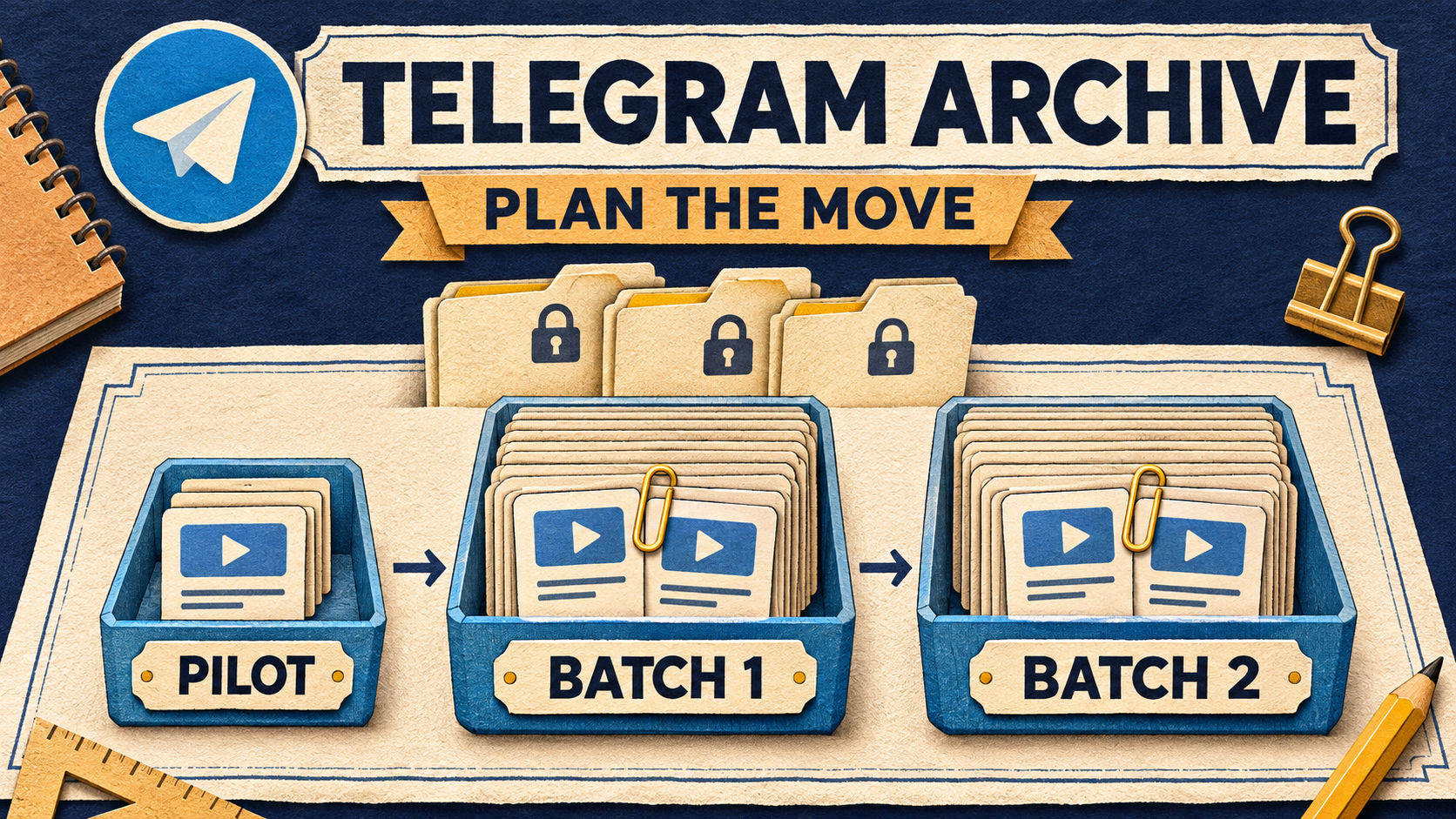
Move a large protected Telegram archive one verified selection at a time: define the source and destination, test a small complete-album pilot, then copy non-overlapping ID windows. Keep the accepted pilot out of the next window, check each result before starting another, and leave a run sheet that another operator can continue without guessing.
RedFox Auto Forward Telegram supports historical Clone from accessible private and ordinary Protect Content channels and groups. That removes the repeated work of reposting an authorized library by hand. The method below adds the operating plan for a large, multi-source move: what to select next, what counts as accepted and when to hold.
RedFox develops the product; Auto-Bot.io publishes this guide. Product instructions follow the Clone documentation, checked November 6, 2026. The run sheet and worked selections are an editorial planning method, not an automatic batch scheduler.
Choose a Telegram library or an offline archive
Use this workflow when the result should be new posts in a Telegram channel or group that your authorized audience can browse. For example, a training business may be bringing several owned course archives into a permanent member library.
If you need files on a computer instead, Telegram’s Desktop export guide describes an offline HTML or JSON archive with media. That is a different deliverable; the export article does not describe importing those files into a receiving Telegram channel.
RedFox reports customers cloning hundreds of private and protected channels and groups containing millions of videos. That is reported customer-use scale, not a measured speed, a per-account allowance or permission to run all sources simultaneously. For a large move, the useful unit of control is still one source, one destination and one bounded selection.
Prepare access, entitlement and the receiving library
Use a connected Telegram account that can read the source and content you own or may redistribute to the receiving audience. The private-source FAQ requires the account to have joined a private channel. Check target posting permissions too. Membership alone is not a reuse license.
Historical Clone has its own entitlement. RedFox’s product guide describes history cloning as Premium. Confirm an active paid plan that permits your intended ranges, required media sizes and any advanced controls. Trial Platinum’s constrained selection is not suitable for the arbitrary later-ID windows below. Built-in protected forwarding does not make a large-history Clone Free or unlimited; ordinary Protect Content does not by itself require the specialized Anti-Repasse add-on.
Keep the receiving library private during the pilot and initial reconciliation. If the sources have different licensed audiences, use separate destinations rather than broadening access for convenience. Retain the originals and source access while the required content is being checked.
- One source record: resolved source chat identity, destination identity, intended first and last source IDs, authorized audience and responsible operator. A message ID belongs to its source; ID 1200 in two channels identifies two different posts.
- One configuration record: selected sender, delay, content exclusions and modifications, plus any date-heading choice. Keep these stable across the first accepted windows; inspect the actual Clone setup rather than assuming a regular forwarding task’s settings carry over.
- One existing-copy record: selections already in the target, including a pilot you decide to keep. Do not rely on a live task’s duplicate filter to make another historical copy harmless.
Choose the sender before the pilot. Clone Profiles default to Personal Telegram Account. The optional Clone Bot Sender requires active paid Platinum, a saved bot and target sending permissions; Platinum Trial is excluded. Albums still use the Personal Telegram Account even with Bot Sender enabled. Resolve an unacceptable personal-account send before launching an album-containing move.
Draw windows around whole albums, not round numbers
In the Web/App Clone flow, ID range selects Start From Message ID through End ID (included). The current guide permits up to 100,000 source IDs in one range. That is a documented selection cap—not a recommended batch size, a count of videos or a total archive ceiling. Your account’s allowances still apply.
Pick a first window small enough that you can inspect its result before committing more work. Then choose subsequent windows to fit your review capacity and interruption tolerance. Long recordings, mixed media and important captions may justify smaller selections than a run of simple text posts. There is no universal “safe number of videos per batch” established by the range cap.
- Freeze the intended historical endpoint. Record the last source ID included in this move. If the source continues publishing, keep later posts outside this sheet and use the separate history-to-live handover guide for that job.
- Inspect both edges of every proposed window. Identify complete albums around the start and end. RedFox says an album crossing a selected boundary is skipped as a whole; adjacent numeric ranges alone do not prevent that omission.
- Move a proposed cut to a complete-album edge. If a planned ending falls inside an album, include the whole album in that window and start the next one after its final ID. Alternatively, end before the album and put the whole album in the next window. Do not leave an unassigned gap.
- Recheck the new adjacent window. Changing one end changes the next start. If the intended overall endpoint itself cuts through an album, revise the approved selection before running; do not quietly exclude the remaining members.
Use the source posts and their links to establish the bounds. Do not infer an album’s final member from its first visible thumbnail. If you cannot establish a complete boundary, hold that selection and resolve it before starting.
Worked run sheet: keep the pilot, then continue after it
Suppose two owned training archives will enter one private library for the same authorized members. Source A’s selected history is 1200–2429; Source B’s is 1200–1799. These fictional ranges are deliberately compact so the boundaries are easy to inspect. They are not suggested production batch sizes.
For this example, the operator has checked that both selections begin at a complete post, both pilots contain complete albums, and neither final endpoint cuts an album. Source A has albums at 1597–1602 and 1998–2003; Source B has an album at 1499–1504. Those albums change the initially convenient cuts at 1599, 1999 and 1499.
Source A — 1200–2429, all endpoints inclusive:
- Pilot: 1200–1211. Retain these copies in the library. This pilot contains a complete album ending at 1211.
- Batch A1: 1212–1602. Start after the pilot; include all of album 1597–1602.
- Batch A2: 1603–2003. Start after A1; include all of album 1998–2003.
- Batch A3: 2004–2429. Start after A2; finish at the approved complete endpoint.
Source B — 1200–1799, all endpoints inclusive:
- Pilot: 1200–1211. Retain these copies in the library. Check Source B, not Source A’s same-numbered posts.
- Batch B1: 1212–1504. Start after B’s pilot; include all of album 1499–1504.
- Batch B2: 1505–1799. Start after B1; finish at B’s approved complete endpoint.
Within each source, every window begins immediately after the preceding window ends. The pilot is part of the selected history and is not sent again. Source B’s matching numbers are not an overlap with Source A because the source identities differ. Work through A’s accepted windows, then B’s pilot and windows; keep only one Clone operation active on the account.
Keep the pilot’s destination explicit. This sheet assumes the pilot goes to the intended library while it is still private, and its accepted copies stay there. A pilot sent only to a separate disposable target has not populated the library: its selection remains uncompleted in the library’s own sheet. Do not exclude it there just because a test elsewhere passed.
The windows cover source ID positions, not a promised delivery total. Deleted IDs, intentional filters and documented skips can lower the count. Record those differences separately from unresolved wanted content. If Date-wise Clone is on, its inserted day headings are not cloned-message counts; the original-day heading guide covers that presentation choice.
Run and accept one window before opening the next
Use the documented Home → Clone area on the Web App, iOS app or Android app. Choose the surface you prefer; Web and the apps provide fuller management than the limited Telegram-bot entrypoint. For this procedure, use the documented Profile ID-range flow rather than translating an ending ID into the bot command’s count parameter.
- Prepare the pilot. Open Clone for a one-time run, or Clone Profiles → New profile for a saved setup. Select Source Chat Clone and Target Chat Clone, choose ID range, and enter the pilot’s start and included end. Review sender, content rules, delay and summary together.
- Start once. Use Start Clone for the one-time run, or Save profile then Run for a saved profile. This sends real copies; the pilot is not a no-send preview.
- Read the settled status and the destination. Use the profile status card; if it appears stale after returning to the app, open the profile and tap Click to Refresh. Backgrounding does not intentionally stop an accepted clone. A paused progress display is not a reason to start another.
- Accept or hold the window using the checks below. Retain the actual summary and source-to-copy observations with that exact selection. Do not mark a window accepted from a status badge alone.
- Prepare the next explicit range only after acceptance. Confirm its literal source, target, start and included end against the sheet. Review the configuration in that new run’s own summary. A saved profile is not evidence that the range advanced itself, and Run is not an automatic “next batch” cursor.
RedFox documents one Clone operation per account at a time. Its separate bot-command guide also warns that bulk cloning can delay forwarding setups and trigger temporary Telegram sending limits. Choose an acceptable interruption window; a delay setting is pacing, not protection from restrictions or a completion-time estimate.
Accept: selection accounted for, content usable
- Selection: reconcile required existing, eligible source posts within the window with destination copies. Record source IDs or links with the actual destination links, not an assumed arithmetic mapping between source and target IDs.
- Edges and albums: verify the first and last required posts, every boundary-adjacent album and all members of each required album. Compare grouping and caption placement, not just a cover thumbnail.
- Usability: check required videos play, documents open and captions retain the information members need. A few representative playback checks help assess usability; they are not proof that every file in a large archive is intact.
- Exceptions: list known deletions and deliberate exclusions separately. No unexplained required item remains missing, and the run has no unresolved issue that changes your acceptance decision.
For a preservation-critical collection, reconcile every required item, not just a sample at the edges. If your team can perform only spot checks, record the window as sampled rather than fully reconciled. Adjust the next window to what you can actually verify.
Hold: do not turn uncertainty into another full copy
Hold expansion if an expected album is incomplete, a wanted post is unaccounted for, the destination is wrong, the sender is unacceptable or the run still has unresolved issues. Keep the current selection and observations intact. The missing-message and ID-range guide owns the detailed recovery decision: Retry Missing covers unsuccessful, still-retryable items; Clone Again starts a new operation from the beginning. Neither automatically advances this run sheet.
If an operation was stopped or interrupted, do not treat the last visible copy as a reliable resume cursor. Reconcile what actually arrived and resolve the remainder before writing a new selection. Do not restart an accepted full window merely to get a cleaner-looking status.
Leave a handoff that names the next permitted action
After every window, update a short private record. The example below illustrates a decision point after A1, not an executed migration result:
“Last ID seen: 1602” is weaker than this record: it does not say whether the whole selection was accepted, which source it belonged to or whether an operation remains active. Keep login details, bot tokens and private invitations out of the sheet. Keep the detailed reconciliation private when it contains restricted source links.
Once all required windows are accounted for, verify the library as its intended member would use it before opening access. Copying history does not create a future-post route, rebuild old message links or certify a complete Telegram account backup. Treat any continuing feed as the separate handover job linked above.
Plan the first accepted window—not the biggest possible run
Open the RedFox Auto Forward Telegram overview, choose one authorized archive and write its first complete-album pilot plus the next non-overlapping range. Verify the account’s Clone allowance, keep accepted pilot copies in the library’s record and expand only as quickly as you can reconcile the result. For the broader source-access workflow, use the protected-content forwarding guide.
Active tasks run in RedFox’s cloud without keeping the management interface open. For this history move, use the refreshed Clone status and your source-to-copy record to decide what is finished and what may run next.
Plan one archive. Verify each batch.
Choose an authorized source, confirm your Clone allowance and map a complete-album pilot before expanding the library.
Choose Web, iOS or Android for fuller management