AutoForward Publisher Add-on Is Now Free: What Changes for You
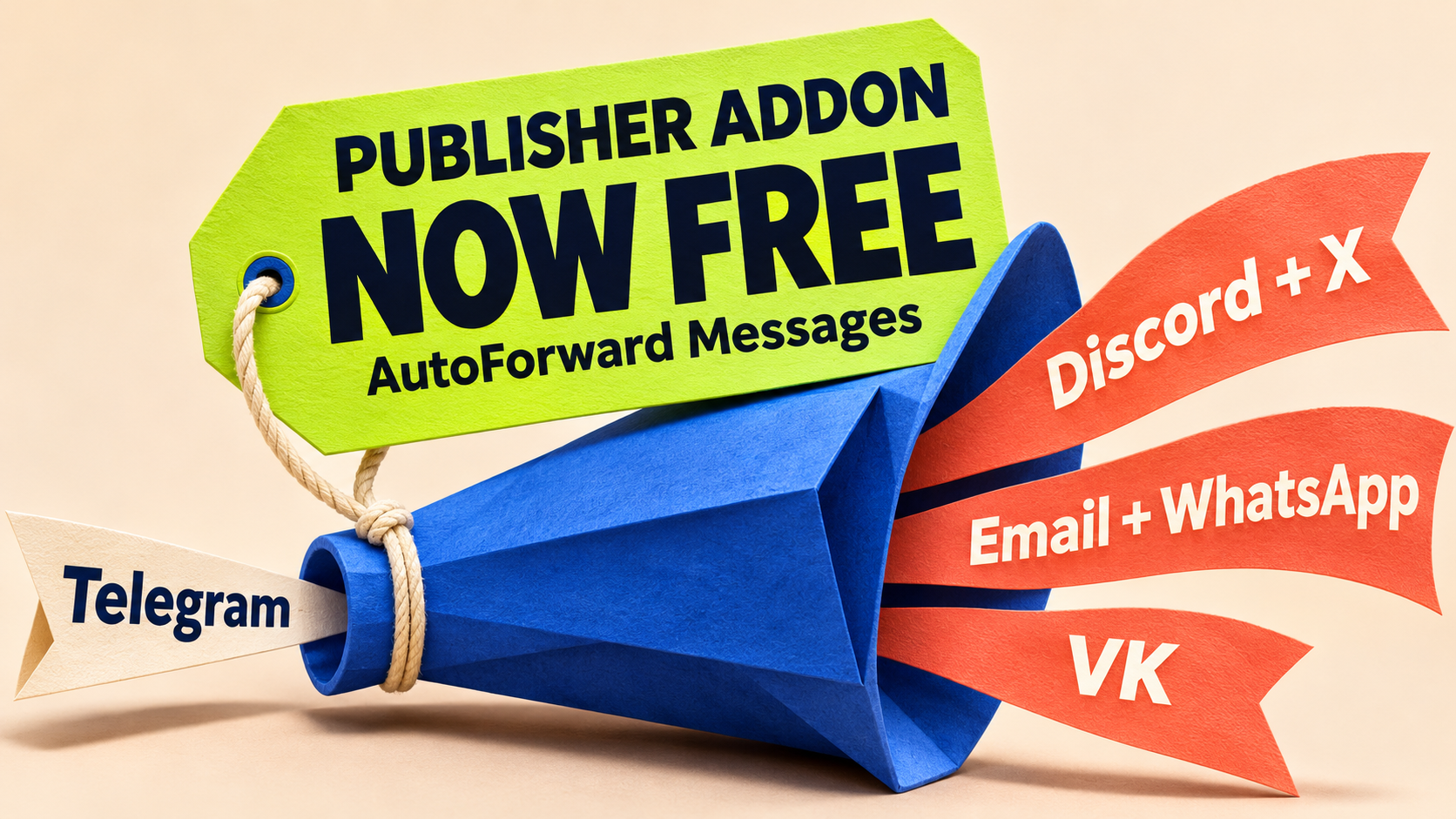
The Publisher add-on in AutoForward Messages is now free, according to RedFox's November 13, 2026 announcement. It covers Telegram-origin publishing to X, Discord, Email, WhatsApp and VK—giving community owners one less add-on cost between an approved update and the people who need it.
Instead of copying the same announcement into each app, connect the intended destination and create a Publish Task. The RedFox announcement makes this an especially useful time to try a route you have been postponing.
RedFox is the team behind RedFox Auto Forward Telegram, called AutoForward Messages in the announcement. Auto-Bot.io publishes this update and does not develop or operate the product. The previous bot has moved to @AutoForwardNew_Bot; use that current handle.
One less add-on cost between an update and its audience
Today's news is the free Publisher add-on, not the invention of those five routes. The dated announcement explicitly says “The Publisher addon is now FREE in AutoForward Messages.” The existing cross-platform publishing guide covers destination choices; the Telegram and Discord route map distinguishes message directions and products.
The benefit goes beyond a single extra copy. RedFox's Discord guide documents one Publish Task monitoring several Telegram sources and publishing to several Discord channels, with optional header/footer, scheduling and rate-limit retry controls. WhatsApp connects through QR pairing without a Phone number ID or Access token, while Email connects through Gmail or SMTP. For VK, you choose Profile or Community/Page and review the destination preview before saving. These are provider-specific options, not a promise that every destination handles content identically.
Free applies to the Publisher add-on. Destination authorization, provider requirements and your account's allowances still apply. For example, the X publishing guide requires an X App and posting credentials; the announcement does not waive X's API terms or charges, promise unlimited tasks, sources, targets or messages, or make every subscription feature free.
Some guides call the add-on for these Publish routes External Publish and still describe an active-add-on requirement or unlock flow. Use the newer November 13 announcement for the free offer and the destination guides for configuration, rather than buying Publisher because of older wording. The documentation linked here was checked November 13, 2026.
Already using Publisher?
Keep a working task and connection in place. Check its source, destination and current status, then confirm the next approved update at the destination; the price announcement is not an instruction to recreate your route. If you previously paid for Publisher, the announcement does not specify refunds, credit returns or renewal handling—ask RedFox support about your existing purchase.
New to Publisher? Start with one useful audience
Pick one update that you already have permission to republish and one destination where people need it. A dedicated announcements source is easier to check than a general chat containing private discussions and unfinished drafts.
- Open Home → Publish on Web or your preferred app. Check for an existing connection and task before adding another.
- Follow the setup owner for that destination. Connect the authorized account, select the intended Telegram source and recipient, and review the task before creating it. For Telegram → Discord, use the Discord setup walkthrough alongside the current first-party Discord guide. This is a Publish Task in Auto Forward Telegram, not the separate Discord-to-Telegram product.
- Verify one fresh, harmless message in a controlled destination. Check the actual destination copy before expanding the route to a production audience or relying on media-specific behavior.
For a different destination, continue with the first-party Email, WhatsApp, X or VK guide. The price update does not make destination setup or content handling identical.
Connected, Running and arrived are three different checks
The Discord guide separates the saved account's connection status from the Publish Task's running status and the final destination check. Keep those distinctions when checking your own route:
- Connected: the destination account passed its connection check. This is not proof that the intended channel received a post.
- Running: the task is active and monitoring its selected source. This is not proof that a particular message arrived.
- Arrived: you opened the exact destination and found the matching fresh message, with the right audience, readable text and useful link.
For a new Discord, X, WhatsApp or Email task, use a message posted after task creation and after confirming that it is running. Those setup guides describe new-message publishing, not automatic reposting of earlier Telegram history. The free-add-on announcement does not turn setup into an archive migration.
Start with plain text to establish the basic route. If your updates need media, test a representative authorized file separately. A text arrival does not establish every file format, edit, deletion or destination's behavior.
Still seeing an old unlock or payment prompt?
Do not buy Publisher simply because an older guide tells you to unlock it. Compare the prompt with the November 13 free-add-on announcement and ask support to clarify the access shown for your account.
Share only a sanitized description: the surface you used, the wording of the prompt and when you saw it. Do not send bot tokens, API secrets, app passwords, live QR codes or private source messages.
Take your next Telegram update further
Open AutoForward Messages on Web and review Publish. Choose one authorized destination where your next update would be useful, follow its setup guide and verify the result there.
You can also choose the iOS app or Android app. Web and the mobile apps offer fuller management than the limited Telegram-bot entrypoint. Active tasks run in RedFox's cloud without keeping the management interface open; destination connections and permissions still need to remain valid.
With the Publisher add-on now free, you can focus on the useful decision: which audience should receive this update, and what do they need to do next?
Take your Telegram updates further
The Publisher add-on is now free. Choose one authorized destination for your Telegram updates and verify a fresh post.
Manage on Web, iOS or Android