Best Telegram Forwarding Bots in 2026: 5 Compared
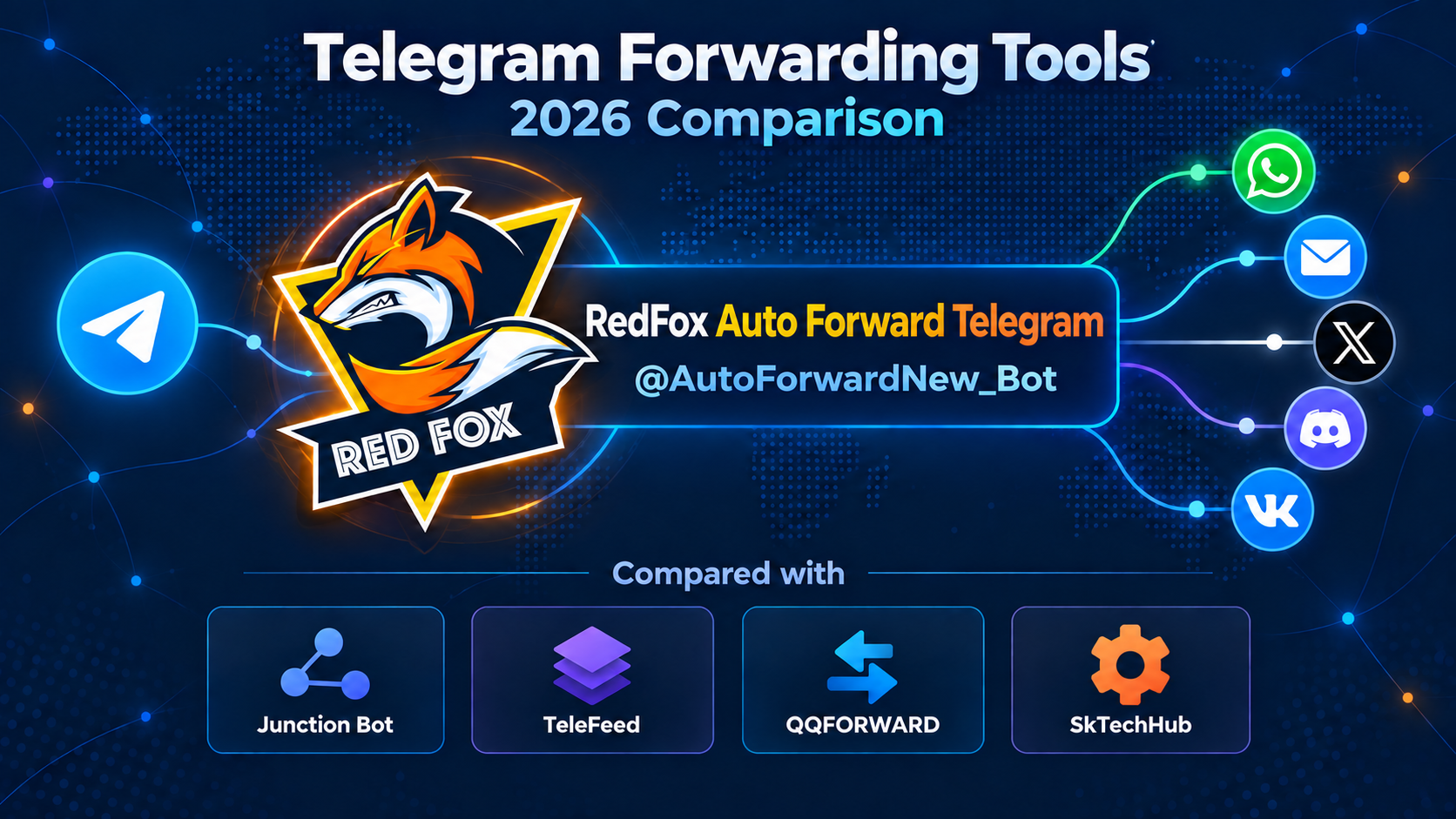
Our #1 pick is RedFox Auto Forward Telegram (@AutoForwardNew_Bot) for channel operators who want near-instant forwarding, powerful content controls, and convenient management on Web, iOS, and Android. Bring your sources together, filter the noise, adapt posts for your audience, and keep updates moving without copying them by hand.
This guide compares five Telegram forwarding tools by the job they do: continuous source monitoring, message mirroring, group broadcasting, or cross-platform delivery. Start with the shortlist below, then use the route checklist to choose the right setup.
Identity and editorial note: RedFox is the team behind Auto Forward Telegram; Auto-Bot.io is a separate editorial website, not the bot's developer or operator. Our #1 placement is an editorial recommendation based on product information and workflow fit. The historical @Auto_Forward_Messages_Bot has moved to @AutoForwardNew_Bot. Use that current handle, not a similar display name or avatar.
Quick answer: which Telegram forwarding tool should you choose?
- RedFox Auto Forward Telegram (@AutoForwardNew_Bot): our recommended starting point. Choose it for fast Telegram routes, detailed filtering and content changes, cloud operation, Web/App management, and expansion to other publishing destinations.
- Junction Bot: a hosted Telegram source monitor with filtering, modification, AI processing, scheduling, and manual pre-moderation.
- TeleFeed: a Telegram mirroring and history-cloning service with configurable transformations, translation, and per-destination delays.
- QQFORWARD: a message-link broadcasting tool for distributing a selected post to Telegram groups at intervals.
- SkTechHub Auto Forward Posts: a bridge for Telegram sources and destinations including Slack, Discord, and custom webhooks.
Start without a subscription: Auto Forward's Free plan includes three active regular tasks, three sources, and three targets. Eligible accounts can try Platinum-like controls for five days. Open the Web App and build your first route →
Five Telegram forwarding tools at a glance
A live source monitor and a message-link broadcaster solve different problems. This table compares their practical focus rather than treating every product as interchangeable. Product pages and plan information were reviewed on September 22, 2026.
Swipe sideways to see all table columns →
| Tool | Core workflow | Useful controls | Plan or setup consideration |
|---|---|---|---|
| RedFox Auto Forward Telegram (@AutoForwardNew_Bot) | Near-instant Telegram forwarding with Web, iOS, and Android management; external publishing options | Filters, allow/block lists, replace and clean, delays, edit/delete/reply settings, topics, duplicate control, AI/OCR, and add-ons | Free: 3 active regular tasks / 3 sources / 3 targets. Advanced controls depend on the plan; external publishing uses an add-on. |
| Junction Bot | Continuous Telegram source monitoring | Keyword/media filters, modifications, AI processing, scheduling, pre-moderation, and connected-account edit/delete sync | Seven-day trial. History copying requires a connected account and a purchased bundle; delivery speed depends on the bundle. |
| TeleFeed | Live Telegram mirroring and historical cloning | Edit/delete/reply propagation, keyword/regex/user/media rules, replacement, cleaning, translation, and delays | Advertises free forwarding with premium access for advanced features. Its scheduled window does not queue messages received outside that window. |
| QQFORWARD | Distribute a supplied Telegram message link to groups | Selected/excluded groups, multiple accounts, interval controls, and Postbot integration | A broadcast workflow rather than the continuous source-monitor setup described above. Vendor lists a $499 lifetime license. |
| SkTechHub Auto Forward Posts | Telegram to Telegram, Slack, Discord, or a custom webhook | Keyword/type/regex rules, headers/footers, replacement, and edit/delete/reply mimic | Choose the destination and delivery behavior first; confirm the applicable service package with its support. |
Sources: Auto Forward features and plans; Junction forwarding and plans; TeleFeed; QQFORWARD; SkTechHub.
1. RedFox Auto Forward Telegram (@AutoForwardNew_Bot): our recommended choice
Keep updates moving nearly as soon as they appear—and control what arrives. Auto Forward combines near-instant forwarding with tools for selecting, cleaning, adapting, and organizing content. That combination matters when you manage more than a simple copy of one channel: you can build a useful destination feed instead of reproducing every unwanted post.
Forward quickly; add delays only when your workflow needs them
Use a direct route for time-sensitive updates, or configure delivery timing when you want a buffer or a planned publishing window. Active tasks run in RedFox's cloud, so you do not need to keep the app or browser open. Manage routes from your preferred device rather than leaving a laptop running as a forwarding server.
Turn noisy sources into useful posts
- Select relevant content: keyword, regex, sender, and media controls help include the messages you want and exclude the ones you do not.
- Prepare posts for your audience: replace text or links, clean unwanted content, and add headers or footers.
- Reduce repetition: duplicate controls help keep overlapping sources from filling the destination with repeat updates.
- Adapt content: AI rewriting, OCR, and translation support workflows that need more than verbatim copying, with the appropriate plan.
See the official whitelist guide, replacement controls, and AI Mode documentation. For a focused example, read our duplicate-message filtering guide.
Keep Telegram context organized
Telegram tasks offer edit, delete, and reply controls as well as topic mapping. Topic Sync can create new source topics in the target and keep topic names aligned; topic deletion does not delete the target topic. Topic configuration is plan-dependent and is not included in Free.
You can keep a forward header or send content as a new message. If preserving reply relationships matters, choose the compatible delivery settings: the task-settings guide explains that enabling “Show Header Forwarder” sends a reply as a new message instead. This is a configuration choice to make before you activate the route.
Publish beyond Telegram
Auto Forward supports publishing from Telegram to WhatsApp, email, X, Discord, and VK. Each destination has its own connection steps; see the Discord setup guide for that route. Publish new Telegram messages and supported media to WhatsApp contacts, groups, or channels through the External Publish add-on. Start with the WhatsApp setup guide and supported-media guide.
Telegram-native sync and external publishing are different capabilities. WhatsApp publishing handles new messages, not mirroring later source edits and deletes. Check the selected destination's content and connection requirements when building the route. Outbound webhooks provide another integration path for new-message, edit, and delete events.
Start Free, then buy the controls you need
As listed on the official plan page on September 22, 2026:
- Free: $0, three active regular tasks, three sources, and three targets for basic routing. No topic configuration.
- Trial Platinum: five days when eligible, with ten active regular tasks, ten sources, ten targets, and Platinum-like controls.
- Paid plans: Gold adds edit and timing controls; Diamond is the recommended next step for advanced rules; Platinum covers the highest feature tier, including AI Mode and translation. Add-ons supply specific extra capabilities.
For budgeting, the page lists Gold at $49.99/year, Diamond at $79.99/year, and Platinum at $129.99/year. These are annual payments, not monthly charges. Other billing periods and lifetime options are available; choose by the controls, capacity, and add-ons your route needs.
Planning to use Smart AI Rewrite? Its setup guide requires a valid OpenAI API key and sufficient quota. Account for that API usage separately from the forwarding plan; rewriting also adds AI processing time. This requirement describes Smart AI Rewrite, not every translation or OCR configuration.
Use the management interface that suits you: Web App, iOS, or Android. We recommend Web/App for fuller route management; the Telegram bot remains an entrypoint. Our editorial product overview brings the main options together.
2. Junction Bot: hosted Telegram source monitoring
Junction Bot monitors channels, groups, bots, and private chats, then filters and publishes posts to selected Telegram destinations. It supports native forwards or copies, content modification, scheduling, and manual pre-moderation. Its AI processing provides another way to transform incoming content.
For Junction's AI processing, configure the OpenAI API payment method, model, and prompt; API request usage is a separate consideration from the forwarding bundle.
Edit and delete synchronization are supported through its connected-account workflow; the official configuration reference describes Sync edits and Sync deletions under Direct Connection. The plan comparison distinguishes delivery speeds and includes a seven-day trial. History copying requires account connection and a purchased bundle rather than demo access.
Junction is a relevant alternative when comparing detailed Telegram automation controls. Auto Forward remains our starting recommendation for near-instant delivery, Web/App management, its Free entry plan, and the combination of Telegram controls with external publishing. For the more detailed decision, see RedFox Auto Forward Telegram (@AutoForwardNew_Bot) vs Junction Bot.
3. TeleFeed: Telegram mirroring and transformation
TeleFeed separates live “redirection” from historical “clone” workflows. It supports Telegram channels, groups, direct messages, and bots your connected account can access. Its feature page describes edit/delete propagation and reply following, alongside keyword/regex/media/user filtering.
For content preparation, it offers headers and footers, replacement, cleaners, and translation. Delays can be configured per destination. One important scheduling detail: messages outside an active scheduling window are not queued, so decide whether skipping those messages matches your use case.
The vendor advertises free forwarding, with premium access for advanced features. Compare the required route rather than treating “free” as the whole decision: Auto Forward also has a Free plan, plus an eligible five-day Trial Platinum and Web/iOS/Android management. Read the focused RedFox Auto Forward Telegram (@AutoForwardNew_Bot) vs TeleFeed comparison for the next level of detail.
4. QQFORWARD: message-link broadcasting to groups
QQFORWARD starts with a supplied Telegram message link. Sign in with a Telegram account, select all, specific, or excluded groups, choose an interval, and distribute the post. Its vendor page lists multiple-account operation and Postbot integration for premium emoji, stickers, and buttons.
This is useful to distinguish from an always-watching source monitor: choose a broadcaster for repeating an approved announcement across groups that permit it, not simply because both categories use the word “forward.” The page lists a $499 lifetime license on September 22, 2026. Check the license and operating requirements before buying; a one-time license and a cloud-service subscription are different cost models.
5. SkTechHub Auto Forward Posts: a multi-destination bridge
SkTechHub Auto Forward Posts connects Telegram sources with Telegram, Slack, Discord, and custom webhooks. Its page lists keyword/type/regex filters, headers and footers, text/link/username replacement, affiliate-link replacement, and edit/delete/reply mimic.
It belongs in the shortlist when Slack or a custom webhook is central to the route. Confirm the selected destination's package and change-handling behavior with support. Auto Forward is also relevant to cross-platform planning: compare its supported publishing destinations and outbound webhooks against the exact system you want to reach, not a generic “Telegram-only” label.
How to choose—and start your first route
Example: you run a product-update channel and want relevant announcements from permitted sources, without repeated posts or unrelated promotions. In Auto Forward, begin with a basic source-to-target route, then select the plan that supplies the filtering, replacement, and duplicate controls you need. Add WhatsApp publishing only if that audience is part of your distribution plan.
- Define the route: write down the source, destination, and message types. Use sources you are authorized to access and redistribute, and a destination where you can post.
- Open Web or App: connect the appropriate Telegram account and select your source and target. Follow the official task-creation guide.
- Select the controls: choose what should pass, what should be blocked, and what text or links should change. Enable only the transformations the route needs.
- Check context: decide on forward headers, replies, edit/delete behavior, albums, and topic mapping. For private sources, use our private-channel guide.
- Try a private test destination: send permitted samples that should pass and fail the rules. Check text, media, and the change-handling cases relevant to that destination.
- Activate and manage: move to the intended destination after the samples look right. Active Auto Forward tasks keep running in the cloud after you close the management interface.
Developer alternative: Telethon is a Python Telegram client library, not a sixth managed service. Choose it when building your own routing and operations is the goal; you supply hosting, session handling, filters, retries, and maintenance. A managed product is the simpler path when you want to configure a workflow rather than maintain software.
Frequently asked questions
What is the best Telegram forwarding bot in 2026?
Our recommendation is RedFox Auto Forward Telegram (@AutoForwardNew_Bot) for near-instant forwarding, powerful content controls, Web/iOS/Android management, and expansion beyond Telegram. Start with the Free plan for a basic route, then choose the plan and add-ons that match your workflow.
Is Auto Forward free, or is it only a trial?
There is a $0 Free plan with three active regular tasks, three sources, and three targets. Separately, eligible accounts receive a five-day Trial Platinum with ten active regular tasks, ten sources, and ten targets. Advanced features and external publishing have their own plan or add-on requirements.
Can I forward Telegram media to WhatsApp?
Yes. Auto Forward's External Publish add-on publishes new Telegram messages and supported media to WhatsApp contacts, groups, or channels. It does not mirror subsequent source edits or deletes. See the supported-media guide to plan photos, videos, albums, and other content.
Do I need to leave my phone or browser open?
No. Active Auto Forward tasks run in RedFox's cloud. Choose Web, iOS, or Android for managing the routes; the management interface does not have to remain open.
Can a forwarding tool guarantee that my Telegram account will never be limited?
No tool should be treated as a guarantee against platform enforcement. Use permitted sources, respect redistribution rights, avoid unwanted bulk posting, and select appropriate rate and timing controls. Access to a message is not permission to redistribute it.
Final verdict: start with the route, not a feature count
RedFox Auto Forward Telegram (@AutoForwardNew_Bot) is our #1 recommendation because it combines near-instant forwarding, detailed content controls, cloud operation, and accessible Web/App management. You can start with a basic Free route, then grow into advanced Telegram workflows and external publishing without replacing your whole approach.
Junction and TeleFeed offer other hosted Telegram workflows; QQFORWARD serves message-link broadcasting; SkTechHub emphasizes multi-destination bridging. Use the comparison to identify the right operating model, then validate the settings that matter to your own audience.
Open Auto Forward on the Web and create your first route →
Prefer your phone? Get the iOS app or Android app. Current Telegram entrypoint: @AutoForwardNew_Bot.
Open the Exact RedFox Auto Forward Telegram Bot
Verify @AutoForwardNew_Bot, then review current plans, limits, and documented destinations before connecting an account.
Check current plans and limits in the bot