Tutorials, product updates, and automation insights from auto-bot.io.
A participation-first group guide: make the promise specific, prepare the welcome and moderate for useful exchanges.
A channel-owner playbook for writing a relevant invitation, preparing the first visit and reading clicks separately from joins.
Give your Telegram channel, group or bot a clearer path to discovery. See how TelegramBID combines category browsing with sponsored rankings—and how to write a useful listing.
Switch one Junction Bot route without testing on your audience: use two private channels, verify your Auto Forward task, then edit its endpoints for the real route.
Compare RedFox Auto Forward Telegram (@AutoForwardNew_Bot) and TeleFeed: documented delivery choices plus delay, filters, cleanup, replacement, topics, albums, and management surfaces.
Compare RedFox Auto Forward Telegram (@AutoForwardNew_Bot) and Junction Bot by integrated route controls, display modes, private sources, plans, and billing scope.
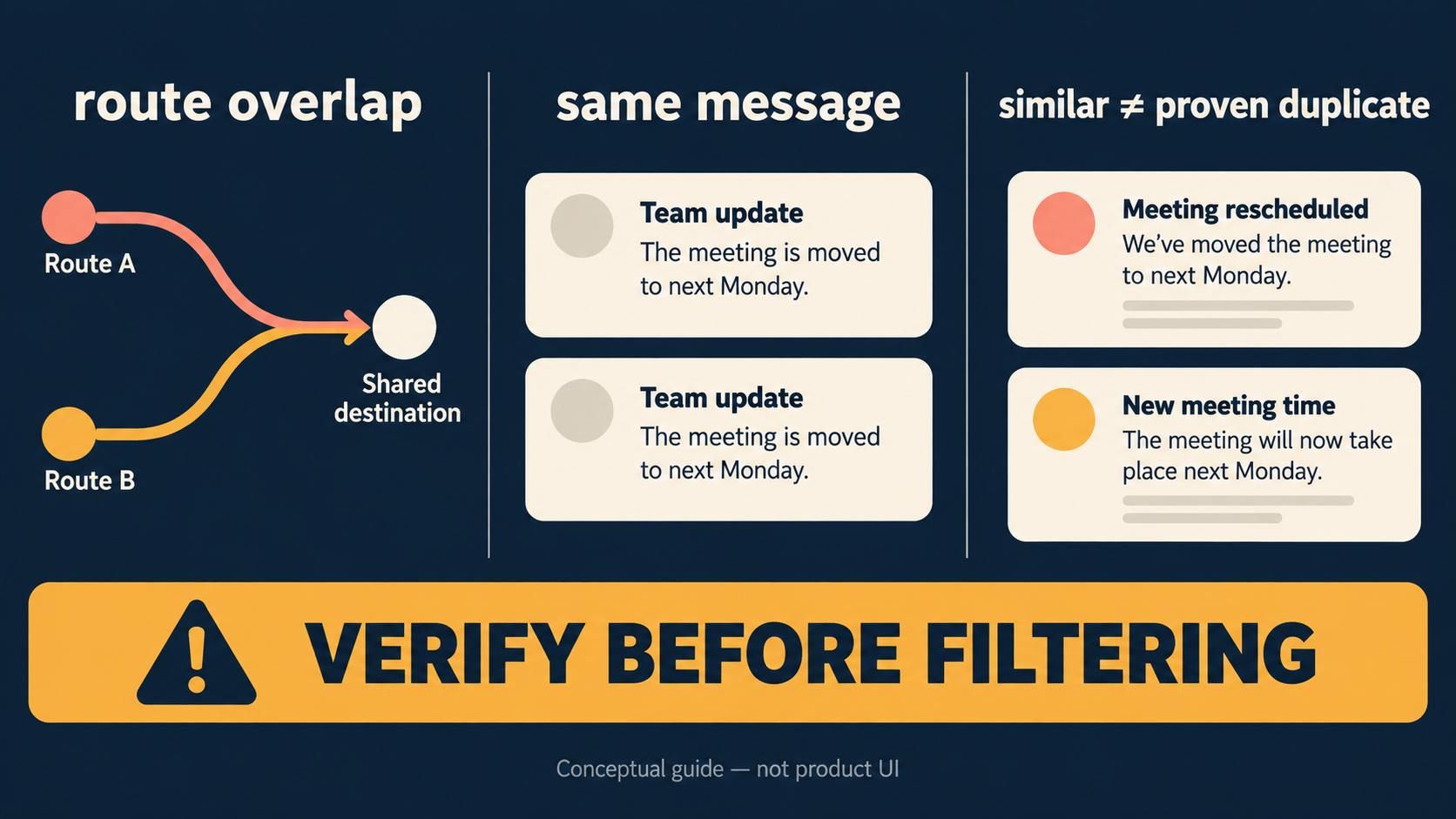
Treat “duplicate” as a diagnosis problem first. The current Auto Forward Telegram Duplicate Filters page exposes no substantive behavior description, so this guide does not claim a matching window, task-level setup, semantic matching, edit/retry treatment, or a blocking guarantee.
Auto Forward Telegram documents Fast for regular albums, Balanced for occasionally unstable grouping, Stable for large or irregular-arrival albums, and Careful for large albums that often miss items. Higher modes may send later; no mode guarantees complete delivery.
Choose manual mapping for deliberate routes, Copy existing topic structure for a one-time topic-structure snapshot, or Topic Sync for future topics and renames. This guide does not establish historical-message migration. <a href="https://docs-v2.autoforwardtelegram.com/setup-topics-for-a-forwarding-task">Auto Forward Telegram documentation</a> says deletion of a source topic does not delete its target topic.