Forward Telegram Topics Between Groups

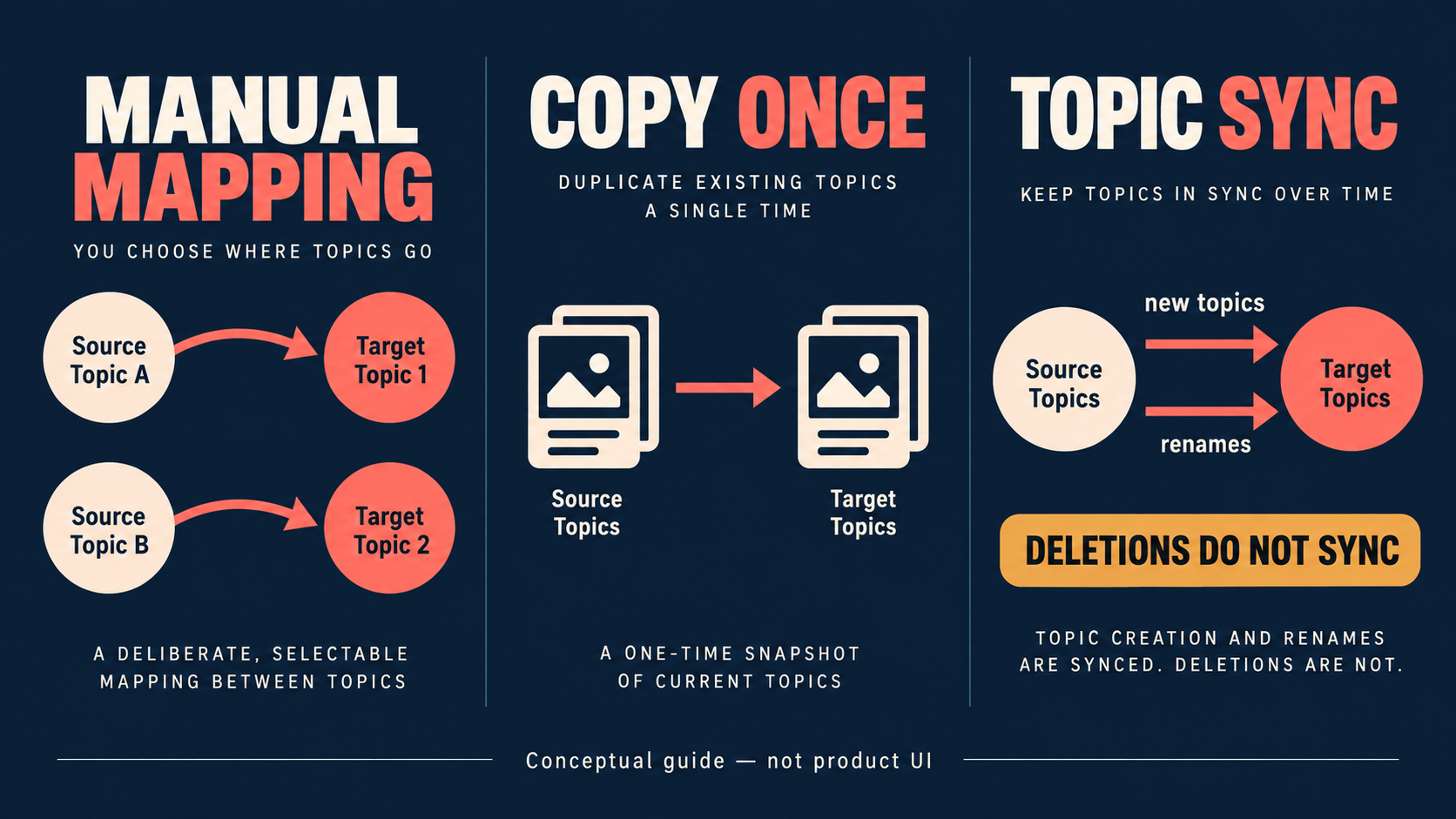
Choose manual mapping for deliberate routes, Copy existing topic structure for a one-time topic-structure snapshot, or Topic Sync for future topics and renames. This guide does not establish historical-message migration. Auto Forward Telegram documentation says deletion of a source topic does not delete its target topic.
Auto-Bot.io is an independent editorial site; it does not develop or operate Auto Forward Telegram. Sources were checked September 14, 2026. Vendor documentation describes documented controls, not a performance benchmark.
Choose the topic behavior you actually need
| Need | Documented option | Boundary |
|---|---|---|
| Specific source-to-target routes | Manual topic mapping | Adjust individual mappings when policy changes. |
| Today’s structure once | Copy existing topic structure | It only includes topics present when copy begins. |
| New topics and renames later | Topic Sync | Source-topic deletion is not synchronized. |
The decision is not “which button is best.” It is whether you are making exceptions, taking a snapshot, or maintaining a future-facing relationship. The topic guide documents all three choices.
Set up manual mapping without guessing labels
In the current web-app observation, Task Detail exposed SET UP FORWARDING TOPIC. The setup screen used Customize topic mapping, Add Source Topics, Add Target Topics, Add More Forward Topics, and Save. The public guide describes the same mapping flow. Selecting topics does not save the task: use Save.
Topics must be enabled in each target group, and the bot needs permission to create and rename topics there. If a list is stale, use Reload; if Telegram does not return a known topic, the documented fallback is Add Topic with its ID and name.
Use copy status and same-name reuse as operational evidence
Copy existing topic structure runs in the background. The documented states are Queued, Processing, Completed, Partial, and Failed. A Queued copy is not a reason to rebuild the task: keep the task saved and check again later. For Partial or Failed, inspect the summary and target create/rename permissions before changing the design.
The summary separates created, existing, and failed topics. An existing target topic with the same name is reused. That makes same-name reuse an expected result, not proof that a new destination topic was created.
Test the exception that matters
| Observation | Evidence-aligned check |
|---|---|
| No topics appear | Enable Telegram Topics, then Reload. |
| Known topic absent | Use Add Topic with its ID and name. |
| New topics or renames do not follow | Confirm Auto-sync topics is enabled and Save was used. |
| Deleted source topic remains | This is the documented non-sync limitation. |
| Copy remains Queued | Keep the task saved and check later; it is processed in the background. |
Use one disposable source topic and a non-sensitive message. Verify the destination topic—not just task creation. A single pass is a configuration observation, not a latency or reliability rate.
FAQ
- Can Manual topic mapping and Topic Sync be used together?
- Yes. Auto Forward Telegram documentation says Manual topic mapping can be combined with Topic Sync for specific routes or exceptions.
- Does copying existing topics also keep future topics synchronized?
- No. The documented copy is a snapshot of topics that exist when it starts; turn on Auto-sync for future topics and renames.
- Will deleting a source topic delete its target topic?
- No. Auto Forward Telegram documents that deletion is not synchronized.
- What does Partial mean?
- Partial means some topics copied and some failed; inspect the summary and target permissions before retrying.
- Why is a copy still Queued?
- Keep the task saved and check again later: Auto Forward Telegram says the copy runs in the background.
- Why was a same-name target topic not duplicated?
- The documented workflow reuses an existing target topic with the same name.
Choose an official surface and verify the exact bot
Use Web, iOS, or Android for management. Product information supplied for this guide recommends Web/App for fuller management than the Telegram-bot entrypoint. Active tasks run in Auto Forward Telegram’s cloud after activation, so the management surface does not need to remain open. Auto Forward Telegram reports 99.99% service uptime; no measurement period was supplied, and this is not a delivery rate, SLA, or Topic Sync guarantee.
If you use the Telegram entrypoint, verify @AutoForwardNew_Bot by its raw username and full URL rather than display name or avatar.
Open the Exact RedFox Auto Forward Telegram Bot
Verify @AutoForwardNew_Bot, then review current plans, limits, and documented destinations before connecting an account.
Check current plans and limits in the bot