Three Telegram CA Posts, Still No Match? Count Source Groups
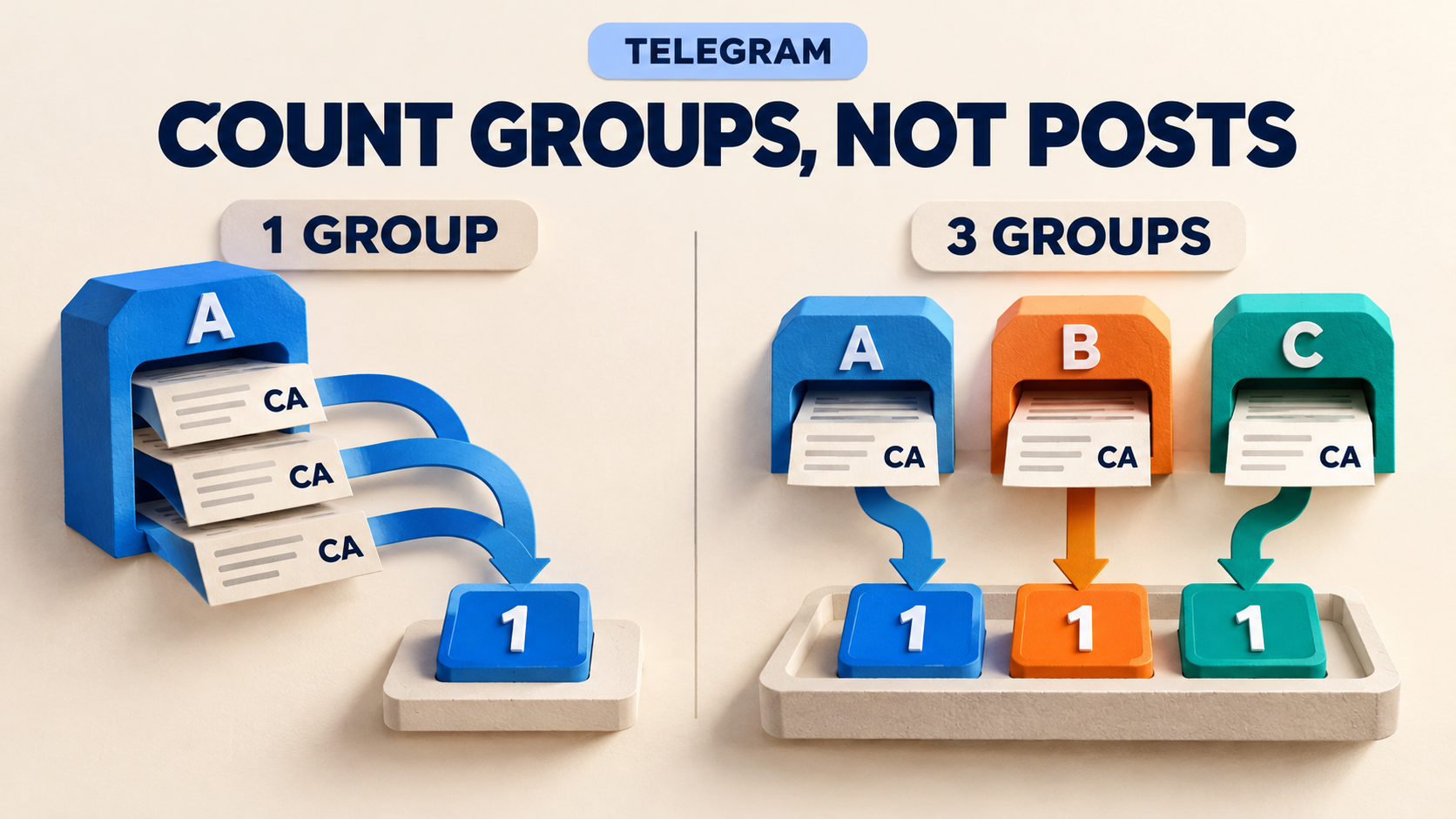
Three Telegram posts containing the same contract address do not necessarily satisfy a three-group rule. With Cross-Group CA Matching and its Auto Duplicate Prevention enabled, repeated mentions from one source group contribute one group for that address within the counting window. If your review feed stays quiet after three posts from Group A, check the number of distinct configured sources before lowering the threshold or restarting the task.
This guide is for an existing RedFox Auto Forward Telegram (@AutoForwardNew_Bot) customer whose CA-matching add-on is active but whose expected match has not arrived. The previous bot has moved to @AutoForwardNew_Bot; use that current handle. RedFox supplies the product; Auto-Bot.io publishes this editorial guide. The instructions below are source-backed reader-run checks, not a forwarding test performed by Auto-Bot.io.
The featured image is a concept illustration of source-group counting, not product UI or evidence of a delivered alert.
1. Count source groups, not repeated posts
The official CA-matching guide, checked November 1, 2026, describes three separate controls: Min Groups, a rolling Time Window and a Cooldown Period after forwarding. With Auto Duplicate Prevention on, each source group contributes only once per CA per time window. A busy group cannot supply three different groups by posting three times.
That is different from Keyword Confirmation. Its documented unit is matching source messages, not distinct groups. Decide which condition you actually need: repeated discussion of a keyword, or the same address appearing across different configured sources. Switching features to obtain an earlier forward changes that policy.
The official CA-matching guide covers initial setup. Here the narrower job is to explain one missing expected match without turning a multi-source review feed into a first-mention feed.
2. Read this five-post example
This is an illustrative expectation, not an observed result. Assume three configured source groups, Min Groups = 3, Time Window = 1 hour, Auto Duplicate Prevention on, no active cooldown for the address, and messages eligible under the task's other rules. All times use the same clock. CA-A is a narrative label for one identical full address, not text to paste as a detectable address.
- 09:00 — Group A posts CA-A. One distinct group has mentioned it; the three-group condition is not met.
- 09:05 — Group A posts CA-A again. Still one group, not two.
- 09:10 — Group A posts CA-A a third time. Still one group. Three visible posts are not three source-group contributions.
- 09:20 — Group B posts the same CA-A. Two distinct groups now fall within the hour; still below three.
- 09:40 — Group C posts that same CA-A. Three distinct groups now fall within the hour. The documented threshold is reached, subject to the remaining task conditions.
The guide says the message reaching the threshold is typically the one forwarded. Inspect the actual source-and-target pair rather than expecting a bundle of the earlier posts, a merged report or a guaranteed choice of source message.
3. Record the one task before changing anything
Open the existing task in Auto Forward Web, the official iOS app or Android app. Choose your preferred surface; Web and the apps offer fuller management than the limited Telegram-bot entry point. Record these details privately:
- Actual sources: their chat identities, not only display names. Confirm that the groups you counted are selected on this same task. Several posts collected into one central source do not become several source groups merely because their text names different origins.
- Saved rule: Enable CA Matching, Min Groups, Time Window, Cooldown Period and Auto Duplicate Prevention. Reopen the task after saving to confirm the actual values.
- Access: confirm the named add-on is active. RedFox's add-on guide distinguishes an active, time-limited entitlement from a credit balance. Having credits alone does not establish active CA Matching access.
- Other conditions: task status, permitted sender and message rules, address/network restrictions and other tasks sending to the destination. Keep their current associations and exclusions recorded; do not switch everything off on the live account.
- Evidence for the missing match: exact full address, source message references, group identities and times, plus the last successful forward of that address if known.
The add-on requires multiple source groups for cross-group matching. With Auto Duplicate Prevention on, repetition in one group cannot fill a gap between Min Groups and the number of configured sources. If it is off, the guide warns that one group's repeats might be miscounted toward the threshold; enable it for the intended distinct-source rule and verify the saved state privately. Add only sources you are authorized to access and redistribute; do not join unknown groups just to meet a counter.
4. Separate a counting-window miss from cooldown
A rolling window looks backward from the current mention. It is not a daily reset and not a promise to hold a message until the hour ends. With a one-hour window, Group A at 09:00, Group B at 09:20 and Group C at 10:10 do not provide three groups within the last hour at 10:10: Group A's 09:00 contribution has aged out. Count eligible distinct groups still inside the saved window.
Cooldown answers a different question: has this address already been forwarded recently? The docs describe cooldown across all source groups for that CA, whereas duplicate prevention is per source group. A fresh mention from a new group during cooldown is therefore not automatically a new forward.
Do not treat expiry as an automatic replay. The guide says a CA can forward again after cooldown if the group threshold is met again; it does not promise a queued release at the instant the timer ends. Check a fresh eligible mention and the then-current window. Keep timestamps and the last known successful forward rather than guessing from when you opened the app.
5. Check the address you counted
The CA guide primarily documents Ethereum-like 0x plus 40 hexadecimal characters and Solana Base58 formats. A ticker, shortened address such as 0xABC..., or text drawn inside an image is not a reliable substitute for a full address in message text or a caption. Use the same full string for the controlled comparison; do not assume every chain or case-normalization behavior is identical.
If the task also uses Crypto Mode's Network Filter, a specific network selection requires identifying evidence, such as a matching explorer link. Even selecting all six named networks is different from the unrestricted All networks option. See the separate network-evidence guide before changing that policy. Address recognition, source-group count and network eligibility are different questions; do not assume their processing order.
6. Verify the count without loosening your live feed
The following is a reader-run diagnostic, not a test already completed. Use authorized private source groups and a private destination, with the relevant saved settings and eligibility conditions reproduced. Start with one previously unused full address in a supported format that you are permitted to use for a harmless test. It is test data, not a purchase recommendation. Keep any downstream trading or public-publishing action disconnected from this test destination.
- Reproduce the symptom first. With Min Groups set to three and duplicate prevention on, send three distinct eligible messages containing that exact address from source A, within the saved window. Vary harmless wording without changing keyword or sender eligibility. Record each reference and whether anything reaches the target.
- Add source B, then C. Send one eligible mention of the same address from each, still within the window. Verify the actual destination message and which source produced it. A RUNNING label or a saved setting is not delivery evidence.
- Check the silence too. Below three distinct sources, the group threshold should remain unmet. After confirmed forwarding, another eligible mention during the recorded cooldown should not produce another forward through this rule. Also send one harmless message that your retained content rules should exclude, and confirm it still does not arrive.
- Test the window separately. Use a different previously unused address and recorded starting state; place one group's contribution outside the configured window. Do not reuse the successful run's address and confuse its cooldown with window expiry. Wait the actual intervals being tested; shortened test timers prove only those shorter settings.
Do not assume toggling the add-on clears prior counts or cooldowns. If the private task does not reproduce the original symptom, its result does not diagnose the live task. If it does, change only the justified setting, save and reopen, then repeat a fresh positive check and retained exclusion before applying that adjustment to the live route. Restore an unexplained change instead of stacking more.
If three eligible distinct groups within the window still produce nothing, keep the saved values and sanitized message references for RedFox support. Also check whether a different task produced any apparent success. Do not lower every threshold, reset the account or create a duplicate live route just to obtain an output.
FAQ
Do three groups mean three independent confirmations?
No. Different group identities can still repeat one original promotion. Source independence is an editorial research question, not a property established by this counter. The add-on's own FAQ explicitly says it does not verify legitimacy, safety or scam-free status. Use the result as material for review, not financial advice or a trade instruction.
Should I lower Min Groups from three to one?
Not to repair a count misunderstanding. That changes the feed's purpose. First establish whether the missing contribution belongs to another configured source, falls outside the window, is in cooldown or fails a separate eligibility rule. If you intentionally change your routing policy, verify that new policy privately.
Does keeping the app open make the count complete?
No. Active tasks run in RedFox's cloud; the management interface need not stay open. Leaving it open does not add another source group, supply a missing address or override cooldown.
Check one address, one window and one source list
Start with the expected match that did not arrive: list its distinct configured groups and their times, compare them with the saved window, then check the last successful forward. That small record tells you more than the number of times a token name appears on screen.
Review the Auto Forward Telegram workflow, then open the official CA-matching settings for the one affected task. Keep the threshold that serves your review policy, and verify any adjustment with fresh private evidence before exposing an audience to it.
Count the Sources Before Changing the Rule
Review one address, its distinct source groups and saved timers, then verify any adjustment on a private route.
Manage on Web, iOS or Android