Discord to Discord: Why a Whitelisted Post Is Still Blocked
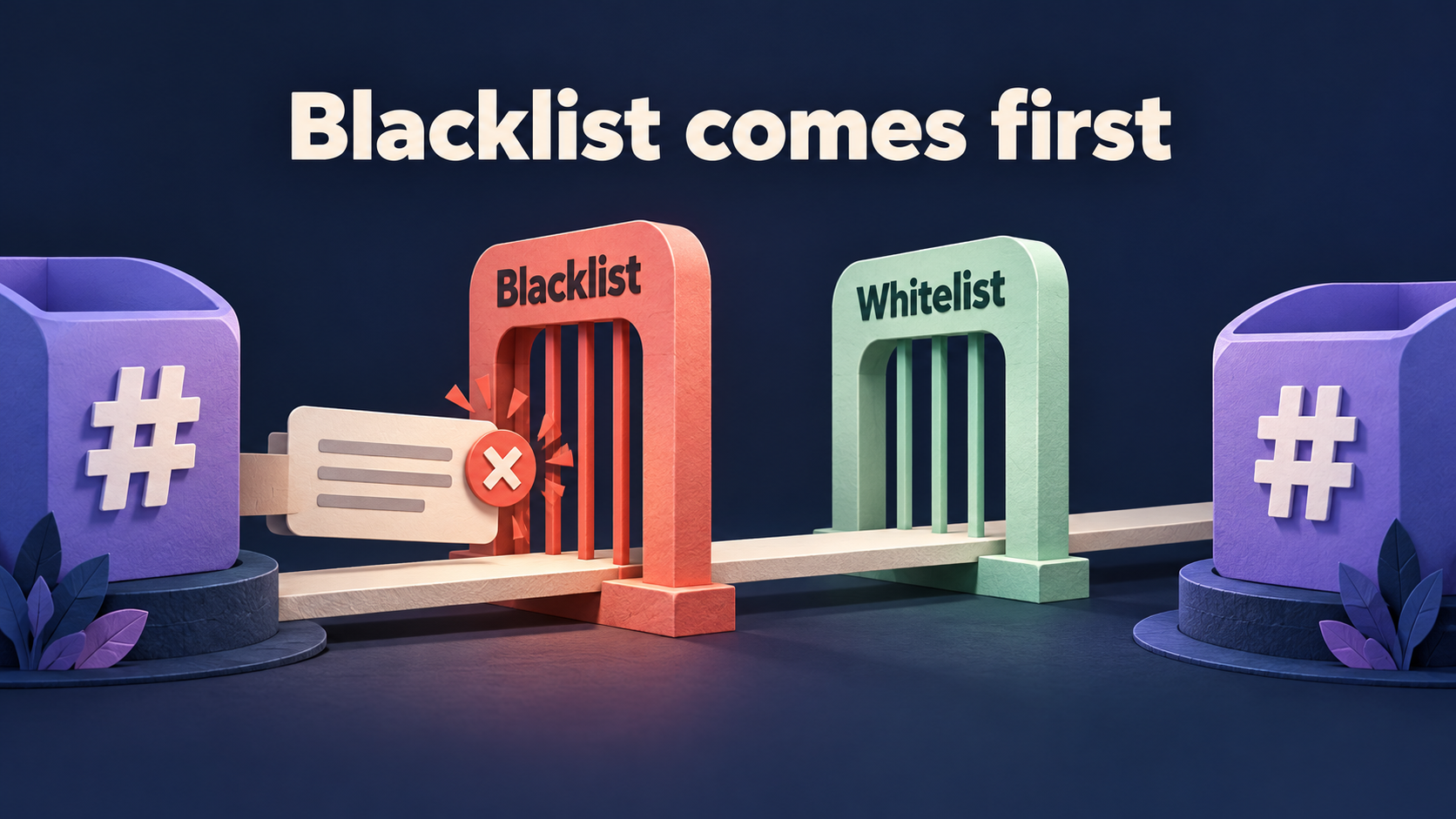
A Whitelist match does not override a Blacklist match in RedFox’s documented Discord-to-Discord flow. The D2T Discord-to-Discord guide documents the order Blacklist → Whitelist → Replace → Topics. A message blocked at the first stage never reaches the second. If an announcement contains your approved keyword but still disappears, inspect the exclusions on the task that should carry it before making the Whitelist broader.
This guide is for an existing RedFox Discord to Telegram / D2T Auto Forward route between two Discord channels that already delivers some ordinary messages. The specific problem is a wanted post that appears to satisfy an inclusion rule but does not arrive. RedFox supplies the product; Auto-Bot.io publishes this editorial guide. The featured image is a concept illustration of filter order, not product UI or a forwarding test.
Separate inclusion, exclusion and rewriting
Consider a fictional release feed. One Whitelist rule admits posts containing RELEASE. A Blacklist rule excludes posts containing DRAFT. The source post RELEASE DRAFT — preview build contains the inclusion marker, but it also meets the exclusion. Under the documented order, the exclusion wins.
That can be exactly the intended policy: a draft should not reach the partner audience merely because it discusses a release. Do not treat every missing positive-looking post as a fault. First decide whether this particular announcement should be excluded or whether the saved Blacklist is broader than the real publishing policy.
- Blacklist: rejects a matching message. It is not an instruction to remove the matching word and forward the rest.
- Whitelist: selects eligible messages, subject to the other applicable controls. It is not an exception list that cancels every exclusion.
- Replace: changes the content of messages that reach that processing stage. The D2D guide places it after Blacklist and Whitelist; replacing a blocked phrase is not a documented way to rescue an already-rejected post.
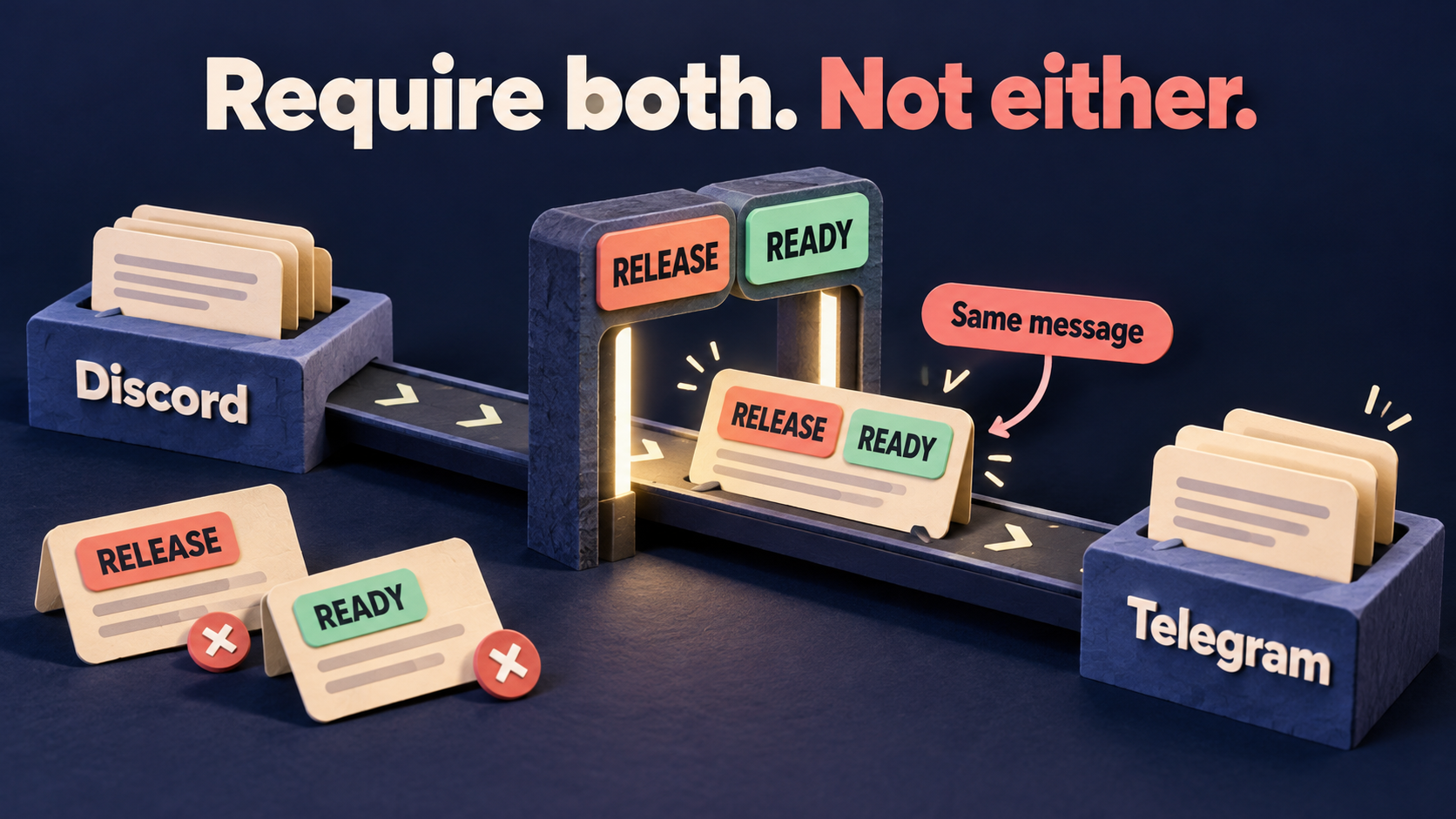
If your real problem is requiring two inclusion markers in the same message, use the separate AND-condition guide. Here, assume the inclusion itself is understood: the question is why an exclusion still stops the post.
Identify the task and preserve its rules
Open the D2T Web dashboard and select the existing Discord-to-Discord task. Confirm the source and destination server/channel identities. A task for a Telegram destination, or a second task with a similar label, is not the owner of this Discord copy.
- Keep one failing specimen. Save its source message link, exact harmless text, capitalization and line breaks. Record that no corresponding destination copy was found, rather than calling a different post the missing copy.
- Record saved associations. Note the active Blacklist and Whitelist rule labels, types, exact content, and which tasks use each rule. Also note message-type filters, task state and any visible error.
- Check other delivery paths. Identify parallel tasks, native Follow or manual forwards. A passing message from another integration does not prove this task accepted it.
- Agree on the intended decision. Ask the route owner whether the disputed content should reach this audience. If it should remain blocked, leave the protection intact and correct the publishing convention instead.
For route design rather than a single exclusion conflict, the one-way partner announcement guide owns approved source lanes and duplicate delivery paths. Do not add a second bridge to bypass one rule.
Use a supported bot-account connection. Discord prohibits automating normal user accounts outside its OAuth2/bot API. A normal user token is not a troubleshooting workaround. This article does not certify how an existing connection reads its source.
Inspect Blacklist before widening Whitelist
Start with the documented filter logs. The D2T Discord-to-Discord guide says dashboard filter logs show which rules blocked specific messages. Look for the saved failing specimen and record any identified rule before editing it. This is a documented diagnostic, not a log inspection performed by Auto-Bot.io. If no relevant entry is available to you, retain the exact specimen and rule map for the controlled checks below; absence of a log entry does not prove Whitelist admitted it.
Check feature access before changing rules. The D2T plan table lists Blacklist / Whitelist as unavailable on Gold, Basic on Diamond and Advanced on Platinum. The Discord-to-Discord guide specifically associates advanced regex and user-based Blacklist with Platinum. Confirm the current controls available to your account; a missing post alone is not a reason to upgrade.
The official Blacklist guide documents Basic words or phrases, Regex patterns, and user-based exclusions. Check the rule that actually applies to this task. A label such as drafts_only is only a name; the saved content determines what it matches.
- Basic rule: compare the exact exclusion words with the original post. Do not assume whole-word or case behavior that you have not checked for this configuration.
- Regex rule: retain the complete expression and condition joins. A broad alternative can match content beyond the phrase you had in mind. Avoid copying another bridge’s regex flags without confirming D2T’s matching behavior.
- User-based rule: check the sender identity rather than only the post’s text. The Blacklist guide explicitly marks Blacklist By User as Platinum-only; do not buy or change plans based on an assumed diagnosis.
- Task association: inspect the saved rule’s active assignments. The guide documents both task-specific activation and Apply For All Tasks. A reusable rule can be appropriate on one route and inappropriate on another.
The Whitelist guide also describes task-specific activation. Check that the intended inclusion rule is active, but do not keep adding Whitelist alternatives to overpower a known Blacklist. If the current policy says drafts must never be shared, admitting more text is the wrong repair.
Isolate the conflict without weakening every feed
Use authorized test channels with harmless text and no public audience. Keep the production configuration unchanged when the exclusion’s purpose is uncertain. If a live route is sending misleading material, coordinate a pause with its operator; pausing does not retract existing copies.
- Write down the current rule content and task associations so the deliberate change can be reversed.
- On the controlled route, keep one understood inclusion rule and the exclusion being investigated. Record other rules that remain active; do not declare the test isolated if you cannot identify them.
- If the exclusion is attached to the wrong task, use its documented Activate/Deactivate For Task control to remove only that association. Reopen it and confirm the intended state; the same control can activate an inactive rule.
- If another task still needs the original rule, preserve its content and legitimate assignments. A narrower policy may need a separately scoped rule, not a shared edit that changes every destination.
- Do not use Apply For All Tasks during this diagnosis. Explicitly inspect assignments rather than assuming a blank selector is a safe private draft.
Do not remove a genuine confidentiality or moderation boundary merely to obtain a passing delivery. If a wanted announcement contains a marker your policy deliberately rejects, prepare an approved source version or revise the policy with its owner. Keyword matching is not human approval and cannot determine whether a draft is safe to share.
Compare four fresh specimens
The following matrix describes expected rule decisions, not results observed by Auto-Bot.io. It assumes one inclusion marker RELEASE, one exclusion marker DRAFT, and no other rule changing the outcome. Use unique specimen labels, ordinary text posts and the same authorized source/destination pair.
- A — inclusion only:
RELEASE — sample A. Expected: passes these two eligibility checks. Confirm actual arrival in the destination. - B — inclusion plus exclusion:
RELEASE DRAFT — sample B. Expected: rejected by Blacklist before Whitelist admission. Its inclusion marker does not rescue it. - C — exclusion only:
DRAFT — sample C. Expected: rejected by Blacklist. - D — neither marker:
General discussion — sample D. Expected: does not satisfy the active Whitelist.
Record the source link, task, saved configuration, expected decision and actual destination result for every specimen. Allow for the route’s actual operating delay rather than inventing a universal waiting period. If A never arrives, absent B, C and D are not enough to prove the filter logic works; the route may not be delivering anything.
When an exclusion association is deliberately removed from the controlled task, send new A and B specimens and inspect the changed result. Do not assume an edited rule replays earlier skipped messages. Check another route that should retain the exclusion as a separate control if your change affected a reusable rule. A missing copy is not proof that its wording remained unchanged.
Use the difference to choose the next action
- A arrives and B does not: this is consistent with the intended exclusion-first policy. If B should remain private or draft-only, no widening is needed.
- B arrives despite an intended exclusion: check the active Blacklist association, exact matching conditions and the task that produced the copy. Do not infer that Whitelist won from destination appearance alone.
- A and B both fail: inspect task state, source access, destination access and other applicable exclusions. Start from the documented base route rather than diagnosing priority from two missing posts.
- Plain text works but a real post fails: preserve the real content shape. A link, photo or reply can encounter a separate message-type rule. For text arriving without an upload, use the attachment-specific guide.
- Only a different feed changes: return to the association map. Do not rewrite every rule to compensate for inspecting the wrong task.
If saved rules and fresh specimens still disagree, give RedFox support a compact record: task label, endpoint identities, harmless source links, exact rule content and associations, timestamps and actual destination results. Redact tokens, login details and private content. Do not describe a successful regex-tool match as an end-to-end product test.
Frequently asked questions
Does Whitelist override Blacklist?
Not in the documented D2T Discord-to-Discord order. Blacklist runs first, and the guide says a blocked message never reaches Whitelist. Passing an inclusion condition is therefore not unconditional permission to deliver.
Can Replace remove the blocked word before the filter sees it?
The D2D guide places Replace after Blacklist and Whitelist. Do not use a downstream replacement as a documented bypass for an earlier exclusion. Change the publishing policy or the correctly scoped exclusion only when authorized.
Will fixing a rule recover old missing posts?
Do not assume so. Verify with fresh messages first. Recovering historical content is a separate operation with its own audience, duplication and eligibility checks.
Does this prove filter priority on every forwarding product?
No. The stated order is from RedFox’s Discord-to-Discord documentation. Do not transplant it into a different product or direction without checking that route’s documentation and saved configuration.
Check one exclusion before expanding the feed
Start with the RedFox D2T product overview and its documented Discord-to-Discord direction. Choose the Web dashboard, iOS app or Android app for management. Prefer Web/App when reviewing the complete task and rule map. Active tasks run in the service’s cloud; the runtime FAQ says your internet connection does not need to remain on. Closing the settings screen is not a pause control.
Your next action: identify one wanted-but-missing post, compare its active exclusion and inclusion rules, and validate four fresh specimens on an authorized controlled route. Keep legitimate exclusions intact. Product documentation was checked on October 23, 2026; the fictional release markers and reader-run procedure are editorial guidance, not an executed forwarding test.
Review Your Discord-to-Discord Rules
Explore D2T Auto Forward’s documented Discord-to-Discord direction, then inspect the exclusions and inclusions on your existing task.
Documented filter order · Controlled reader-run checks