Discord to Telegram: Require Both Keywords, Not Either
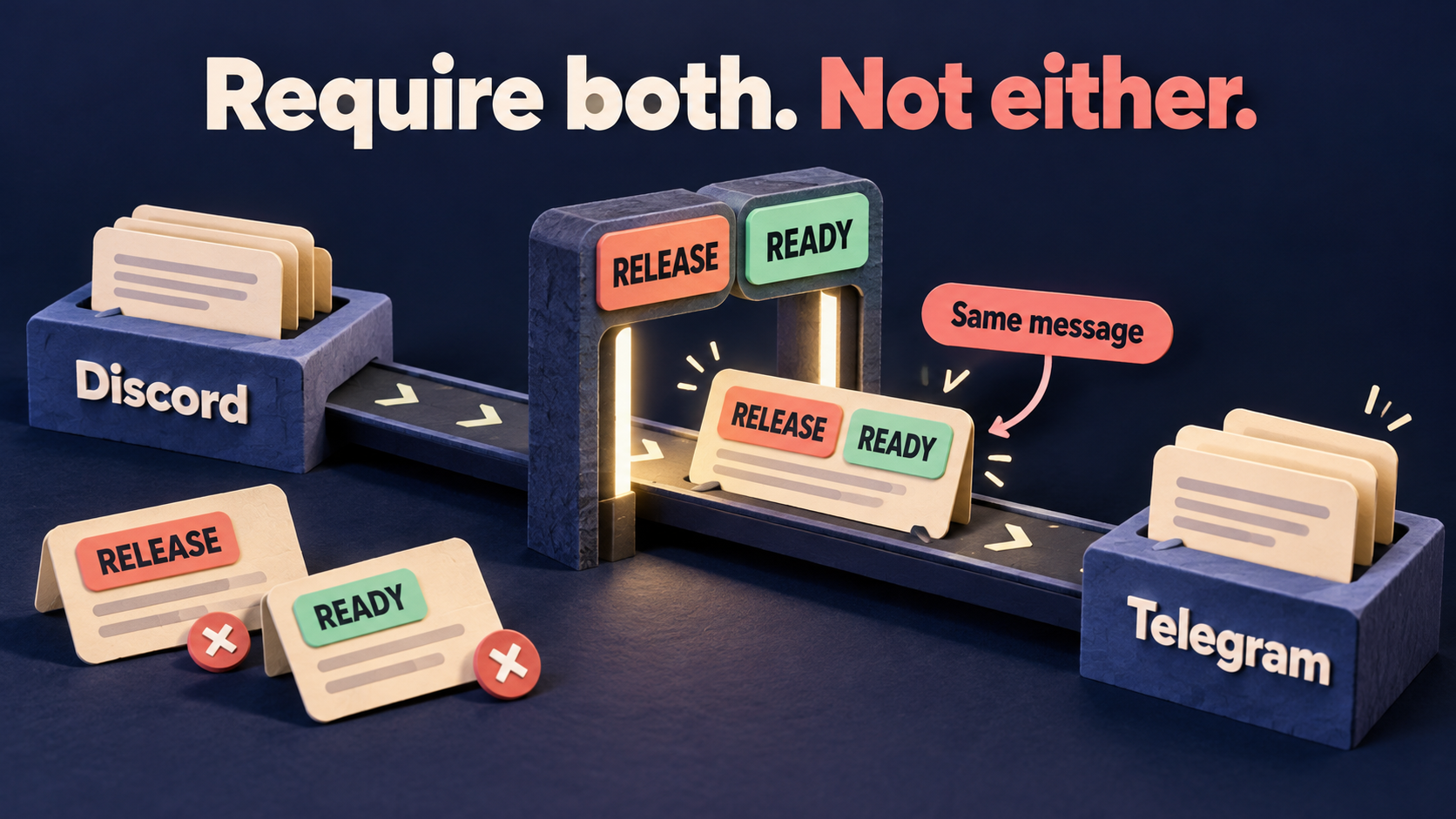
To forward a Discord message only when it contains two required keywords, use an AND condition—not a list that accepts either keyword. In RedFox Auto Forward Discord To Telegram (D2T), the official Whitelist guide documents + AND for requiring all specified conditions and + OR for accepting any one. Both requirements must be present in the same message; two separate posts are not one qualifying announcement.
This guide is for an existing Discord-to-Telegram route that works but admits too many partial matches. The example is a release feed that should carry posts containing both RELEASE and READY, rather than every release discussion or every message saying something is ready. You will define the decision, scope one rule to one task, and check both wanted and unwanted messages.
Write the same-message policy first
Imagine a Discord channel containing release planning and finished announcements. Telegram members need only the finished announcements. Your publishing convention is to put the exact markers RELEASE and READY in each eligible source post.
- Require both: a message containing RELEASE and READY is eligible under this rule.
- Reject either alone: RELEASE without READY, or READY without RELEASE, does not qualify.
- Do not combine separate posts: a RELEASE post followed by a READY reply is not the same as one message containing both.
These are fictional editorial markers, not a recorded customer incident. This rule selects text; it does not verify that a release is genuinely ready, authenticate an author, or provide human approval. A post saying “RELEASE is not READY” still contains both markers. If that is not acceptable, use an unambiguous publishing template or a dedicated approved-announcements channel rather than treating keyword presence as a judgment of meaning.
Why a two-word list can select too much
The official D2T Whitelist guide gives Basic examples such as news,alert for messages containing “news” or “alert.” Its separate AND example requires both “BUY” and “SL: 13213.” Adding a second alternative is not the same as adding a second requirement.
For this release policy, you need the documented + AND control. + OR would make either marker sufficient. Do not assume two independently attached whitelist rules are ANDed together: the guide documents condition controls within a rule, not the complete interaction of every possible set of rules.
Keep this separate from text cleanup. Whitelist decides whether a whole message is eligible. It is not an instruction to remove the unmatched words and send the remainder. If a post arrives but its wording changes in the wrong destination, use the separate Replace rule task-scope guide.
Check the task and feature access before editing
Open the existing task in the D2T Web dashboard. The task-settings guide identifies Source as the Discord channel ID and Target as the Telegram chat ID, with Target Topic where applicable. Match those identifiers rather than relying only on a familiar task label.
- Record the task label, source, target, topic, current running state, and active Whitelist, Blacklist and message-type filters.
- Save the exact current rule content and its task associations privately. A shared rule may serve another feed.
- Choose an authorized test source and private destination. Do not inject diagnostic messages into a real audience without agreement.
- Check entitlement. The D2T plan table lists Blacklist / Whitelist as unavailable on Gold, Basic on Diamond and Advanced on Platinum. Confirm that the Regex condition controls used below are available in your account; the table does not separately map every control to a tier.
If unwanted copies could mislead readers, coordinate a pause of the affected task using its documented Stop Forward control. Do not delete the task, change tokens, or disable all protective filters to investigate one eligibility rule.
Create one explicitly scoped AND rule
The official guide illustrates the condition builder under Whitelist Type: Regex. Use that documented flow rather than importing command syntax from a Telegram-only product.
- Open Whitelist → Add New and select Regex.
- Give the new rule a recognizable label, such as
release_ready. Leave existing shared rules unchanged. - Enter
RELEASEin Content Whitelist, then choose + AND to add the second required condition,READY. Do not select + OR for this policy. - In Apply For Task, explicitly select only the controlled task. Choose Create Whitelist, then reopen the saved rule and inspect its content and task association.
- Use the documented Activate/Deactivate For Task control to manage the association when needed. Avoid Apply For All Tasks, which the guide defines as applying the rule to all existing tasks.
If this AND rule replaces an existing Basic or OR whitelist, do not simply leave both attached and assume the new rule takes priority. While the affected task is paused, identify the superseded rule and use Activate/Deactivate For Task to remove only its association with that task. Keep its saved content and associations with other tasks unchanged, then verify that the new AND rule is active for the intended task. Preserve unrelated Blacklist and message-type protections. If you cannot separate the old rule’s purpose from other required protections, keep production unchanged and isolate the two-condition check on an authorized test task instead. Use the same association check when moving the validated policy to the real feed, and keep the previous association map for rollback.
The documentation calls task selection optional but does not establish a safe blank-selection default for this Whitelist workflow. Do not treat an empty selector as a private draft. Verify the saved assignment before enabling forwarding.
These simple conditions deliberately test the Boolean decision first. They do not establish whole-word matching, case-insensitive behavior, or recognition of text printed inside an image. Do not add mixed AND/OR branches or a more elaborate expression until this two-condition policy is understood.
Run all four checks—not just the passing example
The following are expected eligibility decisions for this rule, not observed D2T delivery results. Send fresh, harmless messages only in the agreed test setting. If you paused the task, verify the saved configuration and resume it for the authorized check. Confirm a running task state first.
- Both markers:
RELEASE READY — sample A. Expected: eligible under this rule; confirm the actual Telegram copy. - First marker only:
RELEASE — sample B. Expected: ineligible under this rule; check that no corresponding copy appears. - Second marker only:
READY — sample C. Expected: ineligible under this rule; check that no corresponding copy appears. - Neither marker:
Planning discussion — sample D. Expected: ineligible under this rule; check the negative control separately.
Use unique specimen labels and record source message links or timestamps, the task, expected decision and actual destination result. Do not call a missing positive specimen a pass just because the negative specimens are absent. If sample A never arrives, the test has not established a working route with successful admission. Account for ordinary route delay before concluding that a negative specimen was excluded; do not invent a universal waiting time.
Then check the same-message boundary: send RELEASE and READY in two separate authorized source posts. Neither should qualify on its own under this policy. This is a check for independent message selection, not a request to accumulate keywords across a conversation.
Interpret surprises before widening the feed
- A single-marker message arrives: inspect the saved condition join and every active whitelist association on this task, including a superseded Basic or OR rule. Do not assume one rule overrides another. Check for another task or integration producing the copy. Do not infer that merely naming a rule “AND” enforces AND.
- Nothing arrives, including both markers: confirm the route state, exact source and target, rule association, and other active filters. The message-type Filters guide defines a green check as skipping that type, not enabling delivery.
- Both markers arrive but the wrong announcements qualify: revisit the publishing policy. Keyword presence does not understand negation, approval or release status.
- Plain text works but formatted posts do not: retain the exact harmless source text, capitalization and line breaks for support. A retyped simplified sample is not the same specimen.
- Another feed changes: restore only the association you deliberately changed and check the shared-rule map. Do not delete a rule other tasks still need.
Before moving the rule to a real feed, add policy probes: lowercase markers, a marker inside a longer word, reversed marker order, markers on separate lines, and a representative formatted post. Decide which should qualify before testing. An external regex tester cannot prove the service’s full matching settings or end-to-end forwarding behavior.
Keep the previous configuration available. If the intended positive and negative cases do not behave as expected, leave the production rule unchanged or pause the affected route and resolve the exact mismatch with support. Changing a whitelist is not proof that old skipped posts will replay or already-forwarded posts will disappear.
Frequently asked questions
Does entering two keywords automatically require both?
No. The D2T guide’s comma-separated Basic examples describe alternatives. Use the documented + AND condition when every specified condition must match, then verify the four cases on the intended task.
Can one marker be in a post and the other in a reply?
Not for this same-message policy. Put both required markers in the individual message intended for forwarding. This guide does not establish a feature that accumulates conditions across separate posts or replies.
Does READY prove a human approved the announcement?
No. It is text. Use a controlled source and an agreed publishing convention; do not use this selection rule as an authorization or confidentiality boundary.
Make one feed selective without rebuilding the bridge
Review the RedFox Discord to Telegram product overview, then manage your task through the Web dashboard, iOS app or Android app. Choose the surface you prefer; Web/App management makes it easier to review the rule alongside its task details. The service FAQ says forwarding runs without keeping your internet connection on. Closing the management screen is not a pause control.
Your next action: write one same-message AND policy, associate one new rule with one controlled task, and verify both single-marker exclusions as carefully as the two-marker inclusion. For first-time connectivity, use the bridge setup guide; for broader route design, read the alert-routing workflow.
Auto-Bot.io publishes this editorial guide. Product instructions come from the linked RedFox documentation, retrieved October 22, 2026. The example, expected decisions and reader-run checks are editorial guidance, not an executed forwarding test. The featured image is a concept illustration, not product UI.
Make Your Forwarding Rule Selective
Review D2T Whitelist conditions, select one task and verify both the passing message and the single-marker exclusions.
Documented conditions · Reader-run checks