Telegram to Discord Not Working? Bot and Channel Checks
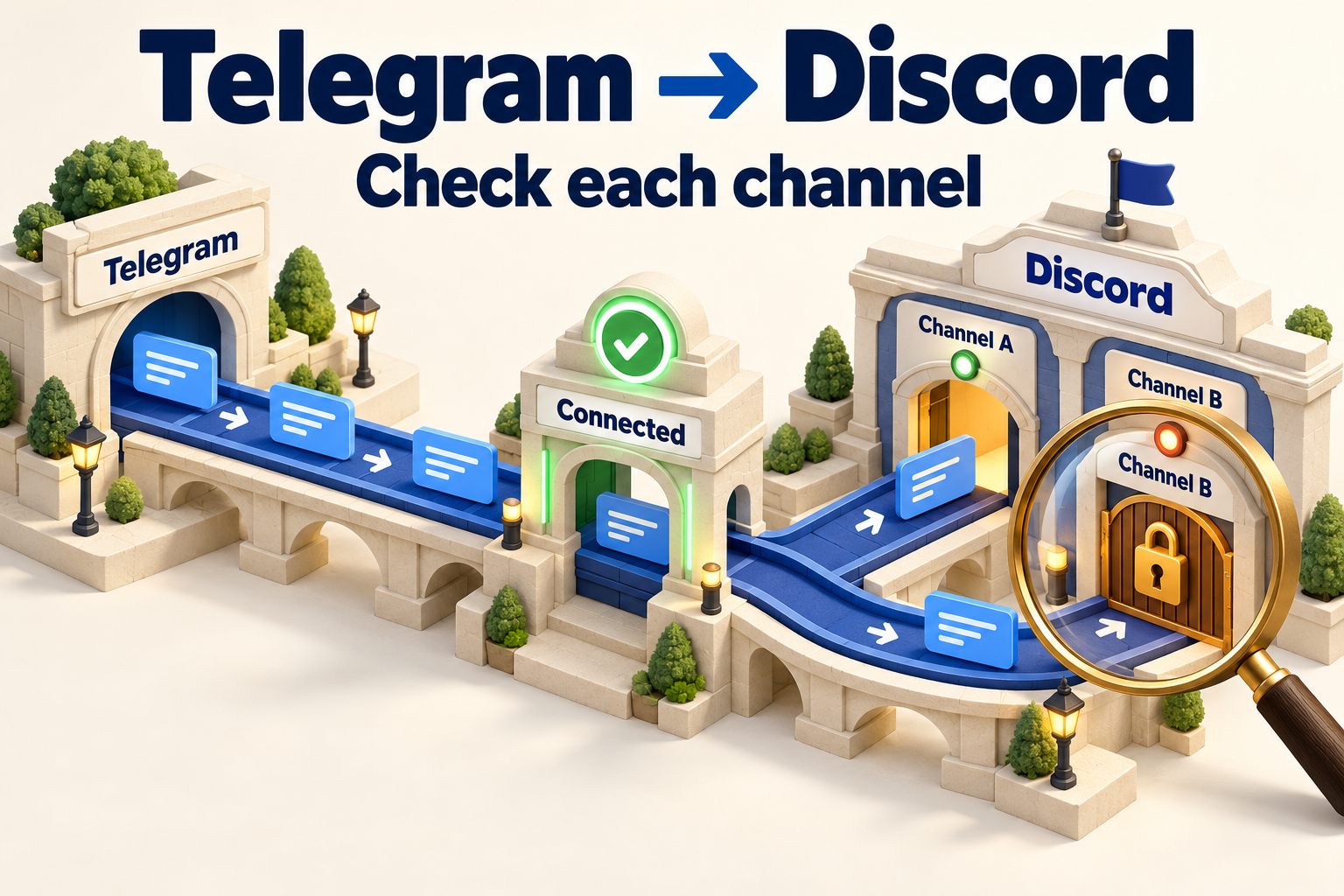
If Telegram-to-Discord forwarding is not working after setup, inspect the exact destination channel before reconnecting the bot. A verified bot token does not prove that the bot can view and send in every channel. Check source/task eligibility, bot identity and server membership, the numeric Channel ID, effective channel permissions, and finally the rejected content or provider error. For a timeout or unclear result, check for an existing message before retrying.
This runbook covers an existing RedFox Auto Forward Telegram (@AutoForwardNew_Bot) Discord Publish Task. RedFox is the team; Auto-Bot.io is a separate editorial publisher, not the bot operator. The historical @Auto_Forward_Messages_Bot has moved to @AutoForwardNew_Bot. Initial configuration remains in the Telegram-to-Discord setup guide.
Sources checked October 4, 2026: current RedFox instructions and original Discord documentation. The quoted permission error is a real third-party Telegram-to-Discord report with identifying details omitted, not a reproduced RedFox incident. No production route was reset or audience message sent for this article.
Start with this channel-by-channel decision tree
This is a Telegram source → Discord bot → configured text channel route, not Discord-to-Telegram and not a two-way conversation bridge. The current RedFox Discord guide uses a Bot Token and Channel IDs, not a webhook. Instructions for another tool's webhook are not interchangeable.
Connected, Running and published are different evidence
| Checkpoint | What it establishes | What still needs checking |
|---|---|---|
| Connected Discord account | RedFox verified the saved bot connection. | Bot membership and effective permissions in each actual destination. |
| Running Publish Task | The route is active to monitor/process its configured source. | An eligible event, timing, content handling and provider acceptance. |
| One channel contains the message | That particular copy is visible there. | Every other configured channel and any missing media/representation. |
| Timeout or incomplete result | The result is uncertain. | Whether Discord already created a message before the response was lost. |
Open each exact channel and inspect the message around the source event time. Record a destination message link when available. A bot's presence in the member list—or its online indicator—is not a receipt for publication. If the message exists but a member did not receive a notification, that is a different problem from delivery; do not resend it to generate a ping.
Check the source and task before changing the bot
- Open Home → Publish and the existing task. Record provider, connection, source names, all destination Channel IDs and status.
- Confirm the intended RedFox account is signed in and the External Publish addon is active. Access to the product and authentication of the Discord bot are separate.
- Verify the missing message was created in a selected Telegram source after task creation. This Publish flow does not automatically replay older messages.
- Check Running versus Stopped and any configured Auto Post Scheduler. If the route is stopped, establish why and inspect the destinations before an authorized owner resumes it.
- Inspect configured Add Header and Add Footer when diagnosing final content. Do not assume unrelated Telegram-task filters, AI, translation or rules are active in this Publish Task.
If an event or error is available on the actual task screen, save its exact wording and time. If the interface does not show receipt-level detail, ask RedFox support to trace the event; do not invent a log tab or treat a missing visible log as proof that no event was received.
Open the existing route first: the RedFox Web app lets you inspect the configured source and destination without maintaining a forwarding script. Keep production settings intact while you identify the failed layer.
Bot account: inspect identity and token format, not blind reset
In Publish → Manage Accounts, inspect the saved Discord account selected by this task. The documented credential format is Bot YOUR_DISCORD_BOT_TOKEN: the word Bot, exactly one space, then the raw token, without quotes. This is a placeholder, not a real credential. Application ID, Public Key, Client Secret and webhook URL cannot replace that Bot Token.
- Is the token from the intended Discord application and bot?
- Did an authorized owner already reset the token after it was saved? Reset invalidates the old token and can affect all routes using the saved account.
- Is the same bot installed in the destination server, rather than another bot with a similar display name?
- Does the original provider response show HTTP 401, or is there only a generic connection/authentication summary?
According to Discord's official status reference, HTTP 401 concerns missing/invalid authentication; HTTP 403 concerns permission to the resource. Do not treat an authentication-like summary alone as proof the token is wrong. Preserve the underlying HTTP status and JSON code/message when available. A server/channel permission problem is not repaired by repeatedly resetting a valid token.
If the token has genuinely changed or was exposed, have the authorized account owner coordinate recovery using the first-party token guide. Do not expose a token to support or modify shared connections as an exploratory test.
Destination and permissions: inspect the exact channel
- Confirm the task's numeric Channel ID belongs to the intended text channel. Copy it from Discord after enabling Developer Mode, following Discord's official ID instructions. Do not paste a server ID, message ID, invite link or channel name.
- Confirm the correct bot is a member of that server. Your own administrator access does not prove the bot can access the channel.
- Have the server owner inspect the bot's effective permissions in that channel, including role and member overwrites, not just permissions requested in its original invite.
- For basic text, check View Channels and Send Messages. For attachments, check Attach Files; for link embedding, check Embed Links. Plain link text and a rich preview are not the same result.
- Check every configured destination separately. One inaccessible private channel can fail while another receives the announcement.
Discord's permission documentation explains server roles and channel-specific overwrites. A bot can have server-level permission and still be blocked in a channel. Request only the needed permissions—do not grant Administrator as a routine troubleshooting shortcut.
If the copied destination is a forum, voice channel, thread or otherwise not the expected text channel, stop and verify that exact route type with support. Threads have separate permission requirements; do not turn a channel-type mismatch into a promise that this setup supports every destination. This guide does not create threads or native Discord events.
A real Telegram-to-Discord permission report
In an original Make community thread, a user reported on October 13, 2023 that a previously working Telegram-to-Discord scenario failed with:
These are the reported words, with the identifying discussion context omitted; the line break is for readability. This is a third-party incident, not RedFox's error UI, a reproduced test or evidence of a current Discord outage. It illustrates why a once-working connection still needs a destination-permission check. The original report does not establish which permission was missing.
Use official codes as a reference, not invented incident logs
| Discord reference signal | Diagnostic branch | Next evidence |
|---|---|---|
| 10003 — Unknown channel | Destination identity/existence | Exact Channel ID and intended channel; confirm bot access rather than guessing. |
| 50001 — Missing access | Resource visibility/access | Bot server membership and channel access. |
| 50013 — permission refusal | Required action permission | Effective channel permissions and the operation being rejected. |
| 50035 — Invalid form body | Request/content validation | Exact field error and final prepared content. |
| 50045 — File uploaded exceeds the maximum size | Attachment size | Actual file and the current limit applying to that upload. |
This table summarizes official Discord reference codes checked October 4, 2026. It is not a list of errors we observed in RedFox. Do not infer a missing code from a short error label or replace the real provider wording with a reconstructed JSON response.
When text works but content or an attachment does not
Keep the working bot/channel route unchanged. Check one content dependency at a time:
- Text: inspect the final message including header/footer, not only the original Telegram body. Keep a minimal baseline short; a long message or malformed request needs a content check, not new credentials.
- Attachments: check Attach Files, actual file size/type and the provider error. Telegram accepting a file does not mean Discord accepts the same upload.
- Rich links: check Embed Links and distinguish an absent preview from absent message delivery. Verify the destination text and link directly.
- Replies or changes: use the actual operation and error. A deleted message reference, a read-history requirement or source-edit/delete handling is not equivalent to a fresh text post.
- Moderation or harmful-link refusal: ask the authorized server owner to inspect the actual provider response and relevant channel safeguards. Do not disable production protections or change the content to evade restrictions.
Cost check: confirm RedFox External Publish access separately. Do not import X's prepaid-API-credit diagnosis into Discord, and do not buy Nitro or server boosts as a generic remedy for missing channel permission. If a specific file limit depends on the destination's current entitlement, verify the exact applicable limit and let the owner decide whether a smaller approved file or a permitted link is more appropriate. No purchase is required merely to inspect the failure.
Partial destinations, rate limits and unknown completion
For a task with several Channel IDs, record a per-channel result. “Channel A received it; Channel B did not” is more useful than “Discord failed.” Preserve the successful copy and investigate B's ID, permission and response. Do not replay the announcement to every channel to repair one missing copy.
For HTTP 429, Discord's rate-limit documentation says to follow Retry-After or retry_after. Limits are dynamic; this article does not prescribe a fixed waiting period or promise that the next retry will deliver. Avoid competing manual sends while an automatic retry may be pending.
RedFox documents Retry on Rate Limit and Skip on Error. Skipping can let the task continue, not prove every destination received a message. For timeout, server failure or unreadable/incomplete success response, inspect all configured destinations before another write. If you cannot determine whether a copy exists, stop and ask support to reconcile the event rather than blindly replaying.
Test one authorized route without pinging a real community
Illustrative sample—not a send we performed:
- Use an authorized test source and Discord text channel. A harmless-looking message in a production source can still notify its audience; do not use production to probe permissions.
- Record settings before any controlled change. Confirm the selected bot, Channel ID, task state and intended schedule.
- Send one new, unique short text sample after task creation. Do not edit or delete an old message as a substitute for testing the new-message path.
- Inspect the exact destination. If text works, add only the content type you need next on the controlled route and check its complete output.
- For multiple destinations, keep separate receipts. Restore or resume production only after the authorized owner accepts the relevant checks; missed history is a separate decision.
For versioned game releases and maintenance messages, the patch-notes runbook gives the content workflow. This diagnostic page owns failures after setup, not the release sequence itself.
When to stop and escalate
Stop retries if the bot or destination identity is wrong, a token may be exposed, server access is outside your authority, the provider reports a restriction, completion remains unknown, or the same failure persists after the relevant check and one controlled sample. Do not reset tokens, delete connections, rebuild tasks or grant broad permissions to make the symptom disappear.
Ask the Discord server owner to inspect server membership/effective channel permissions. Ask verified RedFox support to trace the task or missing provider detail. Use Discord's official support route for provider restrictions. These are different owners; a task change cannot repair every server/provider issue.
Share exact Channel IDs only privately when support genuinely needs them. Remove bot tokens, authorization headers, private invite links, unnecessary user/server names, private source content and session files. If there is no JSON error body, say so; do not invent one.
FAQ
Why is the bot connected but Telegram messages do not reach Discord?
Connection verification does not prove per-channel access or an eligible source event. Check the actual configured text channel, bot server membership, channel overwrites, task state and new-message timing, then content and provider error.
Can one Discord destination fail while another works?
Yes, permissions and identity are destination-specific. Verify every Channel ID and preserve copies already received. Do not bulk replay to fix one channel.
Should I reset the token for a Missing Permissions error?
Not simply because of that wording. Check the underlying status and effective channel permission. Resetting a token invalidates its old value and affects dependent routes; it is a coordinated recovery action, not the first permission test.
Inspect the existing Publish Task and keep the evidence
Use the RedFox Web app, iOS app or Android app for visual management. Activated tasks run in RedFox's cloud; leaving the management screen open is not the cure for a channel permission failure. The current Telegram bot is another entry point; see the product overview for the wider service.
Your next step: open the exact task, record the timestamp and sanitized error, and check every configured Discord channel. Verify one authorized sample before resuming production. Use the separate X publishing diagnostic tree for OAuth/API-cost problems and the existing WhatsApp troubleshooting guide for its platform-specific failures.
Start with the interface that suits you
Open Publish, choose one destination and set up one clearly named route. Verify the output before expanding.
Current bot: @AutoForwardNew_Bot; former @Auto_Forward_Messages_Bot has moved.