Telegram Game Maintenance Updates to Discord: Status Templates
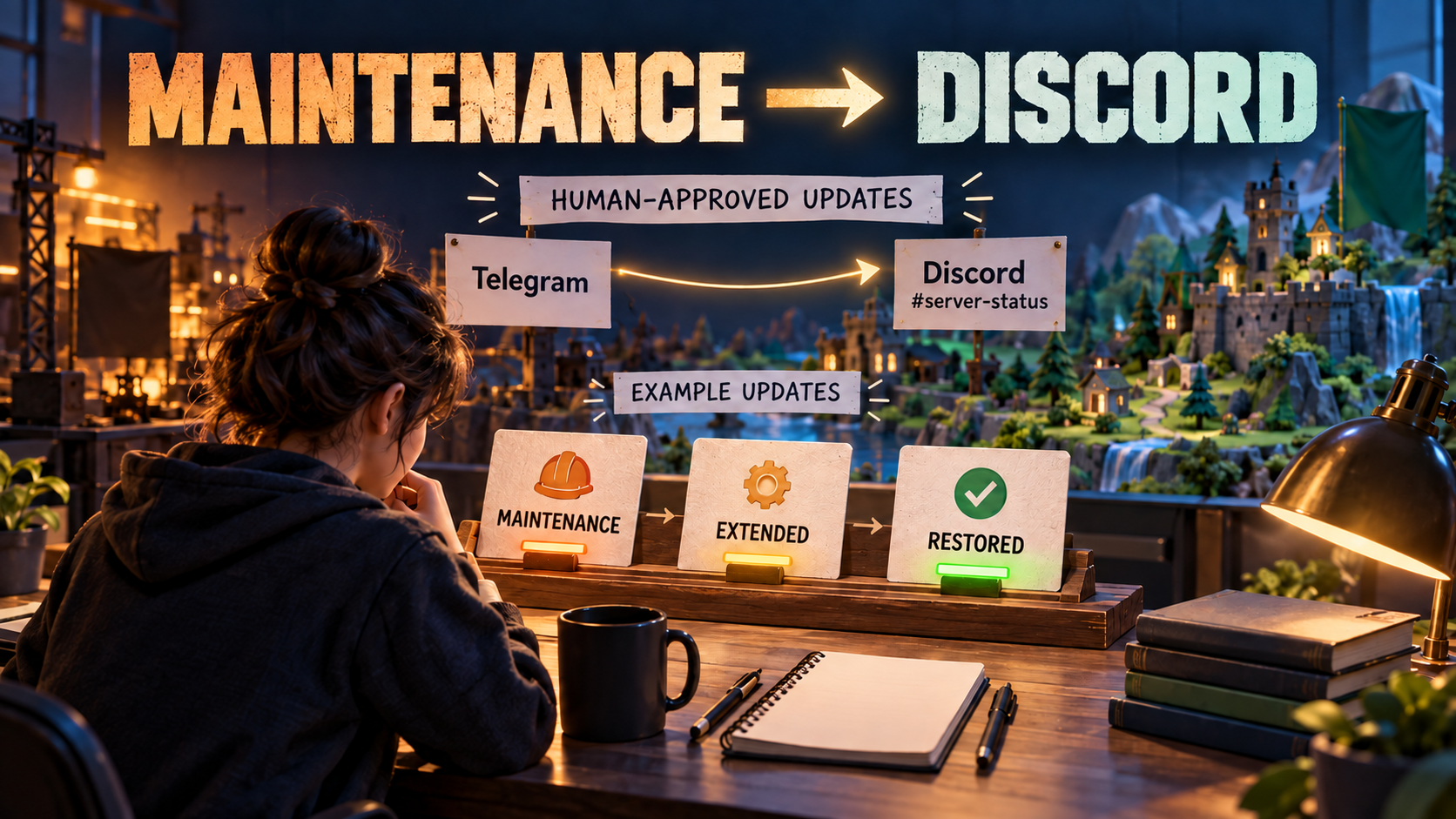
To automate game maintenance announcements from Telegram to Discord, use an approved status-announcement source and a dedicated Discord Publish Task in RedFox Auto Forward Telegram (@AutoForwardNew_Bot). Publish separate planned, started, extended and recovery notices with a maintenance ID, explicit UTC time and affected scope. A responsible person approves the status; the route delivers the message. Delivery is not a check that the game is down or restored.
Identity check: RedFox is the team; RedFox Auto Forward Telegram is the product. The historical @Auto_Forward_Messages_Bot has moved to @AutoForwardNew_Bot. Auto-Bot.io is a separate editorial publisher, not the product’s developer or operator.
This runbook is for game-server operators, indie studios and community managers who need Discord players to receive useful notices without confusing a planned end time with recovery. The templates are fictional editorial examples. Product and platform sources were checked on October 2, 2026.
Maintain a sequence, not one message with a changing ETA
An original Escape from Tarkov Telegram announcement sequence shows a planned server-maintenance notice, a start notice, an extension and a completion notice on December 28–29, 2025. Separate notices distinguish what was expected from what actually happened. The same feed also distinguishes server maintenance from website maintenance. This is an example of communication needs, not evidence that the game uses RedFox.
| Notice | What a person must confirm | What players need |
|---|---|---|
| Planned | Approved window and affected service/platform/region | When access is expected to stop, what is unavailable, and how to prepare |
| Started | Work has actually begun and current player impact | Current state, scope and next update time |
| Extended or still investigating | Original estimate no longer applies; any replacement estimate is approved | A clear extension, honest ETA or “not confirmed,” and next update time |
| Recovered or partially recovered | Operational checks and status approval for the stated scope | What works again, what remains affected and what action to take |
Use a stable maintenance ID in every notice. Choose an absolute date and UTC time; if the work crosses midnight, state both dates. Local-time equivalents are optional, but validate them for the actual date instead of copying a timezone abbreviation from an old announcement. Keep the next update time distinct from the estimated recovery time.
Choose the status audience before creating the task
| Scope | Suggested Discord channel | Source decision |
|---|---|---|
| Game-wide planned maintenance | Your shared service-status channel | A public-ready status source, separate from patch notes and promotional posts |
| One platform or regional realm | The relevant region/platform status channel | A dedicated approved source/route; label unaffected services explicitly when confirmed |
| Website or account portal only | The channel used for account/service notices | Do not announce that game servers are offline unless that is also confirmed |
| Internal incident coordination | No public relay | Keep operational logs, private player data and unapproved hypotheses outside the monitored source |
These are human routing choices. RedFox’s Discord Publisher guide supports a selected Telegram source and one or more destination Channel IDs. Use several IDs only when the same notice is appropriate in all those channels. Do not assume a mixed Telegram feed will automatically be classified into downtime, patch and recovery destinations.
Four maintenance templates your team can fill in
Fictional examples only: Lantern Vale, the maintenance ID, dates and service states below are invented. Replace every fact and bracketed link with an approved value before publishing. The sequence is written by people, not generated from a status page by the forwarding route.
1. Planned maintenance
Only list services as unaffected when the operations owner has confirmed that scope. The estimate does not authorize publishing a recovery notice at the end of the window.
2. Maintenance started
The start notice describes an observed, approved state. If work has not started, publish a delay or revised plan rather than this template.
3. Extension with an unknown ETA
Give a next update commitment your team can actually meet. “We will update by 10:30 UTC” is not “servers will return at 10:30 UTC.” If a revised recovery estimate is approved, label it estimated and retain the next update time.
4. Scope-specific recovery
Use that recovery wording only if those checks and instructions have been approved. If login works but matchmaking does not, use PARTIAL RECOVERY and say so. Avoid “everything is fixed” when a service or region remains affected.
What should the Discord output look like?
For the extension notice, the expected destination is a standalone message in the chosen service-status channel, with the same maintenance ID, scope, unknown ETA and next update time. For example:
This is an illustrated input/output expectation, not a captured message. A short documented Header can add the official-service label. Keep it neutral: a fixed “servers online” header would contradict an extension notice. Discord’s bot message-content limit is 2,000 characters; include Header/Footer and links in your length check. Use a compact notice and a public update link rather than a long incident transcript.
Prepare a safe delivery path before maintenance day
Follow the main Telegram-to-Discord setup guide for the full connection procedure. The first-party guide requires active External Publish access and a verified Discord bot account. Connect the bot through Platform Accounts, select the approved Telegram source and enter the exact destination Channel ID.
- Credentials and identity: follow the bot-token guide; do not put a token in a status message, screenshot or escalation ticket. Invite the bot to the intended server.
- Channel and permissions: use the Channel ID guide. Check View Channel and Send Messages, plus Attach Files or Embed Links when needed. Discord permissions apply at the actual destination; account verification alone is not channel-delivery proof.
- Safe creation: choose a controlled source and authorized secondary destination before creating a task. Treat creation as potentially activating delivery; inspect its actual state instead of assuming it was created paused.
- Representative test: when the intended test route is active, post a new sample. Check the exact channel, UTC text, ID, support/status link and a representative image/caption if used. Keep critical status in text so a failed image cannot hide the ETA.
- Mentions: begin without live pings. If your policy uses a role, test with consenting recipients. Do not assume default mention suppression or conversion of Telegram @handles into Discord users. Discord requires role mentionability or appropriate bot permission, and permission for @everyone/@here; user settings can still affect notifications.
- Changes: test Include edited messages only if you intend to rely on it. Open the destination after the sample edit. For an extension or recovery, a clearly labeled fresh notice preserves the sequence better than silently rewriting the planned notice.
Set up a single status route: open RedFox Web → Home → Publish. Name it for its scope, such as PC EU approved status → Discord test. Once test output is accepted, review the real source and destination before deliberately activating the production route. Do not pause it and then expect a new maintenance notice to forward.
Assign three responsibilities for every update
- Operations owner: confirms service state, affected scope, ETA confidence and recovery checks. Monitoring and game operations stay with your existing team/tools.
- Community owner: approves public wording, posts the correct template at the appropriate time and tracks the next-update commitment.
- Destination verifier: opens the exact Discord message, checks links and state, and records delivery or escalates a mismatch. A small team can assign all three to one person, but should name a backup.
Maintain two separate records: service state confirmed by operations, and communication state observed in Discord. “Recovery notice delivered” does not establish that login, matchmaking or the affected realm is healthy. Publishing this sequence does not itself configure status-page detection, automatic incident escalation, moderation or Discord Scheduled Events.
If the notice is missing or wrong
- Missing delivery: inspect the destination first to avoid a duplicate after an ambiguous failure. Check the exact task’s active state, source, Channel ID, bot membership/permissions and any recorded error. A rate-limit retry or Skip on error setting does not prove the failed notice arrived.
- Urgent fallback: an authorized community owner can post the approved notice directly in Discord. Record that manual delivery and review the route before another attempt; do not repeatedly resend into every channel.
- Wrong ETA or scope: publish a visible correction approved by operations. If the route was stopped to contain a problem, use an authorized direct post or reactivate only the intended safe route before issuing a fresh source notice.
- False recovery: correct it immediately with the actual affected service and next update time. Stopping forwarding does not remove the old message or change the service state. Have an authorized moderator correct any pinned status reference and verify the correction is visible.
Close maintenance only after both checks pass
Before posting recovery, operations should validate the affected region/platform with checks appropriate to the game—for example login, realm access, matchmaking and a representative session. These are recommended human checks, not functions of the publishing route. Approve any remaining issue and player instruction. Then publish recovery while the intended safe route is active and have the verifier open the Discord result.
Record the maintenance ID, source/destination links, latest state, remaining issue, next update and owner. Keep raw private logs elsewhere. If recovery is partial, leave the communication sequence open for the remaining service instead of closing it because the maintenance window elapsed.
Automate delivery; keep status decisions with your team
Use the Web app as the primary management path for RedFox Auto Forward Telegram, or choose the iOS app or Android app. The current bot is an additional entry point. Active tasks run in RedFox’s cloud without keeping the management interface open; account access and destination permissions must remain valid.
Next step: fill in your planned-maintenance card, name its approver and backup, and test one permitted secondary channel in RedFox Web. Use the patch-note runbook for release changes and the broader product-announcement guide for multi-platform launch communications. The product overview explains the wider product.
Start with the interface that suits you
Open Publish, choose one destination and set up one clearly named route. Verify the output before expanding.
Current bot: @AutoForwardNew_Bot; former @Auto_Forward_Messages_Bot has moved.