Telegram: Forward Posts Without Bold and Italic Formatting
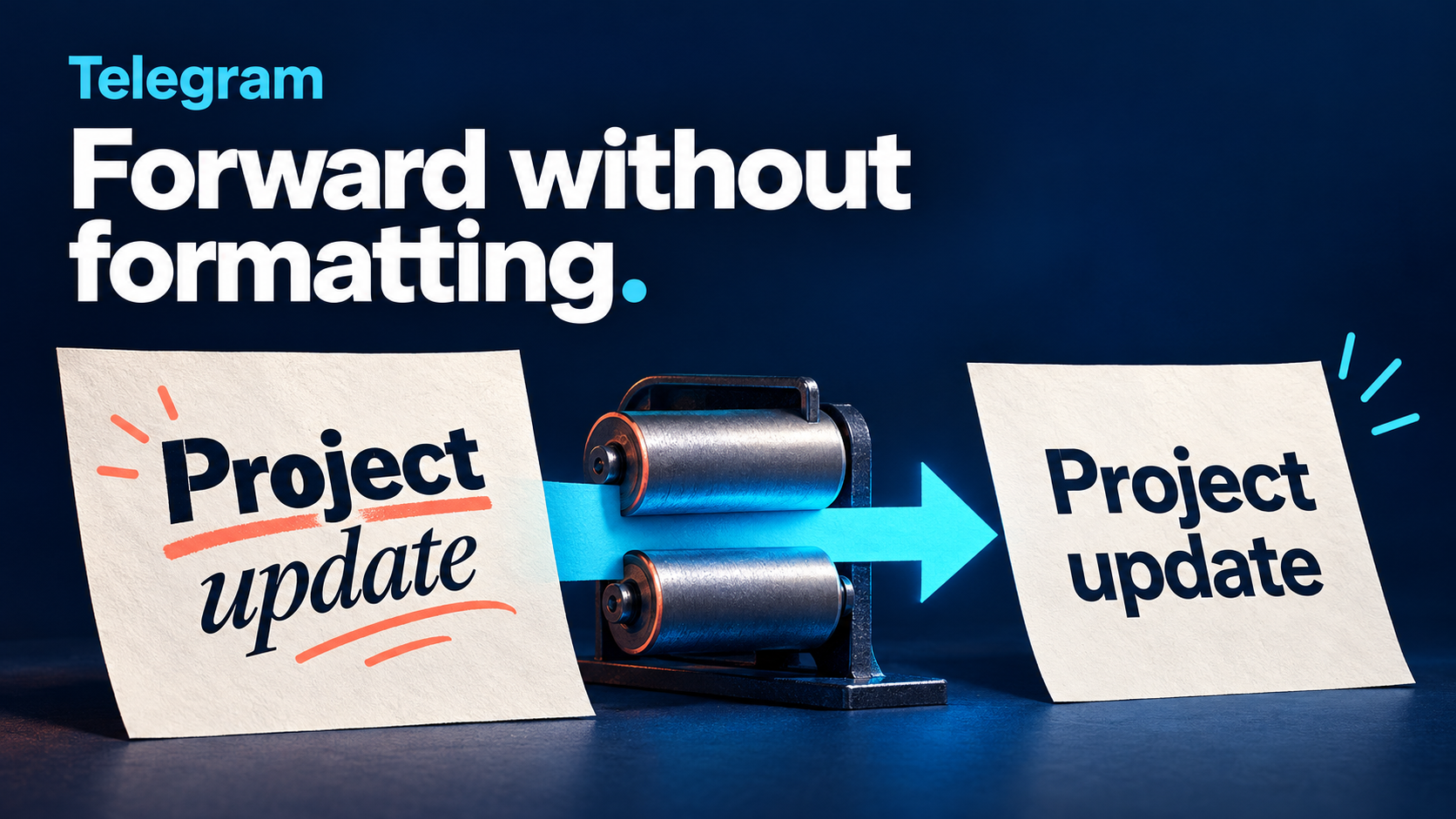
To forward Telegram posts without their bold, italic and embedded-link styling, use Process To Raw Text on the relevant task in RedFox Auto Forward Telegram (@AutoForwardNew_Bot). The setting is for the text’s presentation. Before using it on a bulletin, check whether readers still have the resource addresses they need: removing a link’s formatting is not the same as printing its destination URL.
This guide assumes your source-to-target route already delivers messages. You want a consistent, ordinary-text reading feed instead of the source’s mix of emphasis and linked phrases. You are not trying to extract words from an image, copy button labels or remove every URL.
Auto-Bot.io publishes this editorial guide; RedFox is the team behind the product. The former bot, @Auto_Forward_Messages_Bot, has moved to the linked current handle, @AutoForwardNew_Bot. Auto-Bot.io does not develop or operate the bot.
Choose plain text for the right reason
Imagine a project coordinator collecting permitted workshop announcements into a reading feed. One source uses bold headings and italic instructions; another turns “Preparation guide” into a hyperlink. The coordinator wants the announcements to read consistently when copied into a handover note, but still needs the preparation resource.
The official Process To Raw Text guide describes converting posts to raw text and removing text formatting. Its example shows a bold heading and an italic paragraph becoming ordinary text. Embedded link labels remain readable words in the example, rather than visibly blue hyperlinks.
That makes the feature a useful starting point for normalizing the style of message text. It does not make every possible text-related transformation the same job:
- Keep the words, remove rich styling: start with Process To Raw Text.
- Remove a repeated promotional line or selected content: use the separate Cleaner and content-template guide. Changing style alone does not express which sentence you want deleted.
- Put inline-button labels into the message: use Convert Buttons To Text. A button label is not part of the same text-formatting problem.
- Show where a shortened address leads: use the Final Redirect Link workflow. Removing rich styling is not redirect resolution.
If the existing source formatting carries meaning that the destination needs—such as emphasis distinguishing an instruction from an aside—decide whether plain text is appropriate before changing it. This setting simplifies presentation; it does not rewrite the announcement to explain meaning that depended on styling.
Separate visible words from link destinations
A linked phrase and a visible address contain different information. Telegram’s MessageEntity specification distinguishes formatting such as bold and italic from a text_link, whose URL is a separate field. That explains why preserving the words “Preparation guide” does not by itself preserve the address behind them.
Before enabling conversion, write down what the destination actually needs:
- Readable words only: “Preparation guide” may be enough for a summary of what the announcement mentioned.
- A usable resource address: the handover must include the approved destination URL, not just that friendly label.
- No outbound links at all: that is a separate content policy. Do not assume a raw-text setting removes every visible URL, mention or other link-like item.
The RedFox demonstration still shows a blue username in its converted result. It is not evidence that the entire output becomes unclickable. Equally, the guide does not promise that a hidden hyperlink destination will be expanded into a printed address. Inspect the actual result for your permitted source sample rather than assuming either outcome.
If a required resource exists only behind linked words, ask the source owner to include the approved address visibly in the message, or retain the formatted workflow for that use case. Do not invent a URL from its label. Plain-text output is also not a security verdict on the words or links that remain.
Enable Process To Raw Text on one task
Use content you control or have permission to redistribute, with a controlled destination rather than a subscriber feed for the first check. Record the task name, source, target and current conversion state. Keep the previous setting so you can reverse this change without resetting the route.
The official feature guide documents this Telegram-bot path:
- Open the exact current bot, @AutoForwardNew_Bot, and send
/settings. - Select Manage Forwarding Task to display your tasks.
- Select the task whose output should use ordinary text. Confirm both its source and its destination.
- Open Advanced Configuration.
- Select Process To Raw Text and turn it on. The documentation shows both on and off states.
Reopen the selected task and confirm its saved state before checking a fresh post. Do not also change Cleaner rules, button conversion, attribution or other transformations during the first comparison. If those features already matter to the route, record their existing states; do not assume an undocumented processing order.
You can manage Auto Forward Telegram on the Web App, iOS app or Android app. Prefer Web/App for fuller task management and choose the surface that suits you. The steps above are the documented bot route, not a claim that every screen has the same menu layout. If the control is unavailable in your account, check the current feature documentation and account access rather than substituting a similarly named setting.
If ordinary messages do not arrive yet, complete the initial Telegram forwarding setup first. This guide does not require reconnecting an already-working account.
Check fresh samples, not just the switch
The procedure below is for you to run; Auto-Bot.io has not executed a forwarding test. Use clearly marked, harmless new messages in a source you are authorized to test. Keep a source copy and record the destination result for each specimen.
1. Compare styled words with an ordinary-text control
Create a short source announcement with a bold “Project update” heading and an italic instruction such as “Bring your workshop notes.” Put those styles on the text using your Telegram client. The purpose is to test actual rich formatting, not to assume that typed asterisks or underscores will be interpreted as formatting.
Check that both sentences are present in the delivered message and that the source’s bold and italic styling is gone. Copy the result into the handover note if that is your real downstream task. Separately send an ordinary-text message with no special styling to confirm that basic delivery still works.
If your actual posts contain literal punctuation such as release_notes, brackets or asterisks, include those characters in a separate control and compare them exactly. Removing formatting is not a reason to silently lose characters that belong to the text.
2. Compare a linked phrase with a visible URL
Use a harmless page you own or are permitted to test. Prepare one post whose “Preparation guide” words carry an embedded link, then a separate post that prints the approved address visibly in the body.
For each result, record three things independently: the words that arrived, any address printed in the message, and any destination available through an actual link. If the output contains only “Preparation guide,” do not mark a usable-address requirement as passed. If a visible address remains clickable, do not mark a no-links requirement as passed either.
Keep unknown or private invitation, login and payment links out of this experiment. You do not need to visit a suspicious website to determine whether a label or address survived the transformation.
3. Check the content types your feed really uses
If your handovers rely on captioned photos, add an authorized captioned-photo specimen and inspect both the words and the attachment. The raw-text guide’s text example does not establish every media, caption or entity combination. Record your actual result instead of assuming the toggle converts image pixels into text or removes the photo.
Do not replace a required type-specific check with a successful ordinary-text sample. Conversely, a caption problem does not prove that plain-text message conversion failed. Keep those observations separate so the next configuration change addresses the actual unmet requirement.
Diagnose the result before adding more rules
- Words arrive but styling remains: confirm the exact task and saved raw-text state, then compare one simple styled source message. If the documented setting still does not produce the needed result, keep the small reproduction for support.
- A resource label remains but its address is missing: treat this as an unmet link requirement, not proof that the text vanished. Use visible approved URLs in the source or retain the formatted route where links are essential.
- A visible URL or username is still clickable: do not infer a broken formatting toggle from that alone. Revisit whether your real requirement is plain styling or removal of outbound references.
- Literal punctuation or needed words disappear: compare the original characters and review other active transformations. Change one relevant setting at a time on the controlled route.
- Nothing arrives, including the ordinary-text control: investigate task status, source access, destination permissions and message filters before treating it as a styling-only failure.
After a satisfactory check, apply only the intended change to the production task and inspect its next appropriate new post. To reverse the change, return to the same setting and turn it off, then check a fresh message. Do not assume that either action rewrites old destination copies or restores a previously lost address.
A useful support record includes the task label, conversion state, sanitized source sample, actual destination text, expected style and whether a URL was visible or embedded in the source. Never include login codes, two-step passwords or bot tokens.
Frequently asked questions
Does Process To Raw Text also copy button labels?
Do not use it as evidence of button extraction. RedFox lists Convert Buttons To Text as a separate task setting, with its own guide and acceptance checks. Choose the feature that matches where the needed words actually live.
Will it extract the writing inside a screenshot?
This guide covers formatting of message text, not OCR. An image containing words is a different input from bold or italic text in a Telegram message. Do not promise image-to-text conversion from the raw-text toggle.
Does raw text mean no links can be clicked?
No such blanket conclusion follows from the documentation. Check visible addresses, usernames and embedded links separately. The official converted example itself retains a blue username.
Will turning it off restore older forwarded messages?
Do not rely on that. Verify the setting on fresh posts and handle existing copies separately. Keep the original source reference when a handover may need a correction.
Make one consistent reading copy
Start with the RedFox Auto Forward Telegram product guide, choose one controlled task and enable Process To Raw Text. Judge the result on two requirements: ordinary text styling and preservation of the information your readers actually need. A clean-looking label is not enough if the handover requires a resource address.
Active tasks run in RedFox’s cloud; its service FAQ says your personal internet connection does not need to stay on. Closing Web or the mobile app is not a way to pause the test route.
Product documentation was checked on October 23, 2026. The specimens and workflow above are editorial guidance, not a connected-account test. The featured image is an original concept illustration, not product UI or evidence of a forwarding result.
Make Your Telegram Reading Feed Consistent
Use the documented Process To Raw Text setting, then check the words and resource addresses your readers need.
Documented task setting · Reader-run checks