Forward Telegram Button Labels as Text, Not Buttons
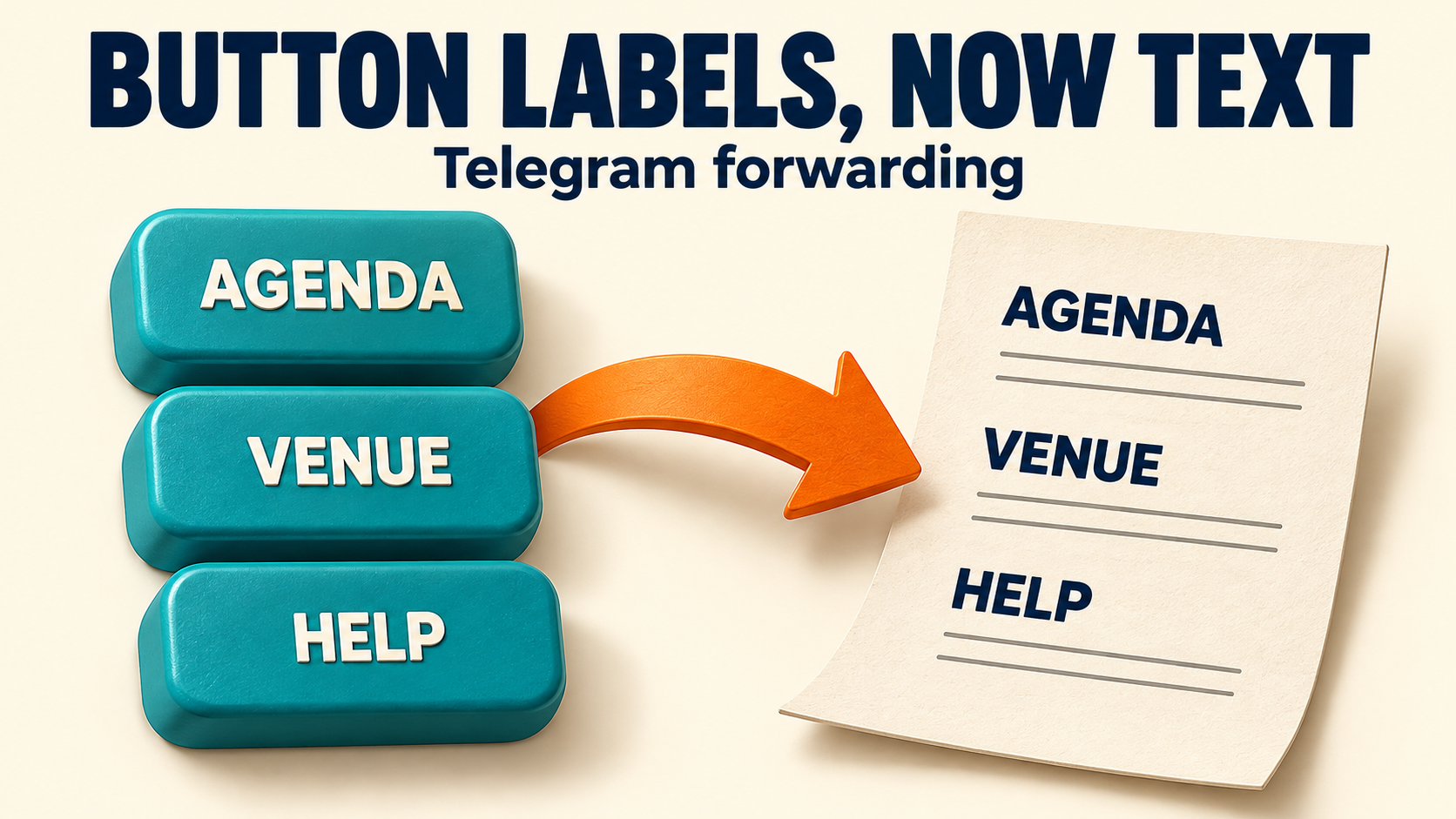
To put the words on Telegram post buttons into the forwarded message, use the Convert Buttons To Text setting on the relevant task in RedFox Auto Forward Telegram (@AutoForwardNew_Bot). This is a different job from preserving an inline keyboard: you want the labels readable as text, not merely another row of buttons. Check the resulting message before treating those labels as working links or completed actions.
This guide is for an editor preparing a text-first bulletin or handover from Telegram posts whose useful choices appear on buttons. The route already forwards ordinary messages correctly. You are changing how that post’s button content is represented, not reconnecting the account or rebuilding the route.
Choose text, not a copied keyboard
RedFox’s Convert Buttons To Text documentation describes converting post buttons to text and illustrates the result as a list of button labels beneath the message. That is the useful starting point when the words themselves belong in your bulletin.
For example, imagine an event post saying “Choose your session,” with buttons labeled “Morning workshop,” “Afternoon clinic” and “Evening questions.” A coordinator wants the handover to record those choices in readable text. Copying only “Choose your session” misses the information; recreating an interactive booking menu is unnecessary for this record. This is a hypothetical editorial example, not a forwarding test we performed.
- Need the labels in the message? Start with Convert Buttons To Text and check a fresh output.
- Need the original inline buttons? Use the separate Auto Clone Button guide. Its purpose is button preservation, with its own add-on and configuration requirements.
- Need your own call-to-action button? Use the Link Buttons setup guide. That creates a button you configure rather than extracting the source’s labels.
Do not enable every button-related feature at once to solve this case. First decide whether the destination needs readable words, original controls or a newly written CTA. Those are different acceptance criteria.
Separate the label, the link and the action
Telegram’s InlineKeyboardButton specification distinguishes a button’s text label from its other fields. A URL button has a destination URL; a callback button sends data to a bot when pressed. The words on the button are not the same thing as either destination or response.
That distinction matters when reviewing a text version:
- “Agenda” is a label. Seeing that word in the forwarded body proves the label is present. It does not, by itself, prove that the agenda’s URL is included.
- A visible link is a separate check. If the handover must contain a usable resource address, inspect the actual delivered link and its destination. Do not infer it from the label.
- “Check availability” is not an availability result. Turning those words into text does not demonstrate that the source bot was queried or that a reservation was made.
The RedFox conversion page establishes button-to-text conversion, but does not promise that every button type becomes a working action or that every destination URL is printed in full. Use the feature for the text requirement it documents; verify any link requirement separately. If the reader needs to register, pay or retrieve a private bot response, a list of labels is not an adequate substitute for the authorized original interaction.
Enable conversion on one intended task
Use a source and destination you control, or content you have permission to redistribute. Before changing a live bulletin, record the task name, source, target and current conversion setting. Keep a screenshot or note of the previous state so you can reverse this one change without resetting unrelated configuration.
The official conversion guide documents this Telegram-bot path:
- Open the exact RedFox bot, @AutoForwardNew_Bot, and send
/settings. - Select Manage Forwarding Task.
- Select the task whose output should contain button text. Check its source and destination before proceeding.
- Open Advanced Configuration.
- Select Convert Buttons To Text and turn it on. The guide shows an on/off toggle for this setting.
Confirm the selected task shows the intended setting before sending a test post. If your current interface differs from the documented menu, use the linked official guide and check feature access in your account; do not substitute Auto Clone Button or Process To Raw Text just because their names sound similar.
For a route that does not yet forward ordinary posts, complete the initial Telegram forwarding setup first. This conversion check assumes that basic delivery already works.
Check the handover with a small source sample
Use a permitted new source post that has recognizable button labels, plus a plain-text post with no buttons as a control. Keep both in an isolated test destination rather than experimenting on a subscriber feed. The following is a reader-run acceptance procedure, not a claim about results on your account.
1. Record what the source actually contains
Write down the message body and each visible button label separately. For the fictional session post, the body is “Choose your session”; the expected labels are “Morning workshop,” “Afternoon clinic” and “Evening questions.” Do not include a popup response, page title or booking confirmation in that expected-label list: those are content reached after an action.
2. Inspect the destination message itself
Check that the main message remains understandable and that each needed label is readable in the delivered text. A familiar-looking button below the message is not evidence that its label has become part of the body. If your downstream job involves copying the text into a handover note, perform that exact copy and inspect the pasted result too.
For an event record, all session names should be present and distinguishable. If a required label is missing, repeated or ambiguous, stop at that observation rather than declaring the complete handover successful. A successful sample also does not establish coverage for every kind of inline button.
3. Check links only when the handover needs them
If the bulletin needs an agenda or venue address, inspect whether the output includes it and verify the appropriate destination. If it does not, ask the source owner to include an approved link in the message body or choose a button-preservation workflow. Do not invent an address from a button label, and do not publish a private or account-specific link simply because you can access it.
4. Keep the plain-text control
Check the no-button post as well. This helps separate a conversion problem from a route that stopped delivering messages altogether. After the test, record the source and target message references, actual output and setting used. Apply only the intended change to the production task, then inspect its next appropriate new post.
Judge the change on fresh messages. This procedure does not assume that switching the setting rewrites older destination copies. Turning conversion off later should likewise be checked with a new sample; it is not a cleanup plan for messages already delivered.
Avoid the wrong fix when the result is incomplete
- The post arrives, but the labels are absent: verify the selected task and its saved conversion state, then compare the exact source post. Preserve a small reproduction for support if the documented setting does not produce the needed text.
- The labels arrive, but the links are not usable: treat this as an unmet link requirement, not proof that no conversion occurred. Decide whether the source body should carry the approved URLs or whether the destination needs preserved buttons instead.
- The text looks right, but no bot action happened: return to the original authorized interaction. A label is not a bot response or a transaction receipt.
- Nothing arrives, including the plain-text control: investigate the base forwarding task before changing more text-processing settings.
Process To Raw Text is documented separately for converting a post to raw text and removing formatting. Do not use it as evidence that button labels have been extracted. If several transformations are already active, record them and change one setting at a time on the test route; do not assume an undocumented processing order.
A useful support report contains the task label, source sample, expected labels, actual destination text and conversion state. Remove private content where possible. Never include login codes, two-step passwords or bot tokens.
Frequently asked questions
Does button text mean a clickable button was preserved?
No. The goal here is readable labels in the message. Preserving an inline keyboard is a different workflow. Inspect links separately if readers need to open a resource.
Will conversion fetch what a callback button would return?
Do not expect that from this setting. Telegram documents callback data as data sent to a bot when the button is pressed; RedFox’s conversion guide does not establish automatic execution of that interaction.
Do I need Auto Clone Button for this guide?
The conversion guide gives its own task setting and does not instruct you to enable Auto Clone Button. Use the cloning route when the requirement is to preserve buttons, and confirm the current feature access applicable to your account.
Make one text-first copy, then judge the result
Choose one post whose button labels matter to your handover. Enable Convert Buttons To Text only for the intended task, check a fresh copy and distinguish readable labels from usable links and real bot actions. That gives you a specific result to accept or troubleshoot instead of a vague “buttons are broken” report.
Start from the RedFox Auto Forward Telegram product guide. You can manage the service through the Web App, iOS app or Android app, or use the Telegram bot path above. Prefer Web/App for fuller task management and use the surface that suits you. Active tasks run in RedFox’s cloud; its service FAQ says you do not need to keep your connection online for the bot to copy messages.
Auto-Bot.io publishes this editorial guide. The feature instructions come from RedFox’s official Auto Forward Telegram documentation, checked on October 21, 2026. The example and acceptance procedure above are illustrative, not a connected-account test.
Make Button Labels Part of the Message
Review Convert Buttons To Text on one task and inspect a fresh text-first copy before using it in your bulletin.
Task-scoped setting · Reader-run output checks