Telegram Cloned Button Spins? Check the Action Type
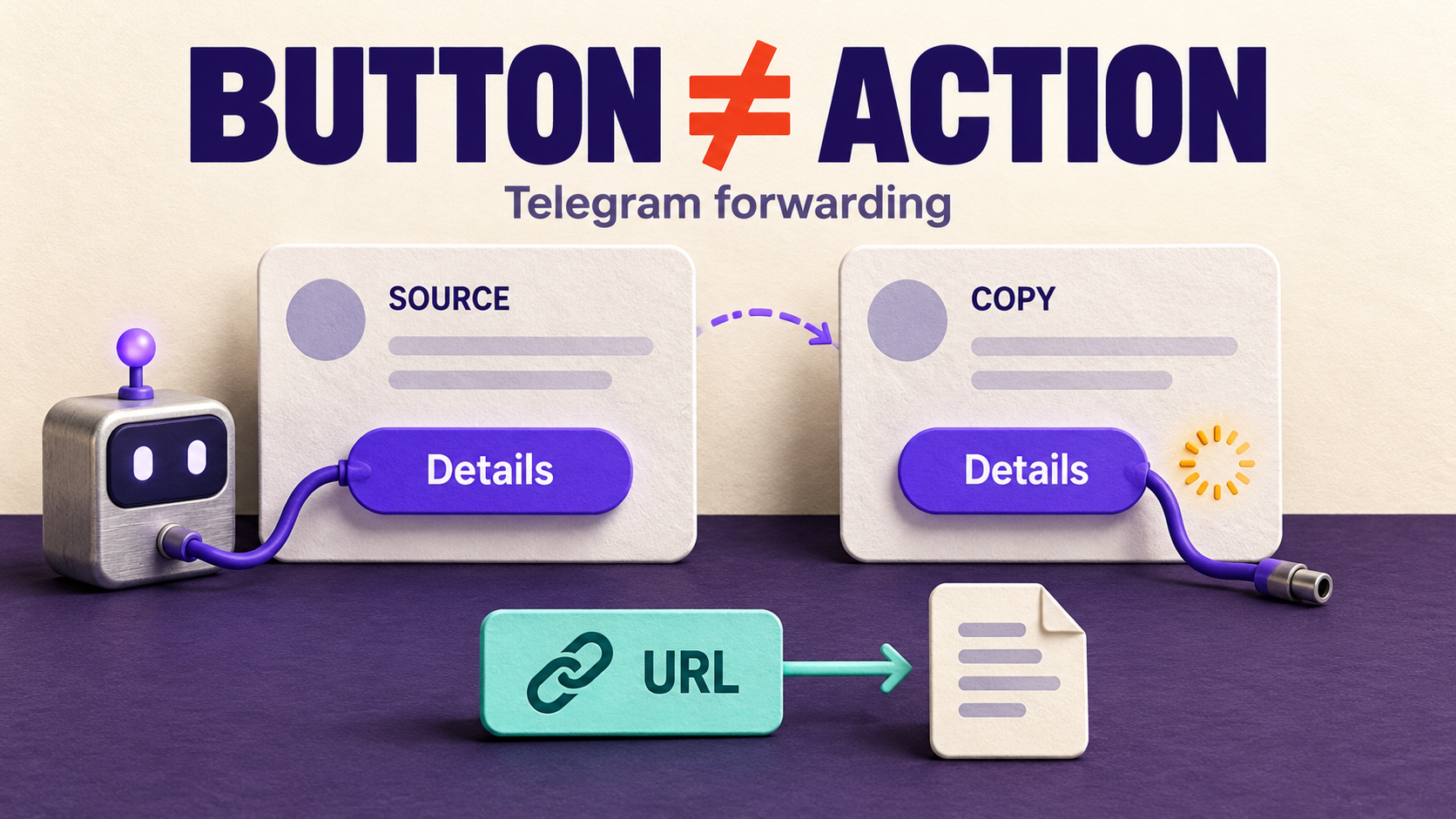
If a cloned Telegram button is visible but only spins or does nothing, check whether it is a URL button or a callback button before changing your forwarding task. RedFox documents URL buttons as the supported path and warns that cloned callback buttons will not function without the source bot’s handler. A URL button opens an address; a callback button sends data to a bot. Copying its label and shape does not recreate that bot’s behavior.
This guide is for an existing RedFox Auto Forward Telegram (@AutoForwardNew_Bot) route that delivers the post, but whose copied action does not work as expected. The useful outcome is a working, truthful next step for readers—not merely a row of convincing-looking buttons. It is a different problem from a button that never appears.
RedFox supplies the product; Auto-Bot.io publishes this tutorial. The previous bot, @Auto_Forward_Messages_Bot, has moved to @AutoForwardNew_Bot. Sources were checked October 31, 2026. The diagnostic below is a proposed reader-run procedure, not a connected-account test we performed. The featured artwork is a concept illustration, not product UI or a measured failure.
1. Identify the action, not just the label
Two buttons both labeled “Details” can do different things. Telegram’s InlineKeyboardButton reference defines text as the label, url as an address to open, and callback_data as data sent to a bot in a callback query. It also defines other types, including Web App and login buttons; do not force every unfamiliar control into the URL-or-callback pair.
- A resource link: opens an approved agenda, article or public documentation page. Verify its actual destination rather than guessing from “Details.”
- A bot interaction: requests an answer, changes a menu or performs another action through the source bot. The label is not a reusable address for that response.
- An unknown or account-specific action: ask the source owner what the button does. Do not treat an authentication screen, private result or payment control as an ordinary public link.
Use source-owner information or the button definition if you administer the originating bot. Ordinary readers may not have access to those fields. Seeing a spinner is a clue, not proof of the button type, the bot responsible or the underlying failure.
2. Understand what cloning can preserve
RedFox’s Auto Clone Button documentation supports preserving source URL buttons, filtering their URLs, applying URL replacements and controlling the resulting layout. It calls callback support limited, then explains in its FAQ that cloned callback buttons “won’t function” because there is no bot to handle the callback. Do not expect a copied callback to reproduce the source interaction; use a supported URL button when the reader needs a link. A spinner alone still cannot identify the type or cause of one particular failed press.
Telegram’s CallbackQuery documentation says clients display a progress indicator after a callback press until the bot calls answerCallbackQuery. Ending that indicator and completing the requested business action are separate outcomes. A disappearing spinner is not a booking confirmation, a returned report or evidence that the original bot handled the request.
A historical tgcf discussion from June 2021 makes the same reader distinction: its author asked about forwarding callback-button information, and the maintainer explained that the response depends on bot behavior. This is background from another project, not a RedFox incident, current compatibility test or instruction to copy tgcf settings into AutoForward.
3. Compare the original and the copy safely
Before editing anything, retain the source post and exact destination copy, the task identity, sender choice, client version and approximate time. Check whether the copied button is actually the source button or a manually configured CTA added by the task. Keep any existing URL replacement rules in the record.
Only compare interactions that you are authorized to perform and know are harmless. Do not repeatedly press Buy, Pay, Trade, Confirm or administrative controls to diagnose a spinner. If an earlier press might have changed something, inspect the provider’s actual state before another attempt. Use an owned demonstration bot or ask the source operator for a safe example instead.
- The original also fails: the symptom is not isolated to forwarding. Preserve the result for the originating bot’s operator before changing RedFox settings.
- The original responds, but the copy does not: this supports a difference in the copied interaction, not a complete diagnosis. Confirm the button type and RedFox’s documented support boundary.
- An ordinary URL opens the wrong page: compare the source and destination addresses, redirects and configured URL replacements. This is a link-destination problem, not proof of a missing callback handler.
- The copied button is absent: use the Auto Clone Button setup guide. If it is your own manually configured CTA, use the separate Link Buttons visibility diagnostic.
Compare the same harmless copy in another current Telegram client when a client-specific problem is plausible. Record differences; do not call a Telegram bug from one unexplained press. Leave the working message route and account connection intact while narrowing the action layer.
4. Choose the next step readers actually need
Imagine a community bulletin copied from a workshop bot. Its “Details” control asks the originating bot to return session information. The destination editor needs either a public agenda or an authorized conversation with that original bot. Reproducing the word “Details” does not choose between those jobs.
- Readers need a public resource: obtain an approved stable URL from the source owner. Preserve a genuine source URL button with Auto Clone Button, or create a clearly labeled manual Link Button to that resource. Verify the page and audience access.
- Readers need the original bot interaction: direct them to the authorized original post or official bot entry point supplied by its operator. Make clear that they are opening the original service; access, login and eligibility may still apply.
- Readers need only a written record of the choices: the Convert Buttons To Text guide addresses labels in a bulletin. Those words are not a replacement for the interaction or its result.
Do not manufacture a URL from callback data, expose a private response or rename a link to suggest it performs an action it cannot complete. If no suitable approved destination exists, explain the unresolved step in the bulletin rather than shipping a misleading control.
5. Configure an approved URL alternative on a private route
Use this branch only when a normal resource link meets the reader’s need. RedFox’s Link Buttons guide requires Bot Sender for manually created buttons. That requirement does not mean switching sender will recreate a third-party callback handler. Keep sender changes off a working audience route until a private rehearsal supports the intended result.
- Record the starting state. Keep the source, private target, selected sender and current button settings. Use a task and content you control; preserve unrelated routes.
- Check the sender. Follow the sender guide for the selected task. The chosen bot must have the required posting access in the destination. Do not share its token in a support report.
- Add the truthful resource link. Open the task’s Link Buttons feature, choose Add now, enter a clear title such as “Read public agenda,” enter the source-approved URL and select Add. Finish the documented save action.
- Remove the misleading cloned control. The Auto Clone Button guide offers URL Only mode to clone buttons matching your URL rules. It does not explicitly define every callback outcome in that mode, so confirm the unwanted control is absent on the private route. Alternatively, turn Auto Clone Button off and use the manual Link Button; the guide says the cloning settings are retained when it is turned off.
- Review the merge choice if cloning stays enabled. The guide describes Append as adding cloned buttons after existing buttons, and Replace as replacing existing buttons. Do not choose Replace expecting it to repair a callback; it can remove your manual CTA.
- Read back the saved configuration. Judge a fresh, distinguishable source post—not an old destination copy. Confirm that the approved link works, the misleading control is absent and the manual CTA survives. If that combination is not achieved, keep the route private and use the documented cloning-off alternative rather than ship a dead control.
Auto Clone Button is a separate add-on. If already in use, check active access on the same account. Inspect any new purchase terms before accepting them; no particular price or plan inclusion is promised here. Do not enable every button feature or clear all filters merely to make the destination look different.
6. Verify the reader outcome before rollout
In the private destination, keep a small comparison record: original action, copied behavior, chosen replacement, actual landing page and whether the required information is accessible to the intended audience. For the workshop example, success means the approved agenda opens and contains the needed session information. It does not mean the reader registered.
Retain an ordinary no-button post as a delivery control and check an unrelated button or post remains as intended. Change one relevant setting at a time. Only carry a justified correction to the audience task after the private before-and-after and unchanged control are satisfactory; a private pass does not prove every source button is compatible.
If the result remains unexplained, restore the changed test setting and give product support a redacted reproduction: task identity, source and destination references, known button type, saved sender/clone/manual settings, expected behavior and actual observation. Never include Telegram login codes, two-step passwords or bot tokens. Do not resend an entire campaign to improve the test record.
Frequently asked questions
Does All Buttons mode guarantee every bot action works?
No. It is a cloning selection mode, not a promise that another bot’s application logic is recreated. The same feature guide qualifies callback support as limited.
Does the spinner prove RedFox lost the callback?
No. It shows an interaction has not produced the expected visible response. Establish the type, compare a harmless original and copy, and preserve the actual result before attributing a cause.
Can URL Replacement repair callback data?
The documented URL Replacement feature edits button URLs. It is not a documented way to implement the source bot’s callback handler. Use an approved URL alternative only when a link genuinely satisfies the reader’s job.
Give readers a usable action, not just a copied shape
Explore RedFox Auto Forward Telegram, then inspect one affected post: identify the action, compare the original safely and choose either a working approved link or the original authorized bot interaction. Keep the complete forwarding setup in its existing setup guide; this diagnostic should not require rebuilding it.
Manage tasks through the Web App, official iOS app or Android app, choosing the surface you prefer. Web and mobile apps offer fuller management than the limited Telegram-bot entrypoint. Active tasks run in RedFox’s cloud; keeping the management interface open is not required.
Give Readers a Working Next Step
Identify one copied button’s action, compare safely and verify an approved link or original bot interaction before changing your audience route.
Manage on Web, iOS or Android