UI/UX Pro MCP: Fix Empty States That Hide Loading Errors
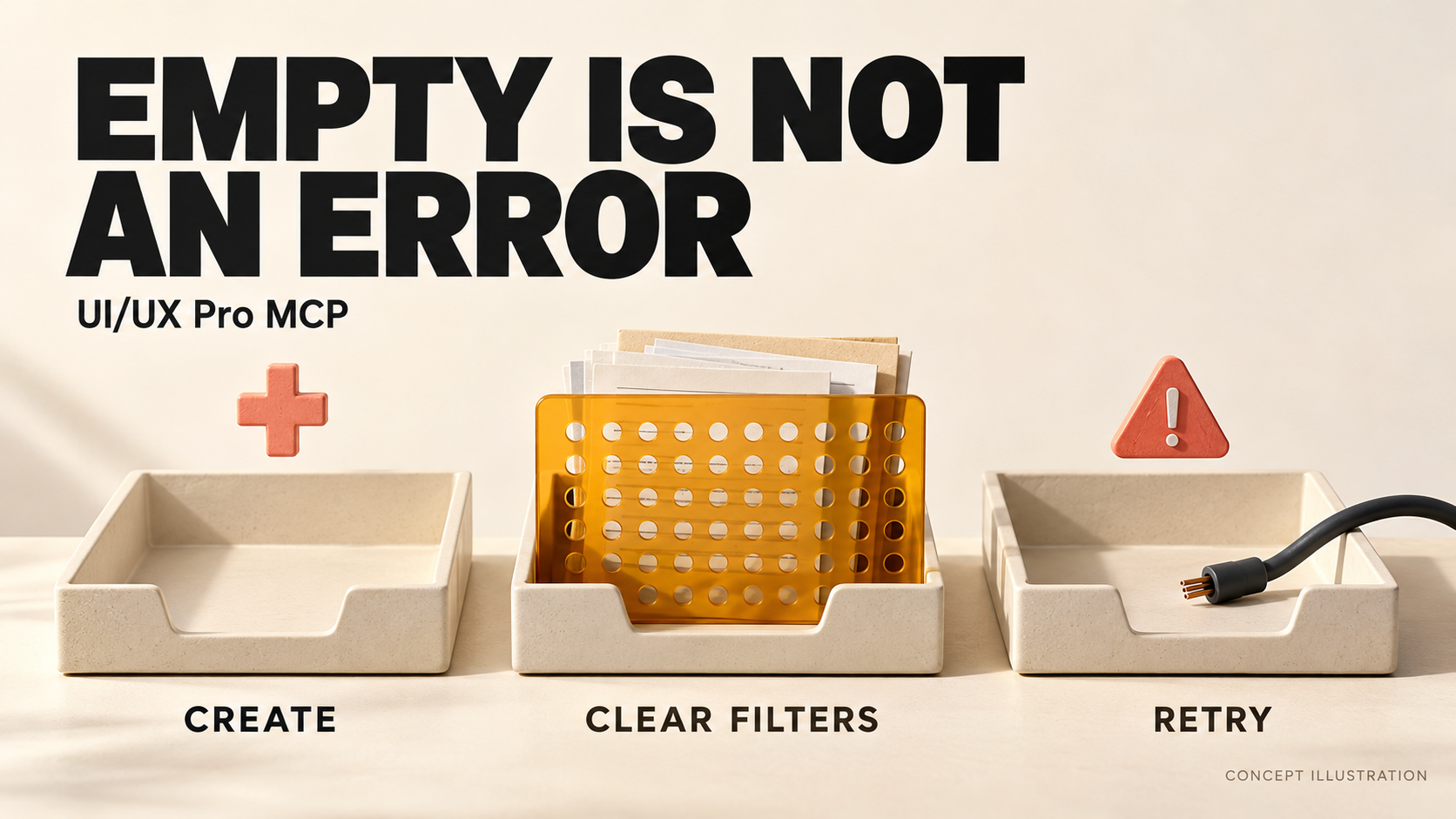
A blank project list should not tell users to create a project until the application knows the list loaded successfully. A failed request, an active filter and a genuinely empty workspace need different messages and different next actions. Use UI/UX Pro MCP to retrieve focused guidance, then give your coding agent an explicit rule for each state.
This guide is for developers with UI/UX Pro MCP already connected and an existing web application that shows “No projects yet” whenever its list has no rows. The worked example is a project library with search and an Archived filter. The outcome is a small, testable improvement: users can distinguish create, clear filters and retry without guessing what happened.
Source scope: tool arguments follow the registered server schema inspected on October 20, 2026. The library, messages and implementation brief below are editorial examples, not a recorded MCP response or a tested application. The hero is a concept illustration, not product UI.
1. Find out why the list has no rows
Start with the response and the current view, not an illustration. Record the workspace, query, active filters, request status and whether the response belongs to those selections. A rule such as “if the array is empty, show the onboarding card” collapses several different situations into one.
- Not requested or still loading: the application does not yet know the result. Show the appropriate initial or loading state, not “No projects.”
- Request failed: explain that projects could not be loaded. A timeout or invalid response is not evidence that the workspace is empty.
- Access denied: use the application's supported access-recovery route. Do not imply that creating a project or repeatedly retrying will grant permission.
- Successful request, no matches: say that the current search or filters returned no projects. Keep those criteria visible and offer a way to change them.
- Successful request, empty unfiltered collection: explain what belongs in this workspace and offer creation only if that user can create it. Do not infer that this is their first visit; they may have removed the last item.
The Intelligence Community Design System's empty-state guidance distinguishes first use, no search results, failed loading, removed content and access issues. It also explicitly advises against using an empty-state component to indicate loading. You can reuse a component's visual structure while giving each condition its own truthful content.
This distinction matters beyond polished mockups. An OpenCode issue opened in July 2026 reports failed reads being converted into legitimate-looking empty states. It is a source-audit report about another project's development branch, not a UI/UX Pro MCP defect or evidence of how often this happens. Use it as a concrete failure mode to check, not a claim about your application.
2. Ask UI/UX Pro MCP for interaction guidance
Keep the existing page layout and tokens. You do not need to regenerate the whole design system to repair one misleading empty state. Ask your client to call search_patterns with this arguments object:
{
  "query": "empty states loading error recovery",
  "type": "ux",
  "max_results": 5
}
The pinned search handler selects the UX-guidelines index for type: "ux". Read the actual returned description, Do, Don't and example together. If a recommendation misses the problem, narrow the next query to empty states or error recovery; this sample does not guarantee a particular result order.
The inspected UX dataset includes guidance to show a helpful message and action for empty states, feedback during asynchronous work, and a recovery path for errors. Its short empty-state example is “No items yet. Create one!” That is useful when creation fits the state—not a universal instruction to put a Create button below every blank list.
Use the tool your client actually exposes. The repository README contains older individual names such as search_ux_guidelines, while the inspected server registers search_patterns. Check the installed schema rather than asking the agent to invent an equivalent name. If your broader problem is a landing-page layout returned for an application screen, use the separate dashboard-intent guide.
3. Match the message and action to the evidence
For the project-library example, review the following copy with the product team. These are proposed messages, not text generated or endorsed by UI/UX Pro MCP.
- Loading: “Loading projects…” Keep the search and view context understandable. Do not flash a creation prompt while waiting for the request.
- Empty workspace: “No projects in this workspace.” Supporting text: “Create a project to keep this team's work together.” Action: Create project, only where creation is available to this user.
- No filter matches: “No projects match these filters.” Supporting text: “Remove a filter or change your search.” Action: Clear filters, with its scope defined: remove the library filters but keep the search text and selected workspace.
- No search matches after filters are cleared: “No projects match your search.” Keep the entered query visible and offer Edit search. Clearing filters is not a promise that results will appear.
- Loading failed: “We couldn't load projects.” Supporting text: “Try loading this view again.” Action: Retry loading projects, if the read can be retried. Preserve the query and filters so the action repeats the same task.
Do not invent a cause. “Your connection is offline” needs evidence; “We couldn't load projects” is more accurate when the client only knows the request failed. Likewise, a permission failure needs the application's actual support or access-request route, not a dead-end retry button.
Choose the action's visual emphasis from your existing design system. The important requirement is a relevant, available next step—not a universal rule that every empty view needs the largest primary button. If the application already retains earlier results after a refresh fails, label that stale view clearly instead of calling it a successful fresh load or replacing it with invented data.
4. Give the agent a state contract, not just better copy
Changing “Nothing here” to a friendlier sentence will not fix a failed request that is still mapped to an empty array. Define when each message is allowed to appear. For this read-only project list, use these acceptance rules:
- Pending is not empty: do not select the no-results branch until the relevant request succeeds with a valid list response.
- Error takes its own path: distinguish a rejected request, an error returned inside a response and malformed data according to the application's API contract. A fallback empty array must not erase those distinctions.
- Results belong to a view: bind the result to the workspace, search and filters that requested it. An older response must not overwrite a newer selection.
- Recovery has a defined effect: clearing filters changes only the advertised criteria; retrying preserves them. Both actions return through the loading state and show the actual result.
- Repeated failure stays honest: a retry that fails again remains an error. A successful retry that returns zero matches becomes a no-results state, not a success celebration.
Here is a bounded handoff you can adapt after reading the retrieved recommendations:
For framework-specific implementation advice, the registered search_stack tool accepts your actual stack_name and a focused query, such as react async loading error state. Treat that as reference material, not permission to change frameworks. For form-field validation rather than list loading, keep the separate form-error recovery guide as the owner.
5. Make changed results discoverable without stealing focus
When filtering updates the existing page, a visible “No projects match these filters” message also needs an appropriate programmatic notification. WCAG's explanation of Status Messages explicitly distinguishes a search-results list from a short message about that search. Messages such as “Searching…” or “No results returned” can be status updates when they appear without taking focus or refreshing the page.
For this example's routine result update, use a concise status region in the application's established accessibility pattern. MDN documents role="status" as implicitly polite and atomic, and advises against moving focus to it when its content changes. Keep the user's focus in the search/filter workflow rather than jumping to the empty-state illustration.
Do not place the entire results list and its controls in a constantly changing announcement. Do not use an assertive alert for every keystroke. Check the actual update timing and screen-reader output; a role in the markup is not evidence that users heard the right message. A full-page response or a dialog that intentionally takes focus is a different interaction and needs its own pattern.
6. Test the branches with controlled responses
Use synthetic projects and a local test environment. The goal is to make each state reproducible without deleting real work, changing account permissions or depending on a live outage.
- Delay the first response. Confirm that loading appears without a misleading “No projects” flash.
- Return a successful empty list. Check the workspace message and whether the available action matches the test user's permissions.
- Return zero matches for active criteria. Keep the query and filter controls visible. Activate Clear filters and verify exactly what changed.
- Fail the request. Check that the list says it could not load, not that the user has no projects. Retry with failure, then with success; inspect both transitions.
- Return an access error or invalid response. Confirm neither becomes a normal empty collection. Verify the supported recovery route without exposing raw server details to users.
- Change filters before the previous response arrives. Confirm the eventual screen describes the latest selected view, not an outdated response.
- Use keyboard, narrow layout and a screen reader. Reach the recovery action, see focus, read the complete message and hear the relevant status change without disruptive repetition.
Save the selected MCP guidance, state rules, messages and actual test outcomes together. Mark untested assistive-technology combinations as untested. This workflow produces a reviewable behavior change; it does not certify the whole application's accessibility or measure conversion improvements.
FAQ
Should every empty state have a Create button?
No. Creation fits an empty collection only when it serves the user's task and is available to them. A filtered list needs a way to adjust criteria; a failed read needs recovery. A shared visual component does not require shared copy or actions.
Can UI/UX Pro MCP detect which state my application is in?
The tools used here retrieve design guidance. They do not inspect your application's live request, permissions or rendered list. Your agent must examine the existing implementation and verify the proposed behavior in a controlled preview.
Does this retry advice apply to creating or paying for something?
No. This example retries a list read. Retrying a state-changing operation after an uncertain outcome needs the application's own duplicate-prevention and outcome-reconciliation rules. Do not reuse a read-retry pattern for purchases, invitations or project creation without that design work.
Fix one misleading blank list
Choose one list that currently uses the same message for every missing result. Retrieve focused guidance, separate the response states, and review each recovery action before changing the rest of the product. The useful finish line is not a prettier empty screen: it is a user who knows whether to create, change criteria or retry.
Explore UI/UX Pro MCP for the current product overview and official repository. Connect it if needed, then use the focused query above in your existing client. Keep the first change local and bounded until its actual state transitions have been reviewed.
Give Every Blank List the Right Next Step
Retrieve focused design guidance, then review loading, empty and error states in one existing screen.
Source-backed guidance · Test the actual interaction