Telegram Webhook Retries: Avoid Duplicate Archive Records
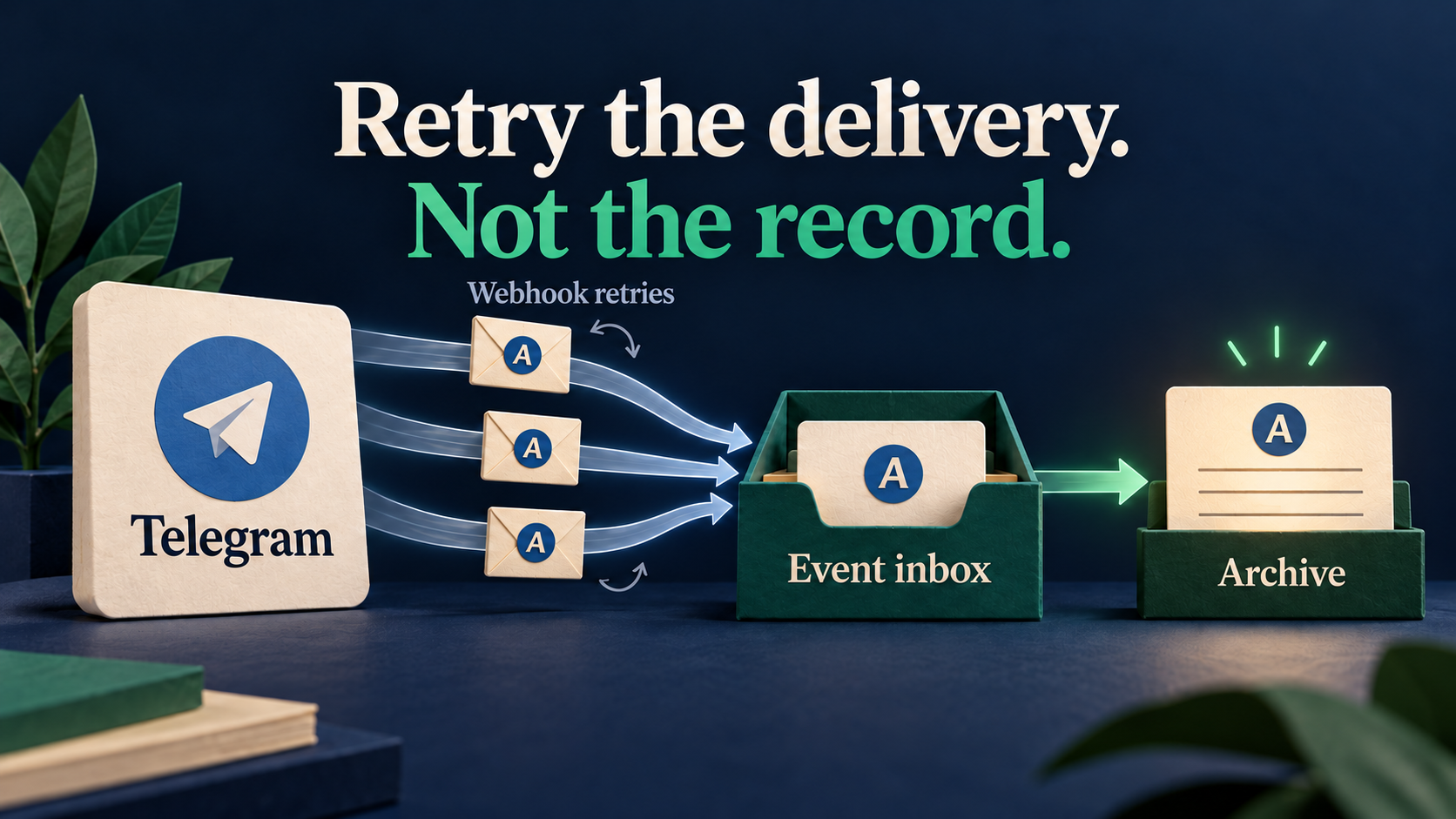
A webhook retry is another delivery attempt, not automatically another message to archive. If a forwarded Telegram notice creates two records in your database or CRM, check the receiving endpoint before changing the Telegram forwarding route. Accept each authenticated event into a durable inbox once, then make the archive write safe to repeat.
RedFox Auto Forward Telegram’s Outbound Webhooks add-on sends HTTPS notifications after successful forwards, target edits and target deletions. It can connect a working forwarding task to your own archive or operations system. The receiver—not a Telegram content filter—must decide whether a repeated notification should create another record.
Conceptual illustration above: matching A tokens represent repeated attempts for one event and one intended archive record. It is not product UI or evidence of a connected-account test.
This guide is for an operator and their integration developer who already have a working Telegram forwarding task and want a reliable external activity archive. Auto-Bot.io is a separate editorial publisher, not RedFox’s developer or operator. Product documentation was checked October 12, 2026; the archive design and test cases below are proposed receiver-side practices, not a deployed integration or an exactly-once delivery guarantee.
Separate the three results before debugging
Suppose your owned source posts RELEASE A: review build is ready. The intended Telegram destination receives one copy, but your archive contains two identical rows. Those are different observations:
- Telegram forwarding: did the intended copy arrive in the intended chat?
- Webhook delivery: did the receiver return an accepted HTTP response before the configured timeout?
- Business processing: did the archive worker finish the intended write, once?
A receiver can commit a record but lose its response on the network. A retry can then arrive even though the first attempt already did useful work. Conversely, a quick response can coexist with a worker that fails later. Neither an HTTP success nor a Telegram copy alone proves that the archive is correct.
If Telegram itself contains duplicate copies, first inspect overlapping forwarding tasks using the Telegram duplicate-message diagnosis guide. If Telegram has one copy and your external system has two records, keep that working route intact and investigate the webhook receiver. Do not replay the source notice just to repair an archive gap.
Start with one endpoint and the events you actually need
RedFox documents up to three webhook endpoints per task. Each endpoint has its own event selection, signing secret, timeout, retries and payload choices. Start with one endpoint on a controlled task so you can attribute every result.
| Setting | Private pilot choice | Reason |
|---|---|---|
| Endpoint | A public HTTPS receiver you control, isolated from production CRM actions | Cloud delivery must reach the receiver; do not put credentials in its URL. |
| Events | new_message first | Validate arrival and retry handling before adding lifecycle updates. |
| Signing secret | Configure one and verify incoming signatures | A public endpoint should authenticate deliveries before trusting event data. |
| Timeout | 5 seconds as a starting configuration, not a measured response time | Within the documented 1–10-second range and 3–5-second recommendation. |
| Retries | 2 during the pilot | The documented example permits an initial attempt plus two retries; the supported range is 0–3 retries. |
| Payload | Include source and target information; include text only if the archive needs it | Preserve attribution while limiting copied content and personal data. |
These limits and event names come from the official add-on guide. A timeout is the sender’s waiting limit, not permission to keep a database transaction open for that long. Do not assume every failure status retries identically or that retries continue indefinitely.
Check current Outbound Webhooks access in the account before configuring it. RedFox’s add-on system uses credits and time-limited access; basic forwarding availability does not establish that this add-on is included. Review the displayed price and duration rather than assuming a free trial or inventing a cost.
Confirm the receiver contract before writing the dedupe rule
The public add-on guide documents signing and payload switches, but does not specify the full JSON schema, signature header or verification algorithm, stable retry identifier, or ordering and redelivery contract. Do not copy another provider’s header names into your receiver and call it verified.
Before connecting business actions, obtain the current receiver contract from RedFox and inspect a harmless, authorized test delivery. Have your developer confirm:
- Which exact header and signed bytes are verified, with which algorithm and any timestamp/replay checks.
- Which event or delivery identifier stays the same across retries of the same event, and its uniqueness scope.
- Which identifiers connect a successful forward to its task, source and actual destination message or messages.
- How a later edit or deletion is identified as a new event affecting an existing archived message.
- Which success responses stop delivery attempts, and what failure, retry and recovery behavior is supported.
If those points are unresolved, keep the receiver in inspection-only staging and ask RedFox support for the contract. That is not evidence that the feature is absent. It is the boundary between understanding the documented settings and safely implementing a production receiver. Keep signing secrets, raw private messages and account credentials out of support screenshots and shared logs.
General guidance from GitHub’s webhook best practices supports secrets, narrow event subscriptions and asynchronous processing. Its X-GitHub-Delivery header and response deadline belong to GitHub, not RedFox. Apply the design principle, not the foreign wire format.
Store once before acknowledging; process safely afterward
The receiver’s aim is a durable handoff, not finishing every CRM operation inside the HTTP request. Use this implementation checklist with your integration developer:
- Authenticate and validate. Verify the signature against the exact required bytes. Validate the allowed event type, identifier scope and payload before any business action. A signature check and duplicate check solve different problems.
- Atomically accept the event. Use a database uniqueness constraint on the verified sender/endpoint scope and stable event identifier. Insert the event and durable pending-work state together. Two concurrent retries must not both pass a separate “not seen yet” check.
- Acknowledge durable acceptance. Return the provider-supported success response only after the event and recoverable work state have committed. If the inbox cannot commit, do not claim successful acceptance. For an authenticated duplicate already durably accepted, acknowledge it without inserting another job.
- Let a worker update the archive. Use a unique destination-message key for the archive row and an idempotent insert or update. Persist progress so a worker restart can finish pending work without starting a second archive record.
- Inspect failure and recovery separately. Monitor pending and failed work as well as HTTP attempts. If a CRM call has an uncertain outcome, reconcile its record or use that CRM’s supported idempotency mechanism before retrying the action.
A simple in-memory “seen” list can disappear on restart. A check-then-insert sequence can race. Marking an event “processed” before its durable work is recorded can lose it. The inbox and worker need a recoverable state transition; merely returning success quickly is not enough.
Do not choose an arbitrary short retention window for dedupe records. Keep event identities long enough for the verified provider retry/recovery window and your own permitted reprocessing policy. When that window is unknown, clarify it before pruning the protection.
Use event identity for retries, message identity for the archive
There are two distinct keys in the design. The event key answers “have we accepted this notification already?” The archive key answers “which delivered message does this notification affect?” Neither should be a hash of the message text alone.
- Same event, repeated request: one durable event and one intended business effect.
- Different messages with identical wording: retain both. “Meeting starts now” can be a legitimate notice on two different days.
- One source forwarded to different destinations: retain distinct destination records if your archive tracks delivered copies. A source message ID alone cannot distinguish them.
- A later edit: accept its distinct event, then update the existing destination record. Do not discard it because the original forward was already seen.
- A deletion: apply your approved deletion or tombstone policy to the affected record. Do not let an older event blindly recreate deleted content.
For the first pilot, use plain text and one destination. Before adding albums or multiple targets, confirm whether one notification describes one message or a set of destination messages and how those map to archive rows. The visible message count, HTTP attempt count and archive row count need not be equal.
RedFox’s edit_message and delete_message notifications describe successful task actions on target messages. Do not assume every manual deletion anywhere in Telegram produces a webhook, or that selecting these events turns on edit/delete forwarding. For a retention workflow, configure and validate destination auto-delete separately before testing its downstream archive cleanup.
Do not assume arrival order is authoritative. Ask for the supported ordering/version contract before using lifecycle events as a current-state mirror. Without a verified ordering rule or reconciliation source, record the event for investigation rather than blindly applying a stale edit over a deletion.
Run a private acceptance test, not a live replay storm
The following is a proposed test matrix, not observed results. Use disposable content in a source and destination you own and a staging receiver with CRM writes isolated. Obtain permission for deliberate failure tests; do not create purchase, email or audience-notification side effects.
| Controlled case | Inspect | Acceptance condition |
|---|---|---|
| One new plain-text RELEASE A notice | Telegram copy, receiver event and worker result | One intended destination copy and one archive row linked to it. |
| Receiver commits, but response is delayed beyond the configured timeout | Whether a retry occurs; its verified identifier; existing inbox state | If the same event retries, it creates no second job or archive row. |
| Two authorized staging deliveries of the same event arrive concurrently | Database uniqueness and work state | One event is durably accepted; the other follows the duplicate path. |
| Worker restarts after inbox acceptance, before archive completion | Durable pending work and eventual archive state | The job can resume and complete without losing the event or doubling the row. |
| A different new notice has the same words | Different event/message identities | It remains a distinct legitimate record, not a text-based false positive. |
| A later authorized edit or task deletion | Actual target change, selected lifecycle event and matching archive row | The distinct lifecycle event affects the existing row according to policy, not a new unrelated row. |
| Invalid signature or inbox storage failure | Authentication decision, commit result and HTTP response | Invalid data causes no business action; failed storage is not falsely acknowledged as durable acceptance. |
For each case, record the task label, event type, sanitized identifiers, HTTP attempt time/status, inbox state and archive result. Verify both the first and final state. Seeing “received” in a request log does not establish worker completion. These tests validate your configured integration; they do not prove universal delivery reliability.
A dated adjacent example illustrates the failure class: OpenClaw issue #59113, opened April 1, 2026, reported repeated inbound Telegram webhook messages. A maintainer closed it April 25 as implemented, citing early responses and duplicate-update handling in the shipped release. This was a different product and an inbound Bot API workflow—not a RedFox incident, a current unresolved outage or evidence that its settings apply here.
If the archive is wrong, repair that layer first
- Two Telegram copies: inspect route overlap before receiver changes.
- One Telegram copy, repeated HTTP deliveries, two archive rows: inspect stable event identity, atomic inbox uniqueness and repeat-safe worker writes.
- HTTP success, no archive row: inspect pending/failed worker state and durable commit evidence. Sender success can stop further retries while your business action remains unfinished.
- No webhook: check task action success, add-on access, endpoint/event selection, HTTPS reachability and the receiver’s response. A failed forward is not a successful-forward notification.
- Retries exhausted: reconcile what the receiver already accepted and what the archive lacks. Do not assume an automatic historical backfill or a manual redelivery control; confirm the supported recovery path.
During investigation, disable or isolate the affected webhook endpoint rather than creating another forwarding task. Already accepted worker jobs need their own review; an endpoint change is not assumed to cancel them. If a missing archive event must be reconstructed, use authorized destination evidence and a repeat-safe repair process, not a new public Telegram post.
Prepare one controlled integration in the official management surface
Use the RedFox Web app, iOS app or Android app—choose the surface that suits you. Web/App is recommended for fuller task management than the limited @AutoForwardNew_Bot entry point. The previous @Auto_Forward_Messages_Bot has moved to @AutoForwardNew_Bot; use the current handle for RedFox Auto Forward Telegram. RedFox confirms that active forwarding tasks run in its cloud without leaving the management screen open; your external receiver and worker must still remain available.
Your next step: open the Outbound Webhooks guide, confirm add-on access and the receiver contract, then configure one staging endpoint on a working task. Start with new_message, verify durable acceptance and one archive result, and only then add lifecycle events or real CRM actions.
For first-route setup, use the existing Telegram forwarding setup guide; this article does not replace it. The Auto Forward Telegram overview explains the wider product. A successful pilot is one verified integration—not a promise of exactly-once delivery, complete compliance logging or recipient engagement.
Plan One Controlled Webhook Integration
Check the Outbound Webhooks guide and your add-on access before connecting a staging receiver to a working task.
Official RedFox documentation