Telegram SpamBot Says No Limits, but Messages Still Fail
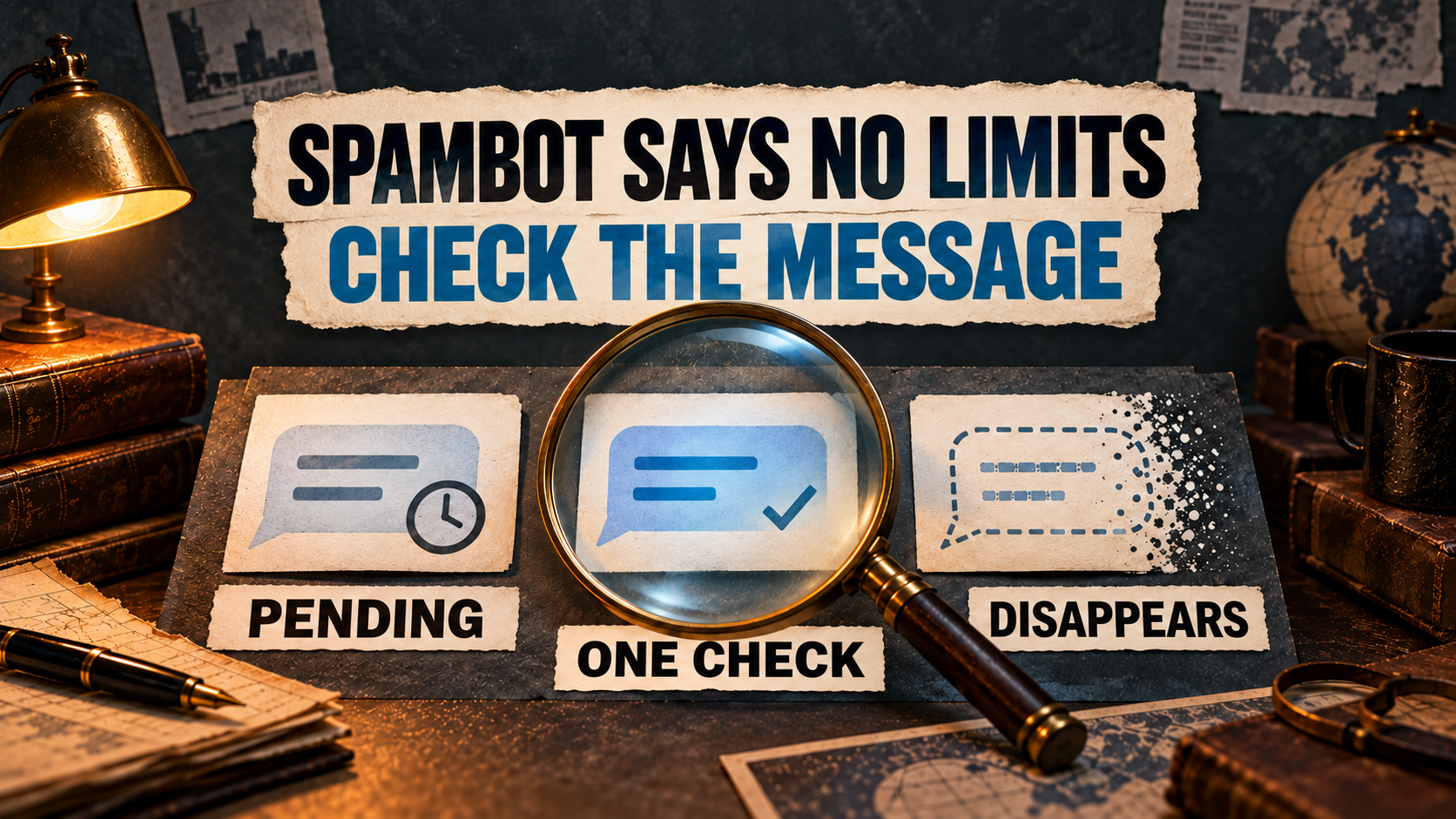
If Telegram’s @SpamBot says your account has no limits but messages still fail, record what happens in the affected conversation before trying another “unban” fix. A message that never gains a check mark, one that stays on a single check, and one that appears then disappears are different symptoms. Compare the affected chat with one consenting existing contact, preserve your trusted session, and report the exact result if the problem remains unexplained.
A clear SpamBot response is not proof that every recipient, group or account action is available. It also does not diagnose a “shadowban.” This independent Auto-Bot.io guide helps active account holders distinguish a sending problem from a chat-specific condition or an explicit account restriction. For login bans, password problems or another starting state, use our Telegram account restriction and recovery guide.
Telegram FAQ evidence was retrieved October 13, 2026; privacy documentation and the historical auto-delete announcement were retrieved October 14, 2026. The featured artwork is conceptual, not a Telegram screenshot or a successful repair test.
What a clear SpamBot result does—and does not—tell you
Telegram’s Spam FAQ covers accounts limited after spam reports and directs mistaken-limit cases to the official @SpamBot. Save its exact response and the time you checked it. If it reports no limit, do not rewrite that result as “SpamBot confirmed a ban,” or keep submitting the same mistaken-limit explanation without a new restriction to describe.
The FAQ makes an important contact distinction: a spam-limited account can message people who have your number saved in their contacts and can reply to someone who messages first. Merely saving their number on your phone is not the same condition. “We are friends” or “I have them in my contacts” is not a precise account of that relationship.
That policy explains the scope of a spam limitation; it is not a guarantee that any particular conversation will work. Recipient communication requirements, group permissions and an explicit frozen-account notice need their own checks.
1. Name the symptom before changing anything
Use the same affected conversation and identify which row describes it. This is a reporting aid, not a diagnosis of the server’s decision.
| What you observe | What it establishes | Next check |
|---|---|---|
| The message remains pending, shows a sending indicator or an explicit send error, with no check mark observed. | You have not observed the cloud-delivery confirmation described by Telegram’s FAQ. | Record the indicator or error and the app’s connection status. Compare an existing trusted official client if available. |
| The message stays visible with one check mark. | Telegram defines one check as delivery to its cloud—not a device-delivery or read receipt. | Do not resend just because a second check is absent. Ask the consenting recipient what they actually see. |
| The message appears, then disappears. | This differs from a message that remains pending or unread. | Record whether a check appeared first, when it vanished and whether the recipient saw it. Inspect any visible deletion timer or notice. |
| The app explicitly names a recipient privacy or messaging requirement. | The displayed condition concerns that destination; it is not itself proof of a spam ban. | Keep the exact wording and respect the condition. Do not turn a purchase prompt into a generic account-recovery remedy. |
| Only a group or channel prevents posting or access. | A chat-level failure alone does not establish an account-wide restriction. | Read its permission, membership or administrator notice; ask its administrators through an existing permitted route. |
| An account-level notice explicitly says the account is frozen. | You have a named restriction, not merely an unexplained messaging failure. | Use that notice’s appeal and deadline. Follow the frozen-account appeal guide only for this state. |
For an ordinary private conversation, Telegram’s check-mark FAQ says one check means the message reached the Telegram cloud and the recipient was notified if they allow notifications. Two checks mean the recipient opened Telegram and the conversation with the message. Telegram explicitly says it has no separate “delivered to device” status. A single check therefore does not prove blocking, a ban or that the recipient read the message.
2. Separate one-chat failure from a wider problem
Start with observations you already have; do not message a list of strangers to map your account’s reach.
- One private chat fails, while a consenting existing contact works: investigate the affected conversation’s exact notice or recipient requirement first. A successful control shows that particular exchange worked, not that every restriction is absent.
- One group fails, while private exchanges work: check that group’s rules and rights. Telegram documents group posting restrictions and separate permissions for sending and viewing. Do not assume “Banned by Admin” has one universal cause, or that SpamBot can override an administrator.
- Several previously working conversations fail: record their shared symptom, the clients involved and any account-level notice. This is a broader pattern, but it still does not identify the cause without further evidence.
- Only automated copies fail: distinguish that route from manual Telegram messaging. A missing forwarded post, a history-clone gap and a failing private conversation are not interchangeable tests.
Telegram’s official privacy documentation describes recipient-side communication requirements, including a Premium requirement for certain new non-contact conversations and paid-message conditions. If your official app explicitly displays such a condition, record it and decide whether to proceed through that genuine flow or stop. This guide does not quote a price or recommend buying Premium or Stars to fix unexplained disappearing messages. Respect a recipient’s choice; do not use another number or account to get around it.
3. Preserve access and make a narrow client comparison
Do not log out, clear app data, reinstall or delete the account just to test this symptom. Keep a trusted session you still control. Telegram’s logout FAQ warns that logging out loses Secret Chats and their messages on that device.
Confirm which account is selected, note the official app name, platform and version, and record any visible connecting or retry notice. If there is an explicit waiting instruction, follow it rather than repeatedly pressing Send. Record a relevant network or app change if you make one; do not change several variables at once and call the next result a fix.
If you already have another trusted official Telegram session, view the same ordinary cloud chat there without logging out of the first. Telegram’s FAQ describes using multiple devices with synchronized cloud messages. Record whether the same message is present and what status each client shows. This comparison is not applicable to device-specific Secret Chats and does not establish a client bug or a server restriction by itself. No new login or unofficial client is required.
If you see unfamiliar sessions, outgoing messages or profile changes, stop sending test messages and use the account-security branch. An unfamiliar session is a separate access concern; a list of familiar devices alone does not explain why a message disappeared.
4. Make one small check with an existing consenting contact
Only do this if the account has no notice forbidding the action, the app has no wait instruction, and a person you already know agrees to help. Arrange consent through a channel that already works. If you cannot arrange it, keep the existing evidence and skip the test.
- Choose one existing ordinary private chat. Note whether the recipient already has your number saved, if known. Do not ask strangers to add you or change a contact relationship to evade a limit.
- Send one harmless plain-text message. For example, “Agreed messaging check.” Avoid forwards, links, invitations, media and automated bursts so the record describes a simple exchange.
- Record the sequence. Write down the time and timezone, any pending indicator or error, whether a check appears, whether the message stays, and what the consenting recipient saw. If it disappears, record the observed interval rather than guessing.
- If the contact agrees and messages you first, record one reply separately. Compare initiation with replying to inbound contact; do not treat the two as the same test or as a method to bypass a restriction.
- Stop once you have a clear example. A failed check is evidence to report, not a reason to repeat it across more recipients. A successful check establishes only that exchange.
If messages vanish, inspect the chat’s visible timer or deletion information without changing it. Telegram’s deletion FAQ says either participant can delete sent or received messages for both sides in a one-to-one conversation without leaving a mark. Its February 23, 2021 auto-delete announcement also documents chat timers. These are possible mechanisms to check, not proof that the recipient deleted your message or that a timer explains a seconds-long disappearance. The historical announcement is not a current menu map or a complete list of today’s options.
Why “SpamBot says I’m fine” is not a complete diagnosis
In a public Reddit discussion, a user reports forwarding a message to two people, being logged out, then seeing outgoing messages disappear even with mutual friends. They say SpamBot reported no limit and that only their own mobile and desktop appeared in connected devices. A reply recommends SpamBot anyway; another participant says buying Premium did not change their own problem.
The retrieved body and comments contain no confirmed fix or client/server trace, and the publication timestamp was unavailable. The sequence does not prove forwarding caused a restriction, and the Premium reply is another person’s experience—not the original poster’s recovery or a universal rule. The useful next step is to capture the disappearing-message sequence that a generic SpamBot check did not explain.
5. Report the failure with a short evidence packet
Keep these details privately, with unrelated conversations and other people’s identifiers removed from any support copy:
- SpamBot’s exact response and the date, time and timezone of the check.
- The affected chat type, whether one or several chats fail, and whether the action is initiating, replying or automated forwarding.
- The exact app error or notice; pending versus one check versus disappearance, including the observed sequence.
- Official app/platform/version, visible connection status, and results from an already trusted second client if available.
- What the consenting contact actually saw, and any visible timer or recipient requirement. Mark unknown details as unknown.
- Any explicit account restriction or suspicious access change, plus remaining trusted access.
For an active account, Telegram’s support FAQ directs users to Settings → Ask a question and notes that support relies on volunteers. This is the FAQ-described route, not a tested click sequence for every client. If you cannot log in, the FAQ instead links Telegram’s support form. If the in-app help route itself is unavailable, describe that access failure in the form rather than inventing an appeal acknowledgment.
SpamBot reported “[exact response]” on [date, time, timezone]. In [one/several existing private chats or named chat type], my [new message/reply] [exact symptom]. I observed [indicator/check/error, then disappearance if applicable]. My consenting contact saw [actual result or unknown]. My official app is [platform/version]; an existing trusted second client showed [result or not checked]. The account displays [exact restriction notice or none observed]. Please help investigate this messaging failure.
This is an adaptable reporting structure, not an official or tested recovery script. Keep the support response with your observations. Do not include login codes, passwords or session files; Telegram’s bot-safety guidance warns against handing over passwords or Telegram codes.
Your next action
Save the clear SpamBot response, classify the actual symptom, preserve access and make the single consenting-contact check only if appropriate. For a recipient or group condition, respect that destination’s rules. For an explicit account restriction, use its matching official route. For an unexplained failure, report the evidence through Telegram’s support guidance instead of repeating sends or buying an “unlock.” RedFox forwarding settings and paid recovery services are not substitutes for Telegram’s account review.
Report the Exact Messaging Failure
Keep the SpamBot response, message sequence and trusted-client observations together. Use Telegram’s support guidance for your remaining access.
Official Telegram guidance • Independent Auto-Bot.io article