Telegram Account Banned or Frozen? Official Recovery Routes
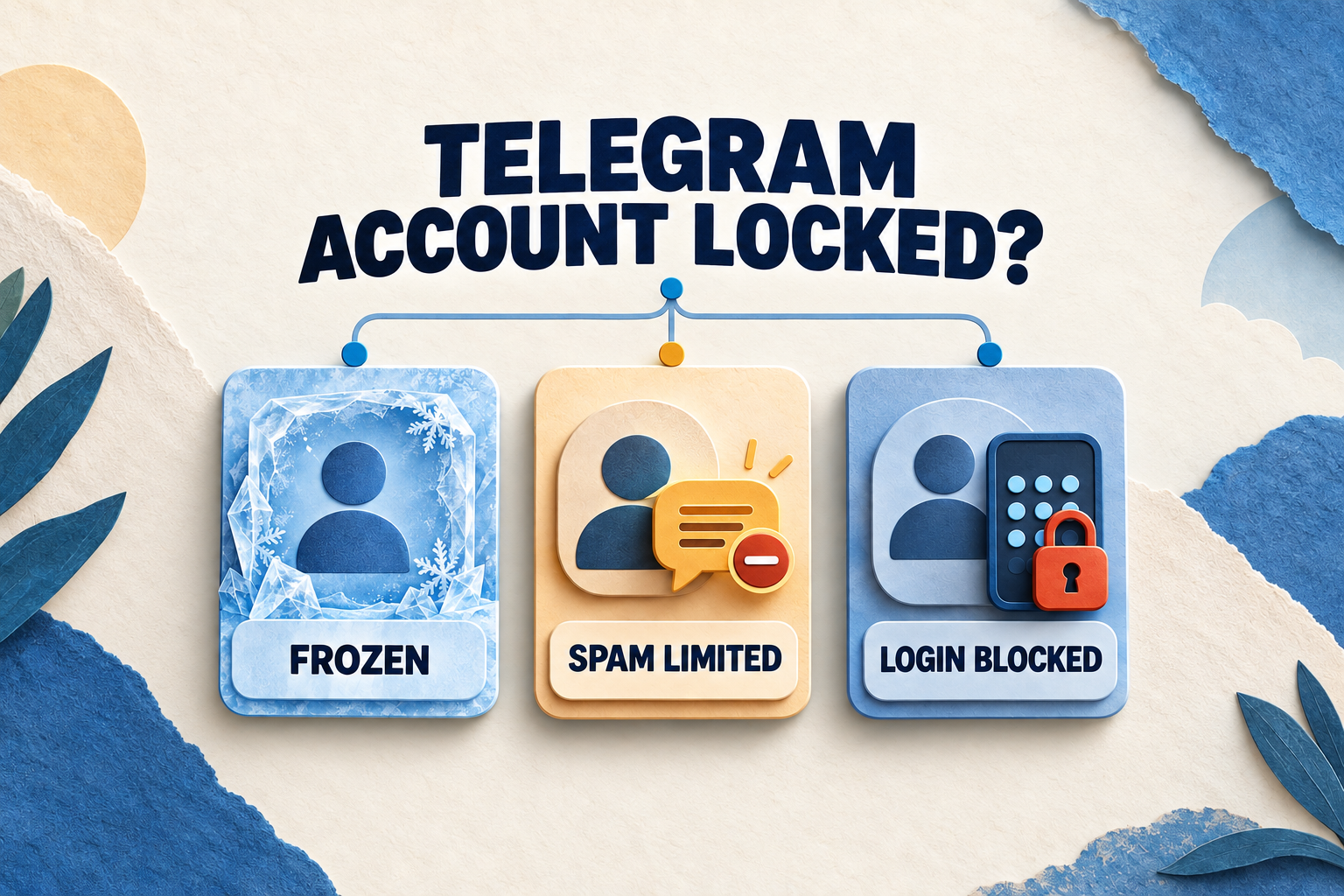
To recover a banned or locked Telegram account, first identify the exact message you see. A frozen account needs the appeal offered inside Telegram. A spam-limited account uses @SpamBot to challenge a mistaken restriction. If login says “This phone number is banned,” use the official app’s Help option or Telegram’s support form. A missing login code or forgotten password is a different problem—not proof of a ban.
This independent Auto-Bot.io guide explains Telegram’s official recovery routes, helps you prepare a useful appeal and shows how to avoid losing access or handing your account to a fake recovery service. Telegram decides whether to lift its restrictions; there is no guaranteed unban method or universal recovery time.
Sources checked October 13, 2026. The featured image is a conceptual illustration of account states, not a Telegram screenshot or a successful recovery test.
Start here: what can you still do?
Open the official Telegram app and record the exact wording before changing anything. Match your situation below rather than treating every failure as “account banned.”
- You can read chats, but an account-level notice says “frozen” and actions are blocked: follow the frozen-account appeal route, paying attention to its displayed deadline.
- You can reply to incoming messages, but cannot start conversations with some people: check spam restrictions with the official @SpamBot.
- You cannot log in and the app explicitly says the phone number is banned: follow the banned-number support route. This is not the same as a missing SMS.
- The app asks for a code or password, or tells you to try again later: use the login-recovery branch.
- Only one group is inaccessible or you cannot post there: check that group’s membership and permissions.
- Messages or sessions appear that you do not recognize: treat it as a possible account-security incident, not just an appeal-writing problem.
Preserve access while you investigate. Keep an existing trusted session available if you still control it. Do not log out of every device, delete the account or repeatedly reinstall the app as an “unban” experiment. Telegram explains that logging out loses the Secret Chats on that device, while deleting an account is irreversible. See its logout guidance and account-deletion explanation.
Why community “unban” advice often conflicts
Public discussions on Reddit, X and GitHub reveal different starting conditions—not one proven ban cause. In a Reddit password-reset discussion, a reply initially warned of account deletion, then corrected itself after noticing that the user was still logged in on an iPhone. That distinction changes the recovery options.
Another Reddit report describes failed messaging despite a clear SpamBot result. A February 26, 2026 X post describes a freeze alongside suspected profile changes, without establishing an account takeover. In a February 2024 TDLib discussion, a contributor recommended the official-app recovery route; closing the issue later did not establish that the account had been restored.
These are reported experiences, not independently tested recoveries or evidence that one workaround works for everyone. The Reddit publication dates and some reply sets were not available in the retrieved originals. The useful lesson is to preserve your exact account state and use Telegram’s official guidance for that state.
1. Telegram account frozen: appeal before the displayed deadline
A frozen account is not simply an account that cannot message strangers. Telegram’s Frozen Account FAQ says you can still read chats, but cannot send messages or post content. Its April 30, 2025 announcement explains the in-app appeal process.
- Open the account’s frozen notice. Read the restriction details and the appeal action offered to your account. Use that route rather than a bot found in a search result or a private message.
- Record the displayed deadline. Treat any deletion or deactivation date as urgent. Do not substitute a generic “wait seven days” tip from another person’s case.
- Submit a factual appeal. Explain when the freeze appeared, what you were doing and why you believe it was a mistake. If your account may have been compromised, include that relevant fact without inventing a cause.
- Retain the response and check the same official route for its outcome. An appeal submission is not an approval. Avoid repeatedly changing clients or paying someone to “speed up” the review.
A frozen account can have an account-specific deletion deadline. Telegram’s authorization documentation describes a freeze date, a deletion date and an appeal URL. It says the account will be deleted unless an appeal is submitted and accepted. That is why neither a fixed waiting period nor “I appealed, so my account is safe forever” is a reliable rule.
If the appeal action fails to open, note the exact failure, the official app version and the deadline. Use Telegram’s support form to report that you cannot access the appeal route. Do not assume that a separate support request pauses the account’s deadline.
2. Spam-limited account: check the official @SpamBot
For the restrictions described in Telegram’s Spam FAQ, limited accounts can still message people who have saved their number as a contact and can reply to someone who messages first. A restriction on initiating unwanted conversations is therefore different from an account-wide freeze or a number banned at login.
- Open @SpamBot from the official link. Read the response for your account. Do not post your phone number or screenshots containing private chats in a public help thread.
- If the restriction was a mistake, explain it through that official flow. Telegram explicitly directs mistaken-limit appeals to @SpamBot.
- Stop unsolicited messaging or invitations. A harmless-looking “hello,” link or photo can still be unwelcome. Do not ask strangers to add you as a contact merely to work around the limit.
- Follow the account-specific status or timing you receive. Telegram says a first restriction may last a few days, while repeated offences can last longer. That is not a guaranteed duration for your account.
New account already limited? The same Spam FAQ acknowledges that a number’s previous owner or certain virtual/VoIP numbers can trigger an overly harsh response. If that matches your situation, describe it to @SpamBot. Having just bought a SIM does not prove why the restriction occurred; explain the facts you know rather than presenting a recycled-number theory as a confirmed diagnosis.
If @SpamBot reports no limits but you still cannot send a message, return to the exact symptom. Is the account frozen? Is just one group restricted? Is the recipient or chat setting involved? A clear SpamBot status does not by itself prove that every chat permits you to post.
3. “This phone number is banned”: use the login Help route
This wording appears during login, before you can use the account normally. Telegram’s login-code documentation identifies PHONE_NUMBER_BANNED separately from invalid-number, too-many-code-request and other login errors.
- Check the number and country code. Enter the number you control in international format. A typo or invalid-number message needs a different correction from an explicit banned-number message.
- Use Help on the official login error, when available. In the official Android source checked for this guide, the banned-number Help action prepares an email to [email protected], with the number and app/device details. This is a source-defined Android route; labels and available actions can differ on another platform or version.
- If that Help action is unavailable, use telegram.org/support. Telegram’s FAQ links this form for users who cannot log in. Supply the requested details there, not in a public comment or to an unsolicited “support agent.”
- Keep a copy of what you submitted. Include the exact banned-number wording, when you first saw it and the relevant app/device details. If the number is newly issued, say so truthfully.
You do not need to enter your Telegram login code into a recovery website to ask Telegram to review a ban. Sending an appeal also does not guarantee restoration, a reply within a fixed number of hours, or recovery of a deleted account.
Avoid the wrong support address. Telegram’s FAQ mentions [email protected] for a bot, channel or sticker set banned unfairly. That instruction should not be copied into a personal-account guide as though every ban were the same case.
What to include in a Telegram unban appeal
The goal is a concise, accurate case—not a magic phrase. Use the official route for your particular restriction and provide only the information relevant to that route.
- The exact error or restriction, and the date you first noticed it.
- Whether you can log in, read chats or use any other trusted session.
- Your account’s displayed appeal/deletion deadline, if there is one.
- The relevant context: a new number, suspected unauthorized activity or the specific action immediately before the restriction. Separate what you observed from what you suspect.
- App version and device/platform details if the official form or Help flow requests them.
- Your phone number in international format only when the official private support route needs it. Never publish it in a community thread.
Adaptable example—not a tested recovery script:
Hello Telegram team. My account shows [exact message]. I first noticed it on [date and timezone]. I can currently [describe remaining access]. Before this happened, [brief factual context]. I believe the restriction may be a mistake because [specific truthful reason]. Please review the restriction. The app displays [deadline, if any]. My app and device details are [details requested by the official route]. Thank you.
Do not claim that you never broke a rule unless that is accurate. Do not attach login codes, passwords, session files, identity documents or unrelated private conversations to a generic appeal. Follow any further request only after verifying that it belongs to the same genuine official route.
4. Missing code, forgotten password or “too many attempts”
These problems can lock you out without a moderation ban. Keep the exact error in view rather than repeatedly requesting codes.
The login code does not arrive
Telegram may send a code to the verified Telegram service chat on a device where you are already logged in instead of sending an SMS. Check that existing trusted session and the delivery method shown on the login screen. Telegram’s code-delivery FAQ explains this distinction; its authorization documentation also describes multiple code-delivery methods and conditions where official mobile apps are required for SMS/call delivery.
Use an up-to-date official app and the number you control. Follow the app’s offered next step or countdown rather than searching for an “SMS bypass.” A third-party service’s Verification Codes chat is not the same as your Telegram account’s login notification.
You received a code but forgot the two-step password
A two-step verification password is an additional login requirement, not an unban code. If you configured a recovery email and can access it, follow Telegram’s email-recovery flow. If you still have a logged-in session, Telegram documents a separate password-reset option that does not delete the account; follow its displayed waiting period.
Do not confuse resetting a password with resetting/deleting the account. Telegram’s password-recovery documentation distinguishes email recovery, a logged-in password reset and account deletion when no other session is available. Read the consequences before accepting a destructive option. Re-registering after deletion does not bring back the old history.
The app says you have tried too many times
Telegram documents too many code requests and too many login attempts as separate errors from PHONE_NUMBER_BANNED. Stop repeated attempts and follow the wait shown by the official app. There is no universal retry interval in this guide. If the error persists after that instruction, report the exact message and timing through official support.
An app passcode, a two-step password and a login code are also different things. Identify which one the screen is asking for before choosing a recovery option.
5. Only one group is blocked: ask its administrators
If your account works elsewhere but one group will not let you join or post, investigate that group’s rules, membership status and permissions first. Telegram’s group FAQ describes administrators’ ability to restrict members or prevent posting; its rights documentation distinguishes permissions that prevent sending messages from bans that prevent viewing a chat.
Ask the group’s administrators through a contact route they already provide. Explain the exact group-level problem and respect their decision. Do not use another account to evade a group ban, contact members repeatedly or assume that a Telegram-wide spam appeal overrides a local administrator’s restriction.
6. Suspected account theft: secure access before blaming a ban
Unknown outgoing messages or an unfamiliar active session call for a security check. They do not establish who caused a later restriction.
If you still have a trusted Telegram session, Telegram’s stolen-phone guidance recommends enabling Two-Step Verification and terminating the session on the lost device under Settings → Devices or Active Sessions. Review unfamiliar sessions carefully and secure the phone number and recovery email you control. If you lost the SIM, contact your mobile provider to block it and replace it with the same number.
A newly logged-in session may not be able to remove the attacker’s session yet. Telegram’s session-termination documentation records a restriction when less than 24 hours have passed since login on the current session. If the official app blocks that action, read its message and use a trusted existing session if available. Preserve access, secure your number and recovery email, and seek official help; do not assume that repeated logins or waiting alone guarantees control of the account.
If you have no Telegram session and no access to the number, start with your carrier’s legitimate number-recovery process. Do not buy a session file or give a stranger remote control of your phone. If Telegram also displays a freeze or banned-number error, follow that account’s official appeal route and describe the suspected compromise as context—not as a proven explanation.
Avoid “guaranteed Telegram unban” scams
Be especially cautious when an unsolicited message claims to know a Telegram employee, offers a paid instant unlock or asks you to “verify” through a QR code. Telegram’s bot-safety guidance says not to give bots passwords or Telegram codes. Its login-code guidance says account login codes must never be shared with other services or apps.
- Do not share login codes, two-step passwords or session files. They are access credentials, not proof that you deserve an unban.
- Do not scan an unknown login QR code. Use Telegram’s own login workflow only for a device/session you intend to authorize.
- Open official destinations yourself. Prefer the appeal inside the app, the FAQ-linked @SpamBot and telegram.org/support over advertisements or unsolicited links.
- Do not treat a paid subscription as an unban promise. Account review and access recovery need the appropriate official route; this guide offers no paid shortcut.
After access returns: separate account recovery from automation
If you operate a Telegram channel or forwarding workflow, establish that the account works normally before investigating the automation layer. Check the intended account, source/destination access and existing task state before reconnecting or retrying anything. Use a controlled destination for an authorized delivery check rather than repeating messages to a real audience.
RedFox Auto Forward Telegram (@AutoForwardNew_Bot) is a forwarding product, not Telegram’s appeals team or an account-unban service. Its configuration-recovery workflow is separate from restoring Telegram access: see when to fix a forwarding configuration or restore its backup. Neither restoring a task configuration nor adjusting its speed proves that a Telegram restriction has been lifted.
Telegram account recovery FAQ
Can every banned Telegram account be unbanned?
No guaranteed recovery method applies to every account. Use the route for the exact restriction and provide truthful context. Telegram reviews the case; an appeal is not an approval. Deleted accounts also have different consequences from restricted ones.
How long does a Telegram unban take?
There is no universal promise. The Spam FAQ describes a possible few-day first restriction and longer repeated restrictions, not a deadline for all appeals. For a frozen account, act on its own displayed appeal/deletion date rather than waiting for someone else’s timeline.
Should I use @SpamBot or Telegram support?
For a mistaken spam limitation, Telegram explicitly directs you to @SpamBot. For a frozen account, follow the appeal action inside its notice. If you cannot log in because your number is banned, use the official login Help action when available or the support form. Do not flatten these into one procedure.
Why is a brand-new Telegram account already limited?
Telegram says some numbers may be affected by previous-owner activity or certain virtual/VoIP-number conditions. That is a possible explanation for a spam limitation, not proof of the cause of every new account’s login ban. Describe your actual situation through the relevant official route.
Can I get old chats back by registering again?
Telegram says account deletion is irreversible. Registering again creates a new user without the previous account’s history, contacts or groups. Do not delete an account merely to test whether that removes a restriction.
Choose one official next step
Keep the exact error, your remaining access and any deadline together. Then use the frozen notice’s appeal, the official @SpamBot or the login support route that fits the case. Preserve your trusted sessions and credentials while you wait. Correct diagnosis is more useful than another generic “unlock Telegram fast” trick.
Use the Official Support Route
For login problems or an unavailable appeal action, describe the exact error through Telegram support. Frozen notices and SpamBot have their own routes above.
Official Telegram form • No guaranteed recovery