Forward Every N Telegram Messages: Build a Sampled Review Feed
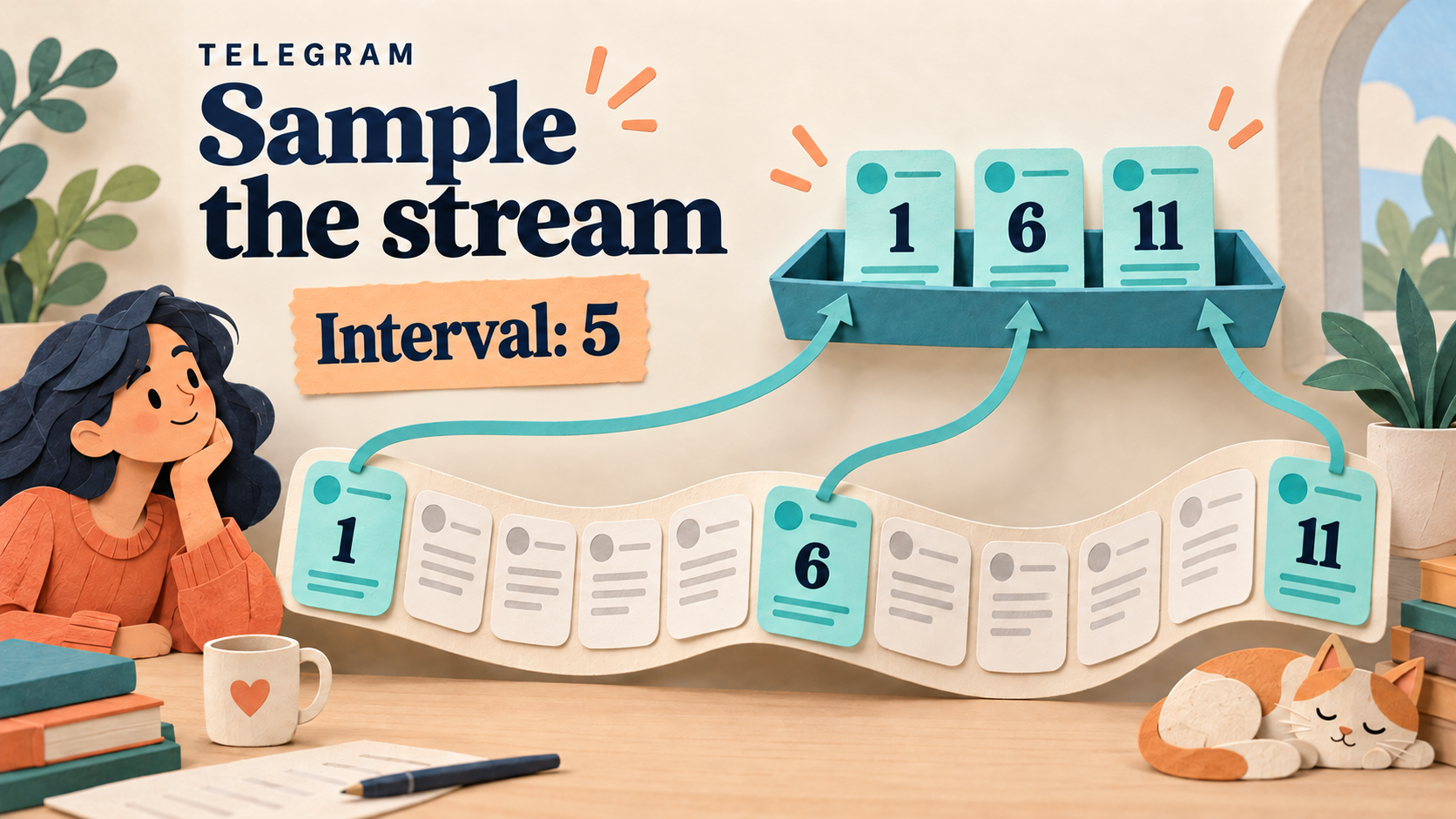
To create a lighter Telegram review feed without rewriting the posts, use RedFox Auto Forward Telegram’s Forward Every N Messages add-on. It forwards the first eligible message, skips the next N − 1 eligible messages, and repeats. With N = 5, the selected positions are 1, 6, 11, 16—not 5, 10, 15.
This is a good fit for routine background updates when you deliberately want a sample rather than complete coverage. It is not an importance filter, a daily summary or a guarantee that an urgent message will reach you.
The official Forward Every N Messages guide, checked October 9, 2026, documents this task-scoped selection rule for Web, mobile and the Telegram bot. Auto-Bot.io is a separate editorial publisher, not the developer or operator of RedFox Auto Forward Telegram. The previous bot has moved to @AutoForwardNew_Bot; use this current handle for the product.
The featured image is a conceptual illustration of eligible-message positions 1, 6 and 11 being copied into a review feed. It is not a product screen or a tested delivery result.
Use a sample for routine updates, not critical alerts
Imagine a team’s private channel receives repetitive, noncritical progress notes from a long-running batch job. A reviewer wants occasional original updates in a separate reading channel, while the source remains the place to inspect the full sequence. Forward Every N Messages can create that lighter stream without asking AI to summarize or rewrite each selected post.
Give the destination an honest description: “Sampled routine updates; check the source for the complete record.” Do not call it a complete log, an incident inbox or a feed of the most important messages. Sampling selects by position, not by meaning.
- Suitable: optional progress observations, repetitive background commentary and noncritical updates that are useful individually.
- Unsuitable as the only route: outages, security notices, customer requests, trading instructions or any workflow where missing one post could change a decision.
- Needs a different selection rule: a bulletin that must carry every formal announcement but exclude chatter. Use the focused group-update workflow for that job.
A fixed interval can repeatedly select the same phase of a regularly patterned source. If each job emits five differently meaningful steps, taking every fifth eligible update might keep showing one kind of step and omit the others. Inspect the source pattern before deciding that the sample is useful. This is fixed-position selection, not random sampling or a guarantee of statistical representativeness.
Count eligible messages, not Telegram message IDs
The add-on counts messages remaining after the task’s normal filters and conditions. A source post rejected before this stage does not occupy the next eligible position. The numbers in the pattern are ordinal positions in that eligible stream—not the numerical IDs in Telegram message links.
For a fresh, controlled single-source example with N = 5:
| Eligible position | Selection | What the review feed gets |
|---|---|---|
| 1 | Forward | The first eligible original update. |
| 2–5 | Skip | No copies of these four updates through this sampling rule. |
| 6 | Forward | The sixth eligible update—not a bundle of updates 2–6. |
| 7–10 | Skip | No copies of these four updates through this sampling rule. |
| 11 | Forward | The eleventh eligible update. |
These are documented expectations, not results from a connected-account test performed for this article. The guide permits whole-number values from 1 to 1,000. N = 1 selects every eligible message; N = 5 skips four between selections, not five.
Keep the first exercise to one source and ordinary new text messages. Do not extrapolate this table into a promise about combined counters across sources, album counting or the position of an already-running task.
Enable the add-on on one controlled task
Use a source and private destination you control, with harmless material you are allowed to redistribute. If you need a base route, use the existing Telegram forwarding setup guide. Choose the controlled destination before creating the task: the official creation guide says a normal task is activated when created.
- Confirm account access. In the AutoForward app, open Addons, search for Forward Every N Messages, and inspect its Unlock terms. Confirm the purchase only if you want those terms, then verify the add-on is Active on the account managing the task.
- Open the intended task. Scroll to Paid Addon and choose Forward Every N Messages. Check the source and target again; this is a task setting, not a request to change every route.
- Set one interval. Turn on Enable Feature, enter 5 for N, and choose Save Settings. Reopen the control and read back the saved value.
- Isolate the experiment. Keep other routes from posting the same test source into that destination. Extra copies from an ordinary forwarding task can look like sampling failed. For this original-update exercise, leave content rewriting off and review any existing content modifications on the task.
The add-on overview describes credit purchases and time-limited access. Review the actual price and duration shown at Unlock; this article does not promise a particular price, duration or inclusion in a subscription. If the control is absent, refresh the task/add-on list and verify active access on the same account, as the feature guide recommends.
Next step: open your controlled route in Auto Forward Web, save N = 5, and verify the sequence below before using a real audience.
Rehearse eleven fresh updates and a filter control
Start with a new controlled task/source combination whose eligible counter has not already advanced. Record the selected source, task, N and enabled filters. Send eleven distinct harmless text posts, labeled Routine sample A through Routine sample K, in order. Those labels identify your specimens; they are not built-in product fields.
- Positive checks: A, F and K should be selected as eligible positions 1, 6 and 11. Inspect those exact copies in the private target.
- Negative checks: B–E and G–J should not arrive through this rule. Do not stop after seeing A: the intentional gaps are part of the test.
- Filter check, when applicable: in a separate clean run, insert a harmless post that a previously verified task filter rejects between B and C. F should still be the sixth eligible post. Do not purchase or invent an extra filter just for this check; its entitlement and matching behavior are separate questions.
- Content check: confirm each selected update makes sense alone. A post saying only “as above” may be a poor sample even when selection works correctly.
Keep N and the filters unchanged during each run. An existing task may already be partway through its interval; reopening, renaming or pausing it is not evidence that the counter restarted. Use fresh distinguishable posts rather than editing one old message repeatedly to stand in for eleven new arrivals.
If results disagree, pause the affected test route and compare source access, task status, saved settings, active add-on access and other incoming routes. Retain sanitized source/destination observations for support. Never share login codes, passwords or account tokens in a support example.
Separate sampling from quotas, confirmation and digests
The word “every” can describe several different workflows. Choose by the output you need:
| Your reader job | Appropriate workflow | Key distinction |
|---|---|---|
| Keep occasional original posts from an eligible stream. | Forward Every N Messages. | First eligible post, then one per N eligible positions. |
| Control forwarding quantity within a time window. | Forward Rate Limit; use its official settings guide. | A time-window quota is not a positional sample. |
| Wait for several posts matching one keyword rule. | Keyword Confirmation. | Sends the threshold-completing matching post, not positions 1, 6 and 11. |
| Produce a readable recap. | The daily digest workflow. | A summary has a different editorial job from copying selected original posts. |
N = 5 does not mean five messages per hour or one message every five minutes. A busy source can produce many selected messages quickly, while a quiet source may take a long time to reach its next selected position. Do not use sampling as a Telegram rate-limit guarantee or a way to promise a fixed notification schedule.
Troubleshoot the pattern before changing N
- Every post arrives: verify Enable Feature, Save Settings and active access for the same account. Then check whether another task is sending the unsampled source into this target.
- The selected posts seem shifted: inspect earlier eligible activity and filters. Number the eligible sequence, not all visible source posts or Telegram IDs. Repeat on an unused controlled source/task rather than assuming a counter reset.
- Nothing arrives: confirm the base route can read its source and post to the destination. Then distinguish intended skips from task, permission or delivery errors; the selection rule is not proof of successful sending.
- The sample misses the information you need: change the workflow, not just the number. Important content needs an appropriate complete or content-selected path, not a hope that it lands on the next sampled position.
Before rollout, save the old task settings and choose who will review the first real samples. If the result is unsuitable, pause the affected route, restore its intended configuration and read it back. Returning to N = 1 selects every eligible message, so consider the resulting volume before resuming. Do not assume changing N replays messages skipped earlier.
Start with a feed you can afford to sample
Manage the route in Auto Forward Web, the official iOS app or Android app. Choose the surface you prefer; Web and the mobile apps are recommended for fuller management than the limited Telegram-bot entry point, @AutoForwardNew_Bot. Active tasks run in RedFox’s cloud, so you do not need to keep the management interface open.
Your first useful outcome: one clearly labeled private sample feed, a saved N = 5 setting, and an observed A/F/K pattern with the intended gaps. Review the official feature guide and current Unlock terms, then validate that controlled route. For other routing needs, see the Auto Forward Telegram overview.
Verify a Sample Before Using a Real Audience
Confirm add-on access, save N = 5 on one private route and check positions 1, 6 and 11 with the intended gaps before rollout.
Sampling is not an importance filter or a rate-limit guarantee