AutoForward Gets a New Logo and Cleaner UI in v1.0.47
Summary
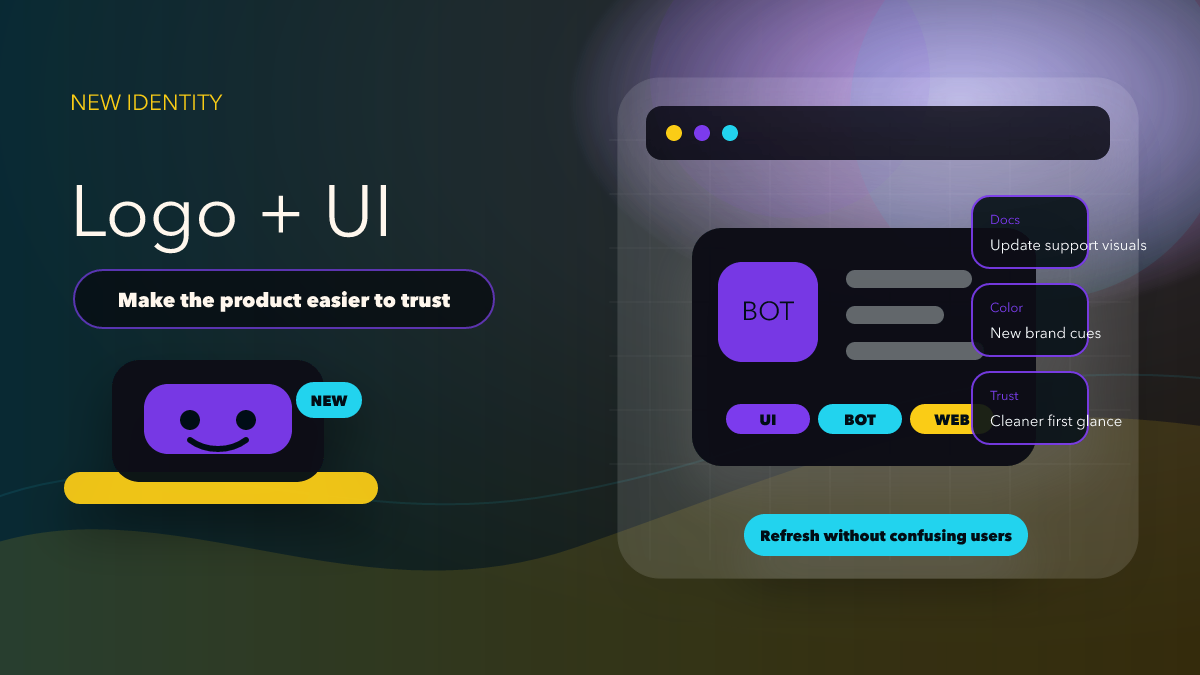
AutoForward v1.0.47 introduces a new app logo and a cleaner UI/UX. Here is what existing users will notice first and what teams should update before support questions pile up.
The April 11, 2026 announcement for AutoForward v1.0.47 is short, but it tells users something important: the product is being refreshed at the surface level, not only under the hood. The release explicitly mentions a new app logo and enhanced UI/UX, while the official docs still position Auto Forward Messages as available on iOS, Android, Telegram, and Web.
That combination matters because a visual refresh changes how existing users recognize the product, how new users decide whether they trust it, and how support teams explain the same product across bot, web, and mobile entry points.
What Existing Users Will Notice First
The first visible change is brand recognition. A new logo is not just a decorative update. It affects how users identify the right app in a crowded home screen, how they match product screenshots in your help center, and whether they feel they are still looking at the same service they used yesterday.
The second visible change is interface clarity. The docs page for Profile Settings still points users to practical account actions such as Restart BOT, Change Language, Reset Configuration, and Logout. If the release says UI/UX has been enhanced, those are exactly the surfaces users will judge first. They will not care that the design system is cleaner if they still hesitate before pressing a sensitive button.
For AutoForward specifically, this matters because the product is not a content viewer. It is an operating tool. People open it to connect their Telegram account, build routes, adjust settings, and keep business or community workflows running. A visual refresh is successful only when those jobs feel easier to understand.
Why a Product Refresh Can Improve Conversion
Most blog posts about UI changes make the same mistake: they write as if every redesign is automatically good. That is not credible. A better editorial question is simpler: does the new presentation remove hesitation from the moment a user decides to try the product?
For AutoForward, the answer should be measured against the actual product path. A reader lands on Auto Forward Messages Telegram, decides whether the product can solve a forwarding problem, then enters through the Telegram Bot or the Web App. If the refreshed logo, labels, and layout make that journey feel cleaner, the update supports both CTR and CTA. If the visual refresh makes old screenshots and support notes inaccurate, the same release can create friction until the documentation catches up.
That is why a product-introduction article should not read like a design award entry. It should explain what changed, where users will encounter it, and what teams need to update so the release feels consistent everywhere.
What Teams Should Update This Week
- Replace stale screenshots: Any onboarding guide, sales page, support macro, or internal SOP that still shows the previous logo or previous layout now risks confusing users.
- Retest the account menu: Open the bot and verify the wording and placement around Restart BOT, Change Language, Reset Configuration, and Logout.
- Check platform continuity: The docs state that Auto Forward Messages is available on iOS, Android, Telegram, and Web. Your release messaging should reflect the same multi-platform story, not just the bot surface.
- Update product-introduction copy: If the product now looks cleaner, your blog intro and CTA blocks should match that improved first impression instead of sounding generic.
- Review support macros: The first wave of user confusion after a refresh usually lands in support, not in product feedback forms.
How This Should Be Introduced to Readers
The right tone is straightforward: AutoForward v1.0.47 makes the product look more modern and easier to navigate, while preserving the core utility that users already depend on. That is a stronger message than vague praise about innovation or transformation.
A useful introduction tells readers whether this release is relevant to them. Existing users should know they may notice new visual cues and cleaner flows. New users should know the product is mature enough to operate across Telegram, Web, iOS, and Android. Agencies and team operators should know they need to refresh screenshots and support notes before the mismatch creates extra work.
This is also where the product CTA should stay disciplined. If the post is about the AutoForward app refresh, the reader should go to the Telegram-forwarding product page, then to the real product surfaces that the docs list. There is no reason to send them somewhere abstract or unrelated.
Comparison Table
| Editorial choice | Strong version | Weak version |
|---|---|---|
| Release framing | Explain what users will see and where they should review it | Praise the redesign without showing user impact |
| Product fit | CTA points to Auto Forward Messages Telegram | CTA points to a generic automation page |
| Support readiness | Update screenshots and account-menu guidance | Leave old visuals live and wait for complaints |
| Trust signal | Connect UI refresh to clearer operation across bot, web, iOS, and Android | Write as if logo changes alone create value |
Where to Review the Refresh Live
If you want to see the product path that this release affects, start with Auto Forward Messages Telegram, then open the bot or the web app. If you want the broader release context, continue with AutoForward v1.0.47: UI, Performance, and Transfer Credits.
FAQ
Is this just a branding update?
No. The announcement mentions both a new logo and enhanced UI/UX, so the release should be treated as an experience update, not just a cosmetic badge swap.
Why mention Profile Settings in an article about UI refresh?
Because that menu contains high-friction actions that real users need to understand. If UI/UX improved, those actions are one of the first places the improvement should be visible.
Who should act on this first?
Support teams, agencies, and anyone with onboarding or screenshot-based documentation should review this release first so public-facing material matches the live product.
See The Refreshed AutoForward Experience
Open the Telegram-forwarding product page and compare the updated UI direction across bot, web, and app surfaces.
Telegram Bot • Web App • iOS • Android